To set the focus distance
1 When using the camera, tap .
2 Tap .
3 Drag the slider to adjust the focus distance.
4 Close the settings menu. The setting is saved.
5 Press the camera key or tap the shutter button to take a photo.
This setting is only available in Manual mode for the main camera.
People, selfies and smiling faces
Faces in focus are indicated with a coloured frame. Tap any frame to select a face
to focus on.
Use Smile Shutter to automatically take a photo when a person smiles. If you are
recording a video, a photo is taken each time a smile is detected.
Taking photos and videos of people
• Consider the camera orientation. Use portrait for close-up photos, to fill the frame.
Use landscape for close-up group photos, or to capture an object in the
background.
• Place the camera on a solid surface and use the self-timer
to prevent blurred
photos.
To focus on another face
• Before taking a photo or recording a video, tap one of the frames to select a
face to focus on.
To take a photo when someone smiles
1 When using the camera, tap
.
2 Drag the list to view more settings.
3 Tap Auto-capturing or Auto-capturing (video) > Smile Shutter.
4 Close the settings menu. The setting is saved for the capturing mode
selected.
5 When a smile is detected, the camera automatically takes a photo.
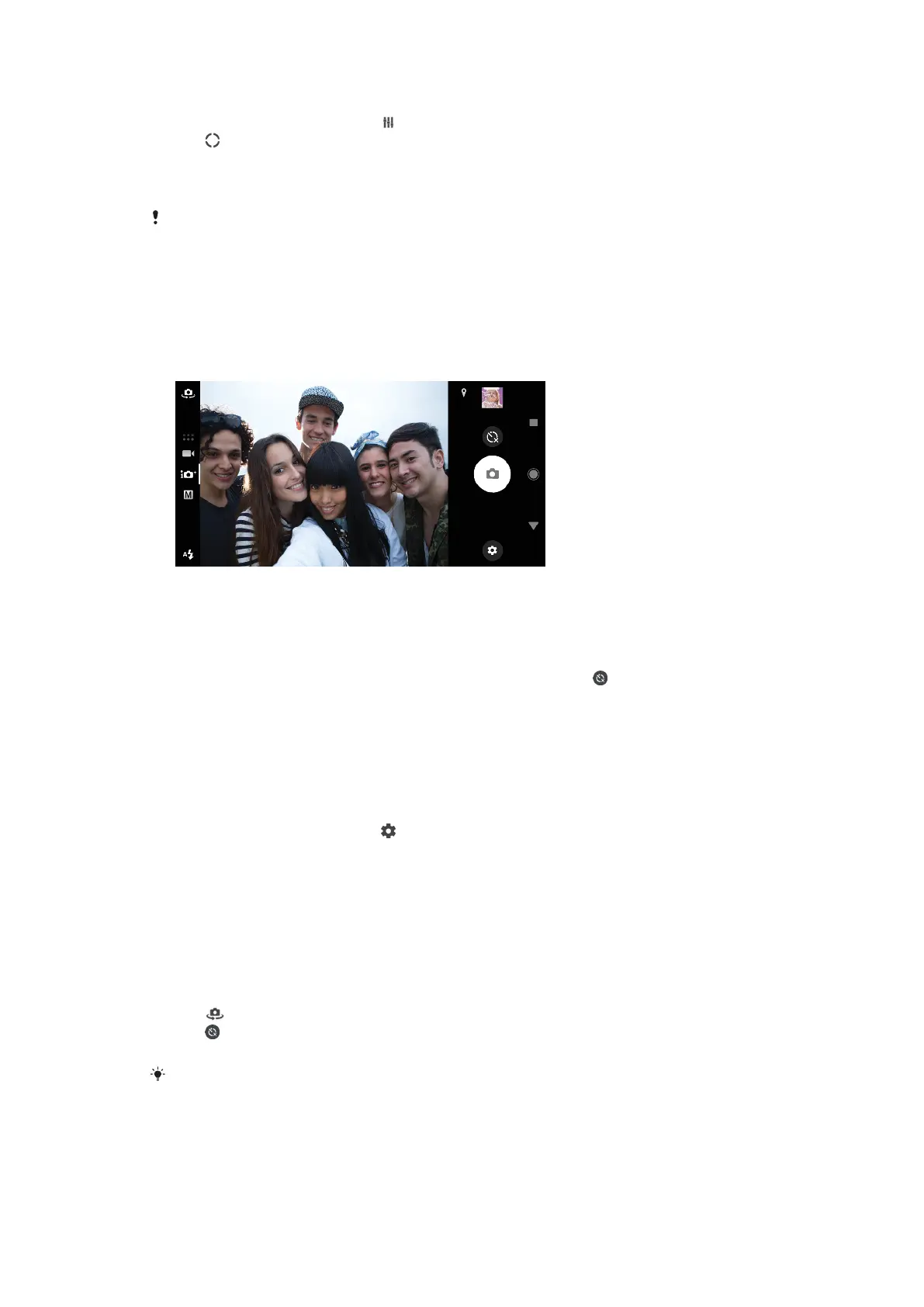
To take a selfie
1 When using the camera, select a photo or video capturing mode for your
selfie.
2 Tap
to activate the front camera.
3 Tap if you want to use the self-timer.
4 Press the camera key or tap the shutter button to take a selfie.
Turn on the Soft Skin
Eect to soften skin tones when taking selfies.
89
This is an internet version of this publication. © Print only for private use.












 To Next Page