71
16
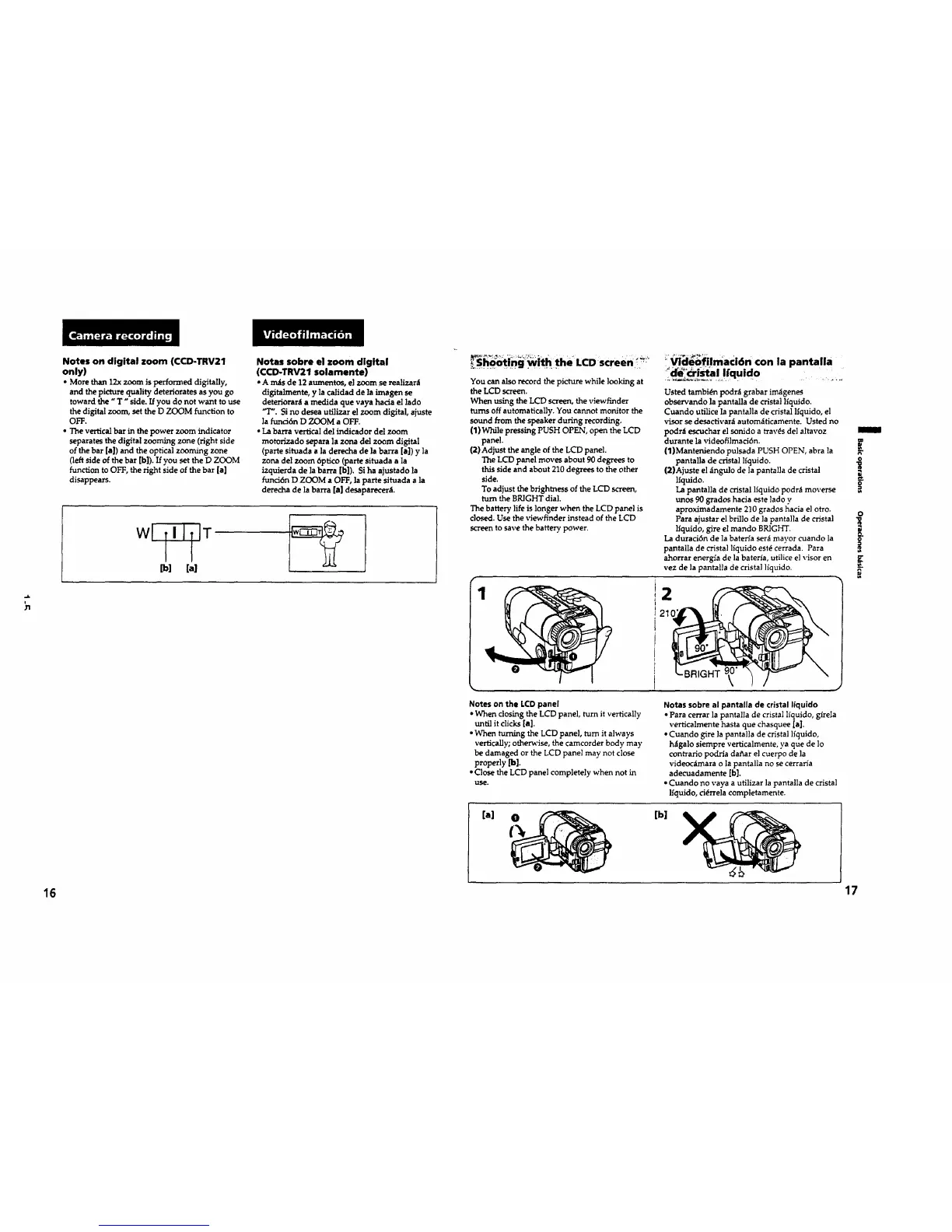
Notes on digital zoom (CCD-TRV21
only)
• More than 12x zoom is performed digitally,
and the picture quality deteriorates as you go
toward the "T" side. If you do not want to use
the digital zoom, set the D ZOOM function to
OFF.
• The vertical bar in the power zoom indicator
separates the digital zooming zone (right side
of the bar [a]) and the optical zooming zone
(left side of the bar [b]). If you set the D ZOOM
function to OFF, the fight side of the bar [a]
disappears.
Notas sobre el zoom digital
(CCD-TRV21 solamente)
• Amas de 12 aumentos, el zoom se realizant
digitalmente, y la calidad de ]a imagen se
deteriorara a medida que vaya hacia el lado
"T'. Si no desea utllizar el zoom digital, ajuste
la funci6n D ZOOM a OFF.
• La barra vertical del indicador del zoom
motorizado separa la zona del zoom digital
(parte situada ala derecha de la barra [el) y ]a
zona del zoom 6ptico (parte situada ala
izquierda de la barra [b]). Si ha ajustado la
funci6n D ZOOM a OFF, la parte situada ala
derecha de la barra [el desaparecera.
wl TIITIT
I I
[b] [a]
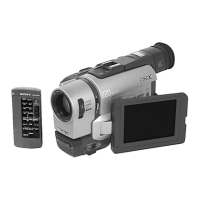
_S_ti_g_ it h the' LCD screen: _!_
You can also record the picture while looking at
the LCD screen.
When using the LCD screen, the viewfinder
turns off automatically. You cannot monitor the
sound from the speaker during recording.
(1) While pressing PUSH OPEN, open the LCD
panel•
(2) Adjust the angle of the LCD panel.
The LCD panel moves about 90 degrees to
this side and about 210 degrees to the other
side.
To adjust the brightness of the LCD screen,
turn the BRIGHT dial.
The battery life is longer when the LCD panel is
closed. Use the viewfinder instead of the LCD
screen to save the battery power.
Videofilmaci6n con la pantalla
Usted tambi6n pc(ira grabar im_genes
observando la pantalla de cristal llquido.
Cuando utilice la pantalla de cristal lfquido, el
visor se desactivara autom_tticamente. Usted no
podr_t escuchar el sonido a tray,s de] altavoz
durante la videofilmaci6n.
(1)Manteniendo pulsada PUSH OPEN, abra la
pantana de cristal lfquido.
(2)Ajuste el angulo de la pantalla de cristal
lfquido.
La pantal]a de cristal ltquido podra moverse
unos 90 grados hacia este lado y
aproximadamente 210 grados hacia el otro.
Para ajustar el brilio de ]a pantalla de cristal
lfquido, gire el mando BRIGHT.
La duraci6n de la baten'a ser_ mayor cuando la
pantalla de crlstal liquido est(_ cerrada. Para
ahorrar energla de la bateria, utilice el visor en
vez de la pantalla de crista] ]iquido.
2
Notes on the LCD panel
• When closing the LCD panel, turn it vertically
until it clicks [a].
• When turning the LCD panel, turn it always
vertically; othen_'ise, the camcorder body may
be damaged or the LCD panel may not close
properly [b].
• Close the LCD panel completely when not in
uSe.
[el
Notes sobre al pantafla de cristal liquido
•Para cerrar la pantal]a de cristal l_quido, girela
verticalmente hasta que chasquee [a].
• Cuando gire ]a pantalla de cristal lfquido,
hagalo siempre verticalmente, ya que de lo
contrario podrta dafiar el cuerpo de ]a
videoc_ara o la pantalla no se cerraria
adecuadamente [b].
• Cuando no vaya a utilizer la pantalla de crista!
lfquido, ci_rrela completamente.
[b]
m
o
g
17









 To Next Page