Usage Precautions
24
• Female connector
1
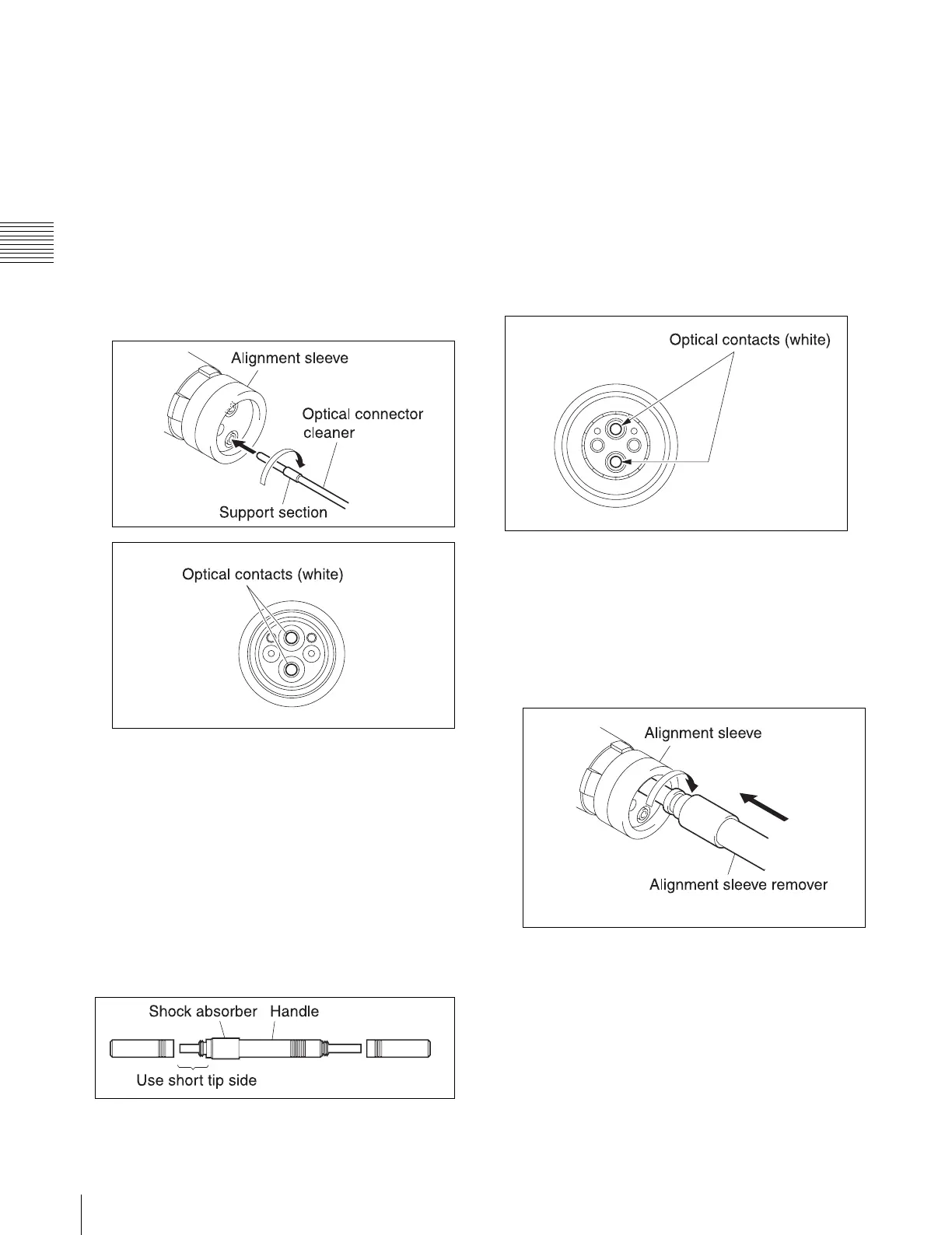
Insert the optical connector cleaner straight into the
connector.
2
Apply sufficient pressure (approximately 600 g to
700 g (20 oz. to 25 oz.)) to slightly push down the
optical contact.
3
While pressing the optical connector cleaner against
the tip of the optical contact, rotate it clockwise four
or five times.
Grasping the support section of the optical connector
cleaner makes it easier to apply pressure.
When an optical connector cleaner (sold
separately) is not available
Tools required
• Alignment sleeve remover HC-001 (for female
connector)
Sony J-6480-010-A
Use the short tip side of the tool.
The tool is equipped with a shock absorber. When using
the tool, always grasp the handle, not the shock absorber.
• Cotton swab (commercially available)
Use cotton swabs with a diameter of about 4 mm (5/32
inches). If the diameter of the cotton swab exceeds
5 mm (7/32 inches), the swab will not fit fully into the
connector and the tip of the optical contact cannot be
cleaned.
• Cleaning alcohol (commercially available)
Cleaning procedure
• Male connector
Clean the optical contact tips (white) using a cotton swab
moistened with alcohol.
• Female connector
The optical contacts of a female connector are not
accessible in the normal condition. To access the
contacts for cleaning, you must first remove the
alignment sleeve as described below.
1
Insert the alignment sleeve remover straight into the
alignment sleeve, and rotate it clockwise.



 To Next Page