Additional Information
47
US
HT-1750DP 4-244-184-31(1) US
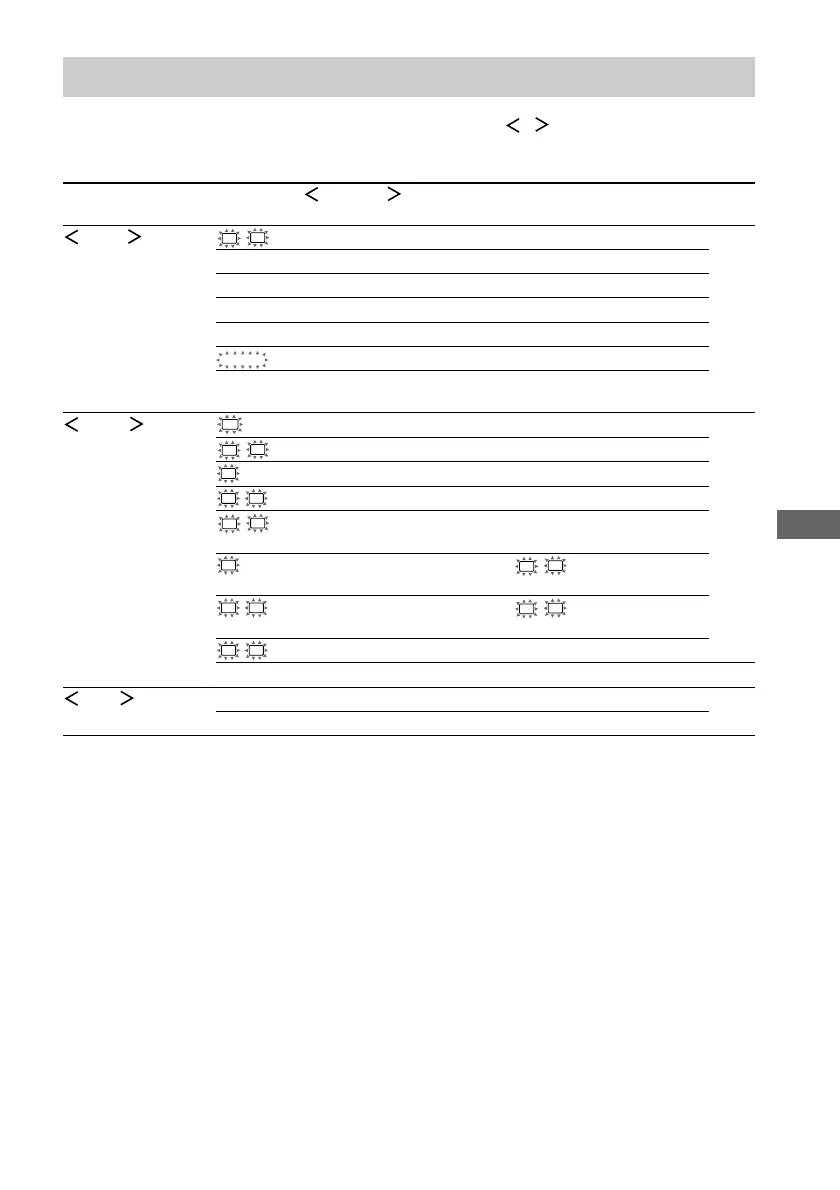
Tables of settings using the MAIN MENU button
You can make various settings using the MAIN MENU, MENU / and MENU +/– buttons. The
tables below show each of the settings that these buttons can make.
Press MAIN MENU Press MENU or MENU Press MENU + or MENU – to select Page
repeatedly to select to select
LEVEL
L
R
BAL. L/R XX L +8 to R +8 (1 steps) 26
CTR XXX dB –10 dB to +10 dB (1 dB steps)
SUR.L. XXX dB –10 dB to +10 dB (1 dB steps)
SUR.R. XXX dB –10 dB to +10 dB (1 dB steps)
S.W. XXX dB –10 dB to +10 dB (1 dB steps)
D. RANGE
COMP. XXX OFF, STD, MAX
EFCT. XXX depends on the sound field
(MIN, STD, MAX)
SET UP
SW
(SUB WOOFER) S.W. XXX
1)
YES, NO 15
L
R
(FRONT)
XXXXX
1)
LARGE, SMALL
C
(CENTER)
XXXXX
1)
LARGE, SMALL, NO
SL
SR
(SURROUND)
XXXXX
1)
LARGE, SMALL, NO
L
R
DIST. XX ft. between 3 feet and 23 feet
(1 foot steps)
C
DIST. XX ft. between
L
R
DIST. and 5 feet
(1 foot steps)
SL
SR
DIST. XX ft. between
L
R
DIST. and 15 feet
(1 foot steps)
SL
SR
PL. XXXX LOW, HIGH
DEC. XXXX AUTO, PCM 32
TONE BASS XX dB –6 dB to +6 dB (1 dB step) 27
TREB. XX dB –6 dB to +6 dB (1 dB step)
1)
Only when you select “NORM. SP.”



 To Next Page