34
US
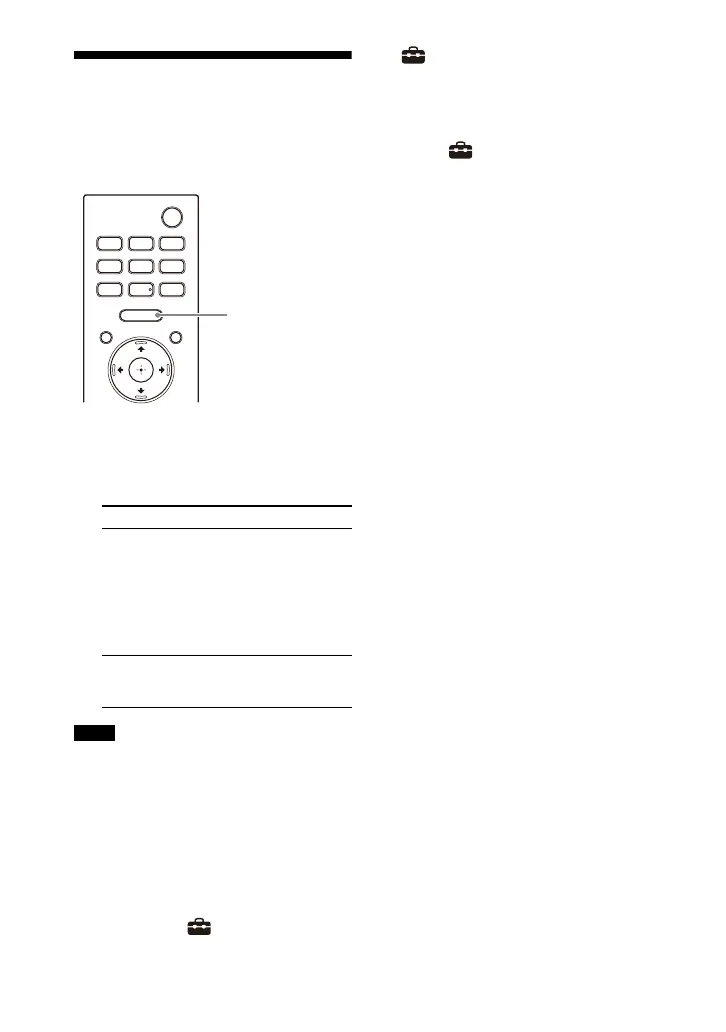
Enjoying Surround Effect
(SOUND FIELD)
You can turn the surround effect on or
off to suit sound sources.
1 Press SOUND FIELD to select the
setting.
The setting appears in the front
panel display.
• You cannot change the setting in the
following conditions even if you press
SOUND FIELD.
– The BLUETOOTH device is connected in
BLUETOOTH transmission mode
(page 29).
– A test tone is emitted.
• This setting may be fixed depending on
the sound source.
• You cannot change the setting of [Sound
Field Setting] in [Setup] - [Advanced
Settings] - [Audio Settings] when
[Setup] - [Advanced Settings] -
[Audio Settings] - [360 Spatial Sound
Mapping] is set to [On].
Tip
You can select the type of the surround
effect in [Setup] - [Advanced Settings]
- [Audio Settings] - [Sound Field Setting].
Setting Explanation
[SF.ON] The sound is output
with the surround
effect.
This setting is suitable
for experiencing the
surround sound with
presence regardless
of the genre.
[SF.OFF] The sound is output
without the surround
effect.
Notes



 To Next Page