3
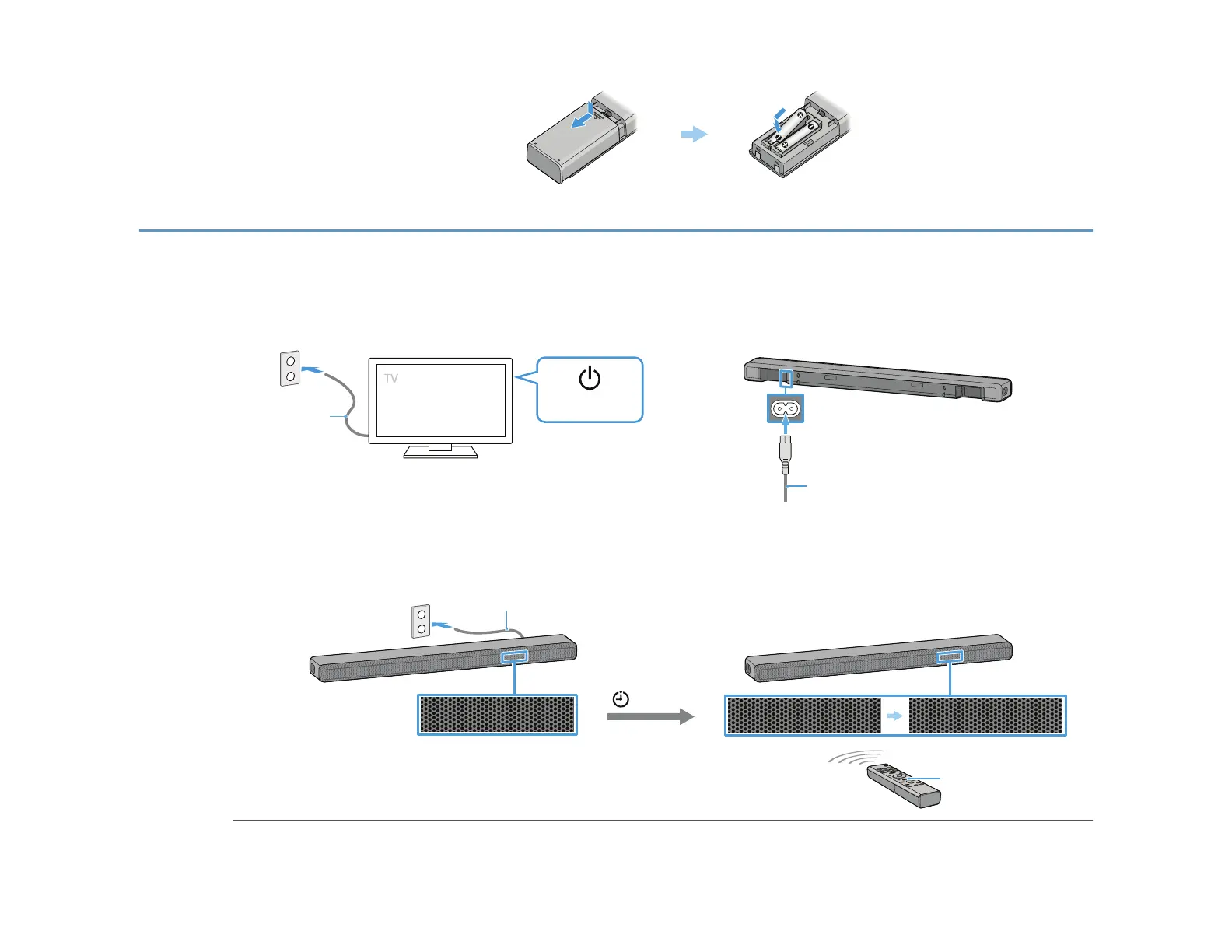
Set up the remote control
4
Turn on the TV and the speaker system
0h:02m
HELLO
PLEASE WAIT
ɡ
ɟɞ
AC power cord
(mains lead)
Power ON
ɠ
AC power cord (mains lead) (supplied)
AC power cord (mains lead) (supplied)
HOME
Connect the TV’s AC power cord (mains lead) to the AC outlet (mains).
Connect the AC power cord (mains lead) to the AC inlet on the speaker system.
Connect the AC power cord (mains lead) to the AC outlet (mains).
The remote control of the speaker system does not work until [HELLO] in the front panel display on the speaker system disappears.
Press HOME on the remote control of the speaker system after [HELLO] in the front panel display disappears.
Wait until [PLEASE WAIT] in the front panel display disappears and next indication appears in the front panel display.


 To Next Page
 Loading...













