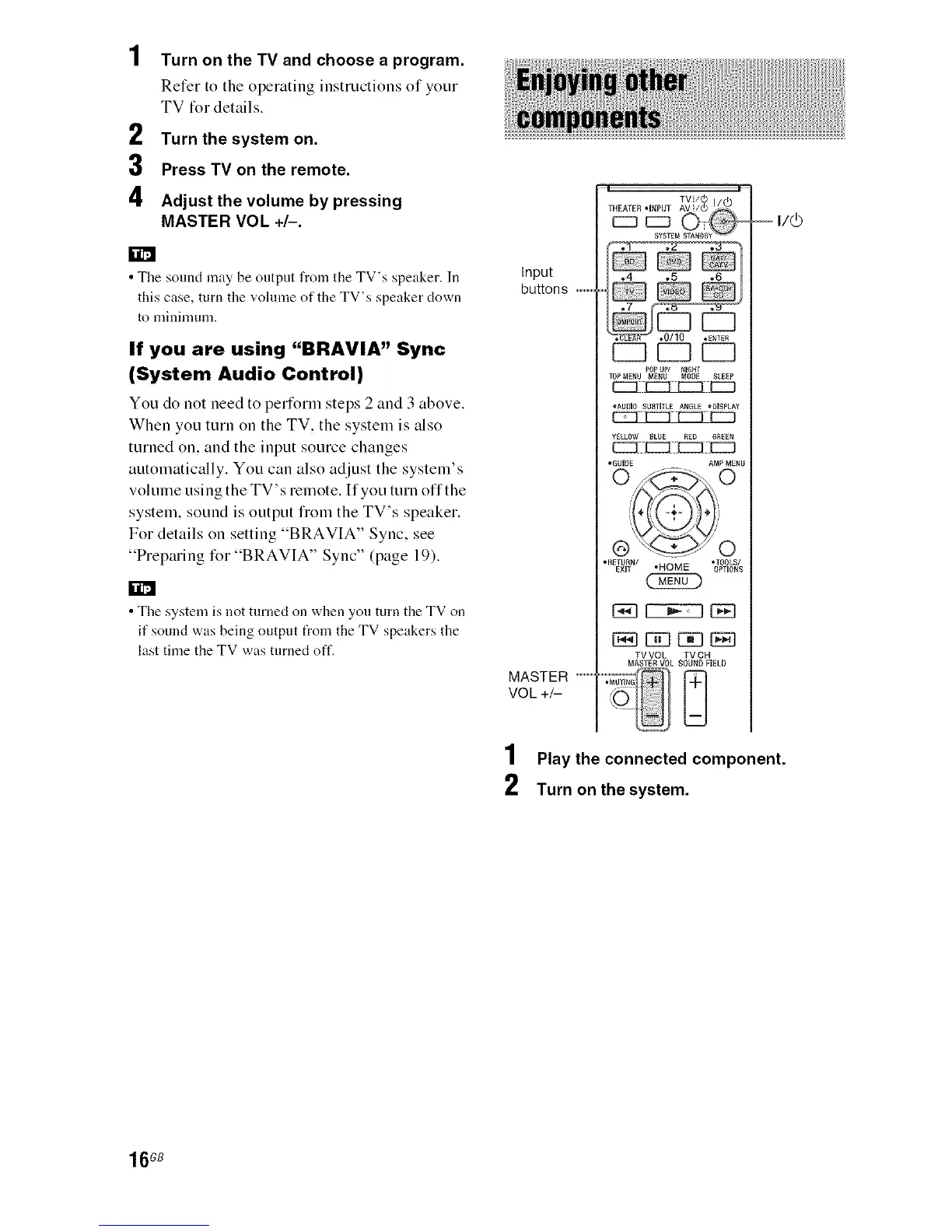
Turn on the TV and choose a program.
Refer to the operating instructions of your
TV for details.
2 Turn thesystem on.
3 Press TV on the remote.
4 Adjust the volume by pressing
MASTER VOL +/-.
• The sound may be output from the TV's speaker. In
this case, turn the volume of the TV's speaker clown
to minimunl.
If you are using "BRAVIA" Sync
(System Audio Control)
You do not need to perform steps 2 and 3 above.
When you turn on the TV. the system is also
turned on. and the input source changes
automatically. You can also adjust the system's
volume using the TV's remote. If you turn offthe
system, sound is output fiom the TV's speaker.
For details on setting "BRAVIA" Sync. see
"Preparing for "BRAVIA" Sync" (page 19).
rol
• The system is not turned on when you turn the TV on
if sound was being output t_om the TV speakers the
last time the TV was turned oft'.
Input
buttons .................
MASTER .................
VOL +/-
TVl/(5
THEATER .INPUT AV /Q) /_/_
EM
POP UP/ NIGHI
TOPMENU MENU MOD£ SLEEP
E2::L_iiE221
•AUDIOSUamLEANGLE,DISPLAY
• GUIDE AMP MENU
0(_,0
@.......__ 0
_ETU_N/ *TOOLS/
EXIT "HOME OPTIONS
TV VOL TV CH
MASTER VOL SOUND FIELD
....:"MUT,NG_/._
i/(b
1 Play the connected component.
2 Turn on thesystem.
16GB



 To Next Page