Selecting the sound field
This system can create multi-channel surround
sound. You can select one of system's optimized
pre-programmed sound fields.
•GUIOE AMPMENU
o o
-RETURN/ -TOOLS/
EXIT "HOME OPTIONS
TV VOL TV CH
MASTER VOL SOUND FIELD
"MUTING R
_"........... '...................................SOUND
(0 U FIELD +/-
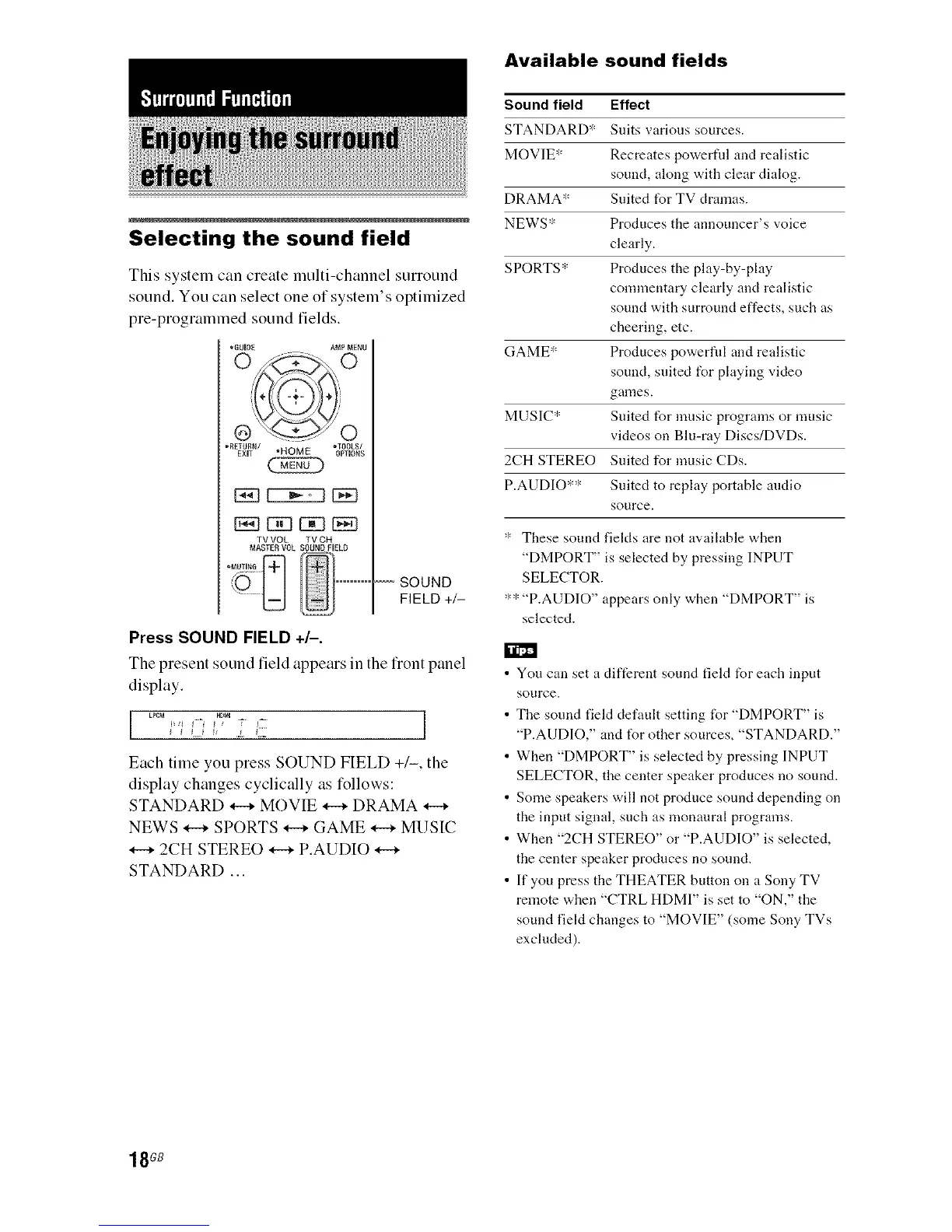
Press SOUND FIELD +/-.
The present sound field appears in the fiont panel
display.
LPCM HD_ ]
Each time you press SOUND FIELD +/-, the
display changes cyclically as tk_llows:
STANDARD _ MOVIE _ DRAMA
NEWS _ SPORTS _ GAME _ MUSIC
2CH STEREO _ P.AUDIO
STANDARD ...
Available sound fields
Sound field Effect
STANDARD* Suits various sources.
MOVIE* Recreates powerfld and realistic
sound, along with clear dialog.
DRAMA* Suited for TV dramas.
NEWS* Produces the announcer's voice
clearly.
SPORTS* Produces the play-by-play
commentary clearly and realistic
sound with surround effects, such as
cheering, etc.
GAME* Produces powerfld and realistic
sound, suited for playing video
games.
MUSIC* Suited for music programs or music
videos on Blu-ray Discs/DVDs.
2CH STEREO Suited for music CDs.
P.AUDIO*": Suited to replay portable audio
source.
": These sound fieMs are not available when
"DMPORT" is selected by pressing INPUT
SELECTOR.
":":"P.AUDIO" appears only when "DMPORT" is
selected.
You can set a different sound field for each input
source.
The sound field default setting tUr "DMPORT" is
"P.AUDIO," and tUr other sources, "STANDARD."
When "DMPORT" is selected by pressing INPUT
SELECTOR, the center speaker produces no sound.
Some speakers will not produce sound depending on
the input signal, such as monaural programs.
When "2CH STEREO" or "P.AUDIO" is selected,
the center speaker produces no sound.
If you press the THEATER button on a Sony TV
remote when "CTRL HDMI" is set to "ON," the
sound field changes to "MOVIE" (some Sony TVs
excluded).
18GB



 To Next Page