10
GB
Ventilation holes
For safety, do not block the
ventilation holes.
(power) button
Turns on the subwoofer or sets it
to standby mode.
Power indicator
– Lights in red: The subwoofer is in
standby mode
– Lights in green: The subwoofer is
connected to the system
– Lights in orange: The subwoofer is
connected to the system with the
Secure Link function
– Flashes in green: The subwoofer is
attempting to connect to the
system
– Flashes in orange: The subwoofer
is attempting to connect to the
system with the Secure Link
function
SECURE LINK button (page 39)
AC IN terminal
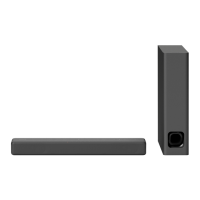
Subwoofer


 To Next Page