22
GB
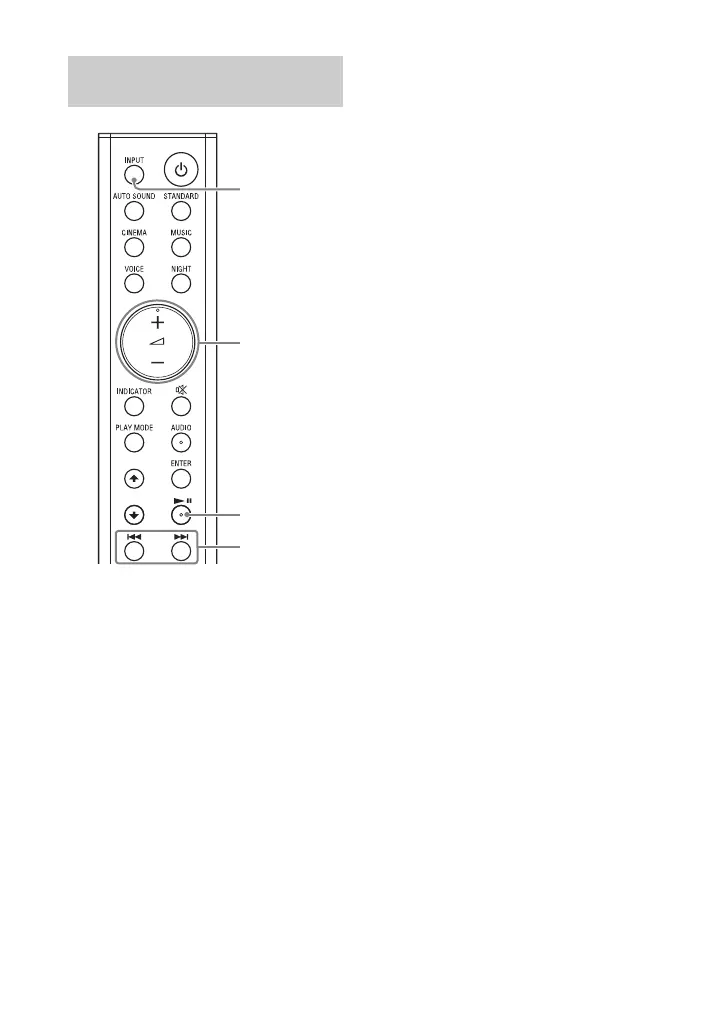
1 Turn the BLUETOOTH function of
the mobile device to on.
2 Press INPUT repeatedly to select
the BLUETOOTH input or press the
BLUETOOTH button on the Bar
Speaker shortly.
The BLUETOOTH indicator flashes
and the system automatically
reconnects to the BLUETOOTH
device it was most recently
connected to.
3 Make sure that the BLUETOOTH
indicator lights in blue.
A connection between the system
and mobile device has been
established.
4 Start audio playback with the
music app on the connected
mobile device.
Sound is output from the Bar
Speaker.
5 Adjust the volume.
• Adjust the volume by pressing
+/– on the remote control.
• and / on the remote
control can be used for the
BLUETOOTH function.
Listening to Music from the
Paired Mobile Device



 To Next Page