Help Guide
Sound Bar
HT-S2000
Listening to Music on a USB Device (models with the
(USB) port only)
You can play music files stored on a connected USB device.
Note
To avoid data corruption or damage to the USB device, make sure to switch the input of the speaker system to something other
than [USB], and with the USB playback function stopped, connect or disconnect the USB device to or from the speaker system.
Hint
You can also select the USB input by pressing INPUT (Input) on the supplied remote control.
You can also select the USB input by tapping
(Input) on the bar speaker.
Related Topic
Playable Types of Audio Files for the USB Device (models with the
(USB) port only)
5-045-382-11(1) Copyright 2022 Sony Corporation
Set [Settings] - [System Settings] - [Using a USB drive to play music] on the remote control screen of the
app to on.
1
Switch input to [USB] on the remote control screen of the app.
2
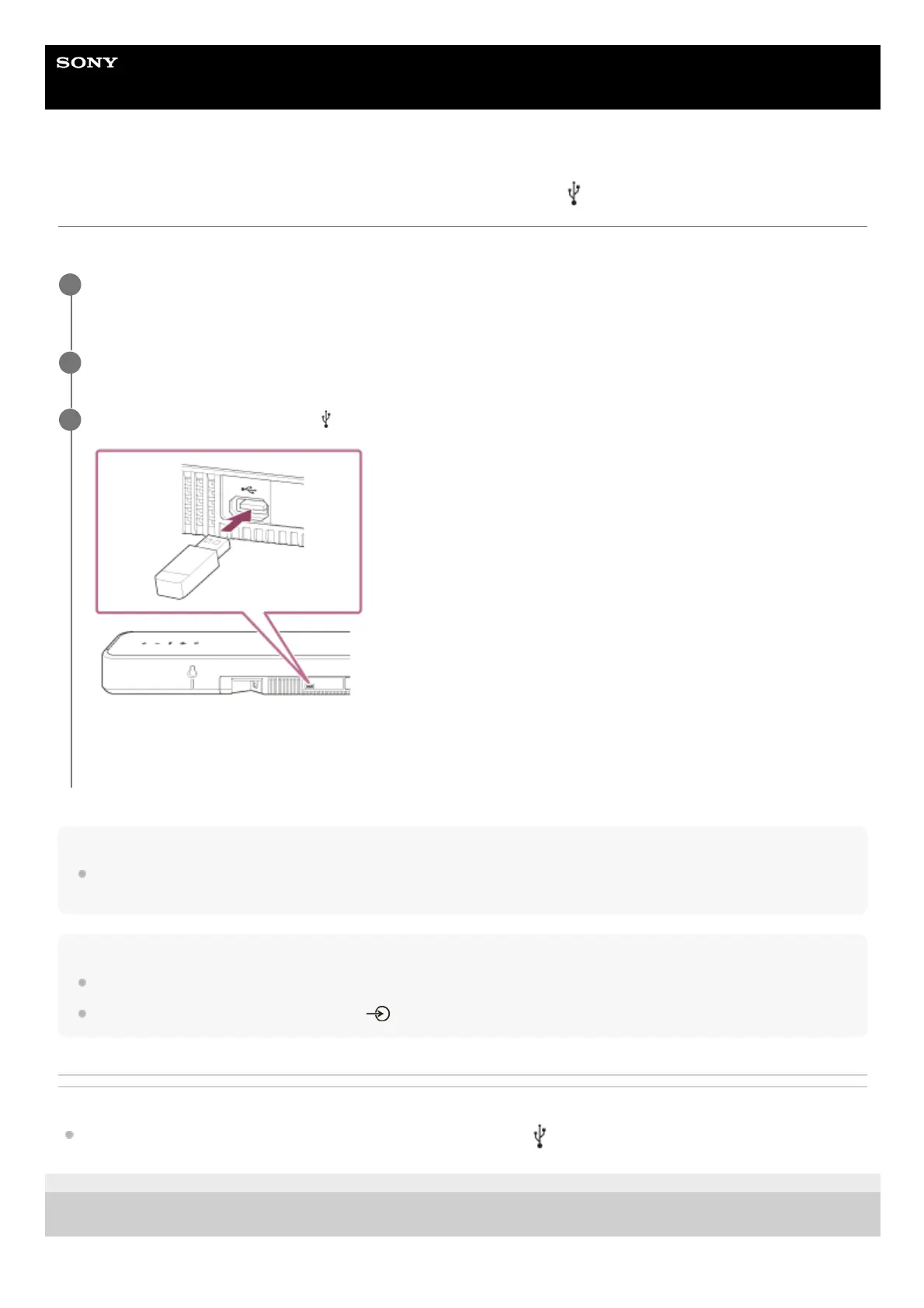
Connect the USB device to the
(USB) port.
Music files stored on the USB device are automatically played and sound is output from the speaker system.
You can play or pause the content by tapping the playback operation icon on the remote control screen of the app.
3



 To Next Page