EasyManua.ls Logo

Sony HT-ST9 - BLUETOOTH Functions; Bluetooth Music Playback and Pairing

Sony HT-ST9
80 pages
Print Icon
To Next Page IconTo Next Page

To Previous Page IconTo Previous Page
Loading...
BLUETOOTH
Functions
Listening
to
Music
from
a
BLUETOOTH
Device
®®:1
DLJo)
o:
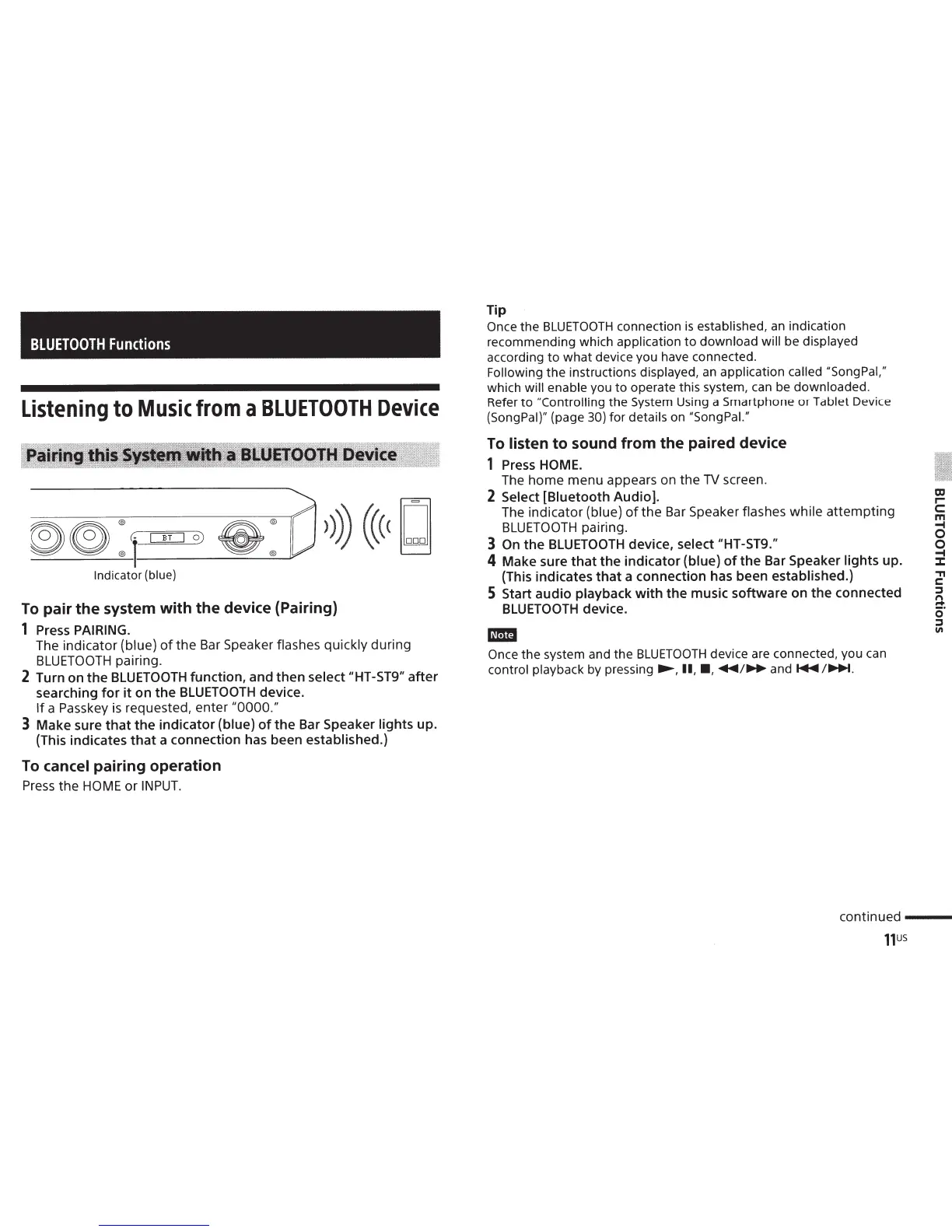
Indicator (blue)
To
pair
the
system
with
the
device (Pairing)
1
Press
PAIRING.
The indicator
(blue)
of
the
Bar Speaker
flashes quickly
during
BLUETOOTH
pairing.
2 Turn on
the
BLUETOOTH
function, and
then
select "HT-ST9"
after
searching
for
it
on
the
BLUETOOTH
device.
If
a Passkey
is
requested, enter
"0000."
3
Make sure
that
the
indicator
(blue)
of
the
Bar Speaker lights
up.
(This indicates
that
a connection has been
established.)
To
cancel
pairing
operation
Press
the
HOME
or
INPUT.
Tip
Once
the
BLUETOOTH
connection
is
established, an
indication
recommending
which
application
to
download
will
be
displayed
according
to
what
device
you
have connected.
Following
the
instructions displayed, an
application
called "SongPal,"
which
will
enable
you
to
operate
this system, can be
downloaded.
Refer
to
"Controlling
the
System Using a
Smartphone
or
Tablet Device
{SongPal}" (page
30)
for
details on
"Song Pal."
To
listen
to
sound
from
the
paired device
1
Press HOME.
The
home
menu
appears on
the
TV
screen.
2 Select
[Biuetooth Audio].
The
indicator
(blue)
of
the
Bar Speaker
flashes while
attempting
BLUETOOTH
pairing.
3
On
the
BLUETOOTH
device,
select "HT-ST9."
4
Make sure
that
the
indicator (blue)
of
the
Bar Speaker lights up.
(This indicates
that
a connection has been
established.)
5
Start
audio
playback
with
the
music software on
the
connected
BLUETOOTH
device.
11m
Once
the
system and
the
BLUETOOTH
device are
connected,
you
can
control
playback by
pressing...,...,
II,
•,
..._/.._..and~~~-
m
r-
c:
m
.....
0
0
.....
::::t
"T1
c:
::l
n
r+
(5'
::l
"'
continued
---
11us

Other manuals for Sony HT-ST9

Related product manuals