Settings
and
Adjustments
Using
the
Setup
Display
You
can
make various adjustments
to
items such
as
picture and
sound.
The
default
settings are underlined.
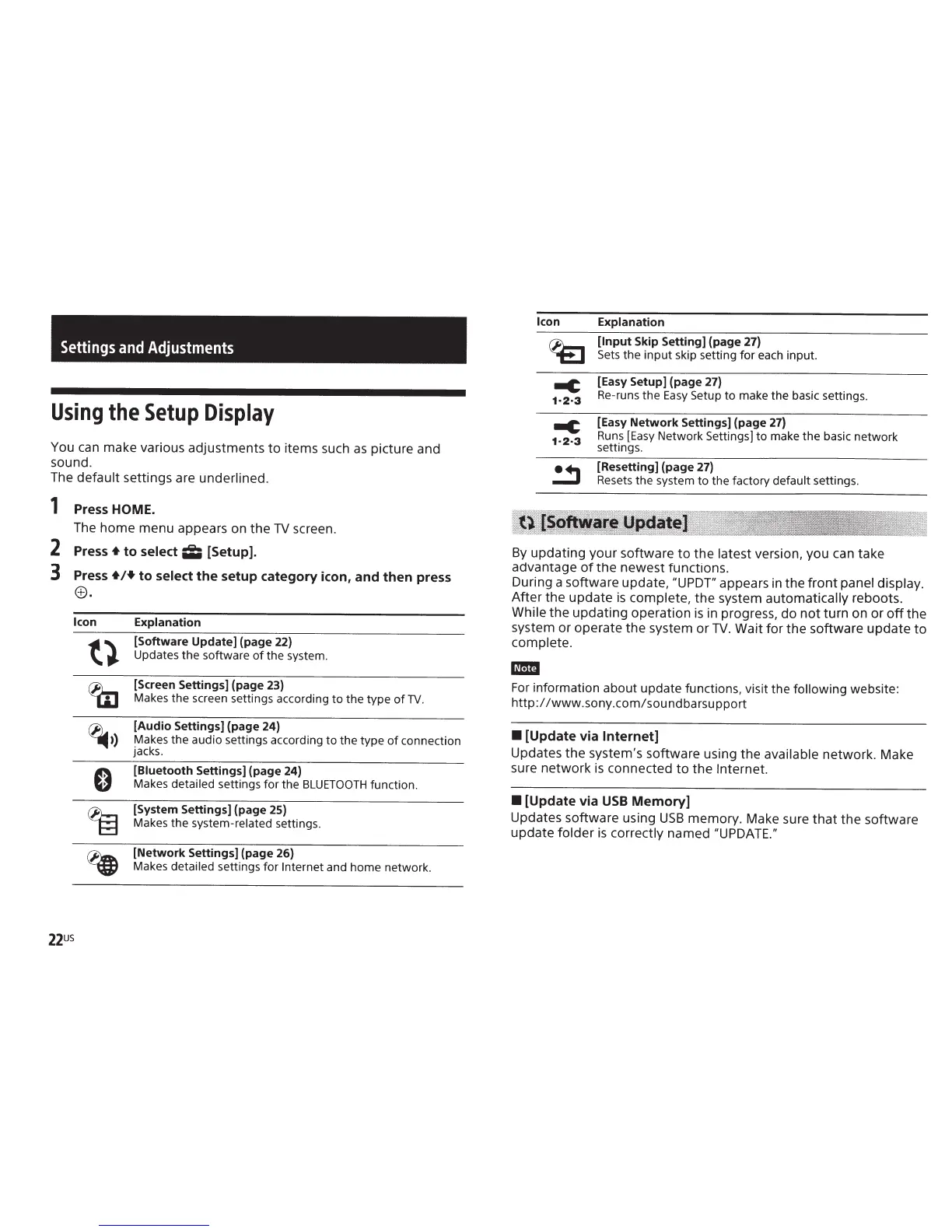
1 Press HOME.
The
home menu appears on the
TV
screen.
2
Press+
to
select
ii;
[Setup].
3
Press
+!+to
select
the
setup
category
icon,
and
then
press
e.
Icon
Explanation
[Software
Update]
(page 22)
Updates the software
of
the system.
[Screen Settings] (page 23)
Makes the screen settings according to the type
of
TV.
[Audio
Settings] (page 24}
Makes the audio settings according
to
the type
of
connection
jacks.
[Biuetooth
Settings] (page 24)
Makes detailed settings
for
the
BLUETOOTH
function.
[System Settings] (page 25}
Makes the system-related settings.
[Network
Settings] (page 26)
Makes detailed settings for
Internet
and home network.
Icon
-c
1·2·3
Explanation
[Input
Skip Setting] (page 27)
Sets
the input skip setting for each input.
[Easy Setup] (page 27}
Re-runs the
Easy
Setup to make the basic settings.
[Easy
Network
Settings] (page
27)
Runs
[Easy
Network Settings]
to
make
the
basic network
settings.
[Resetting] (page
27)
Resets
the system to the factory default settings.
By
updating your software
to
the
latest
version, you
can
take
advantage
of
the newest functions.
During a software update,
IIUPDT"
appears
in
the
front
panel display.
After the update
is
complete,
the system
automatically
reboots.
While
the updating operation
is
in progress, do
not
turn on or
off
the
system or operate the system or
TV.
Wait for the software update
to
complete.
-
For
information about update functions, visit the following
website:
http:/
/www.sony.com/soundbarsupport
•
[Update via
Internet]
Updates the system's software using the
available
network. Make
sure network
is
connected
to
the
Internet.
•
[Update via
USB
Memory]
Updates software using
USB
memory. Make sure
that
the software
update
folder
is
correctly named
~~uPDATE."



 To Next Page