Setup I Configuration
6 Performing
the
Easy
Setup I Execution
du
Reg
I.
facile
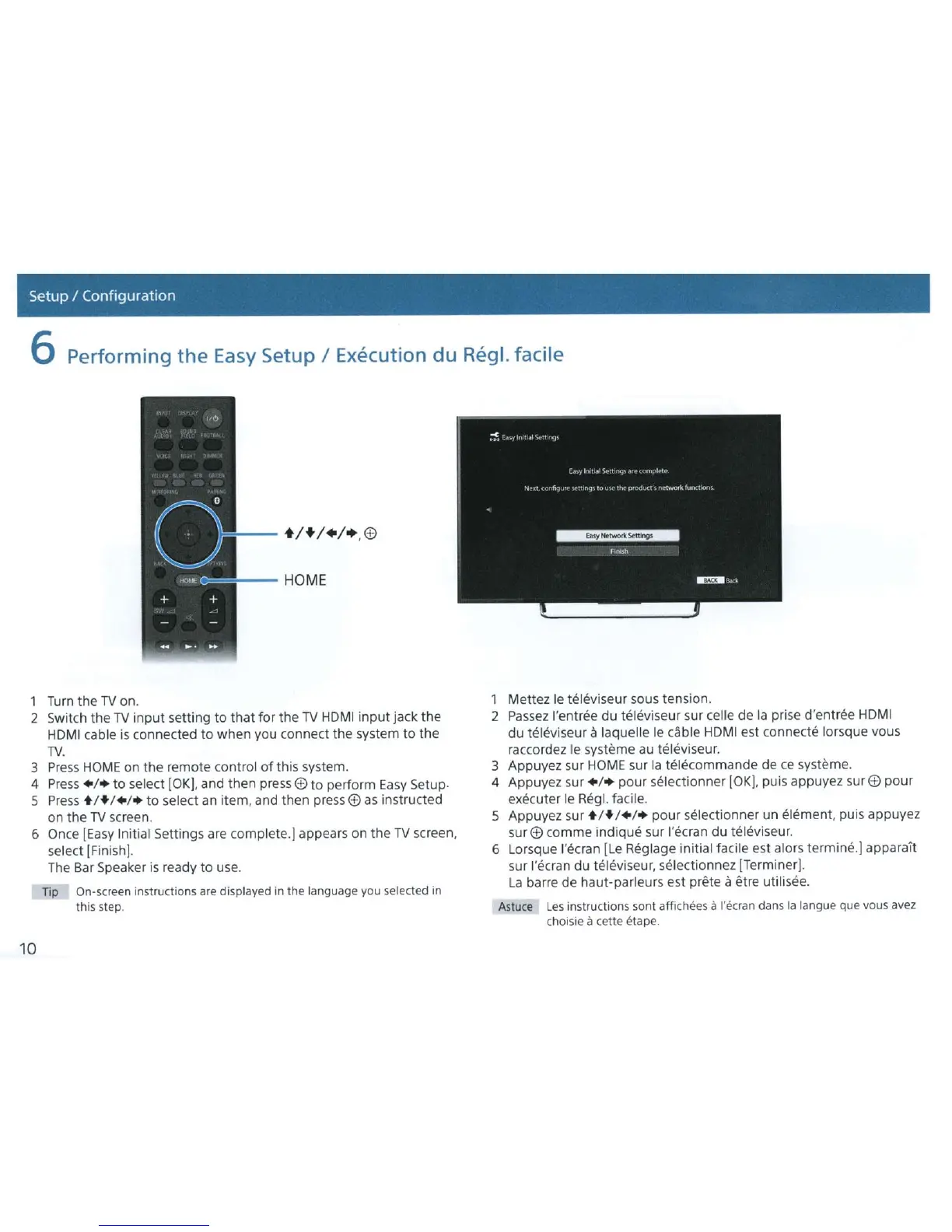
1 Turn the
TV
on.
2 Switch the
TV
input
setting
to
that
for
the
TV
HDMI
input
jack
the
HDMI
cable
is
connected to when you connect the system
to
the
TV.
3
Press
HOME
on
the
remote control
of
this system.
4
Press
+ /+
to
select [OK], and then press
ED
to
perform
Easy
Setup.
5
Press
• !+!+!+ to select
an
item, and then press
ED
as
instructed
on
the
TV
screen.
6 Once
[Easy
Initial Settings are complete.] appears on
the
TV
screen,
select [Finish].
10
The
Bar Speaker
is
ready
to
use.
np
On-screen instructions are displayed in
the
language you selected in
this step.
1 Mettez
le
teiE~viseur
sous tension.
2
Passez
!'entree
du
televiseur sur celle de
Ia
prise
d'ent
r
ee
HDMI
du
televiseur a laquelle
le
cable
HDMI
est connecte lorsque vous
raccordez
le
systeme
au
televiseur.
3 Appuyez sur
HOME
sur
Ia
telecommande de
ce
systeme.
4 Appuyez sur + /+ pour selectionner
[OK],
puis appuyez
surE£)
pour
executer le Regl. facile.
5 Appuyez sur
• !+!+!+
pour
selectionner un element, puis appuyez
sur
ED
com me indique sur l'ecran
du
televiseur.
6 Lorsque l'ecran [Le Reglage initial facile est alors termine.] apparalt
sur l'ecran du televiseur,
se
lectionnez [Terminer].
La
barre
de
haut-parleurs est
pn?te
a etre utilisee.
Astuce
Les
instructions sont affichees a l'ckran dans
Ia
langue que vous avez
choisie
a cette etape.



 To Next Page