9
GB
Sound Adjustment/BLUETOOTH Functions
1 Press INPUT repeatedly to display
[BT].
2 On the BLUETOOTH device, select
“HT-XT100.”
3 Make sure that the BLUETOOTH
indicator (blue) lights up.
4 Start playback on the BLUETOOTH
device.
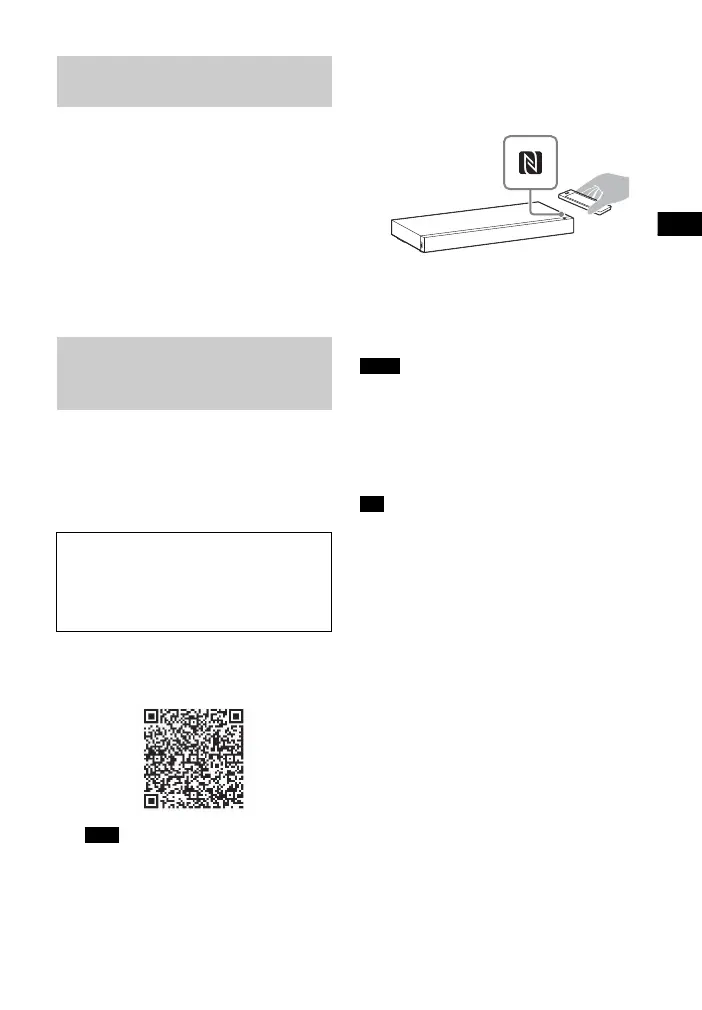
By holding an NFC-compatible device
near to the N-Mark on the system, the
system and device proceed to complete
pairing and the BLUETOOTH connection
automatically.
1 Download, install, and start the
“NFC Easy Connect” application.
• The application may not be available
in some countries/regions.
2 Hold the device near to the
N-Mark on the system until the
device vibrates.
3 Make sure that the BLUETOOTH
indicator (blue) lights up.
Connection has been established.
• You can connect only one device at a
time.
• Depending on a smartphone, you may
need to set the NFC function to on
beforehand. Refer to the operating
instructions of the smartphone.
• If pairing and the BLUETOOTH connection
fail, do the following.
– Relaunch “NFC Easy Connect” and
move the device slowly over the
N-Mark.
– Remove the case from the device if
using a commercially available device
case.
Listening to music of the
registered device
Connecting to a BLUETOOTH
device by One-touch
functions (NFC)
Compatible devices
Smartphones, tablets, and music
players with the NFC function built-in
(OS: Android™ 2.3.3 or later, excluding
Android 3.x)
Note
Notes
Tip



 To Next Page