ICD-P520 GB 3-097-346-12 (1)
11
GB
Getting Started
Step 2: Setting the
Clock
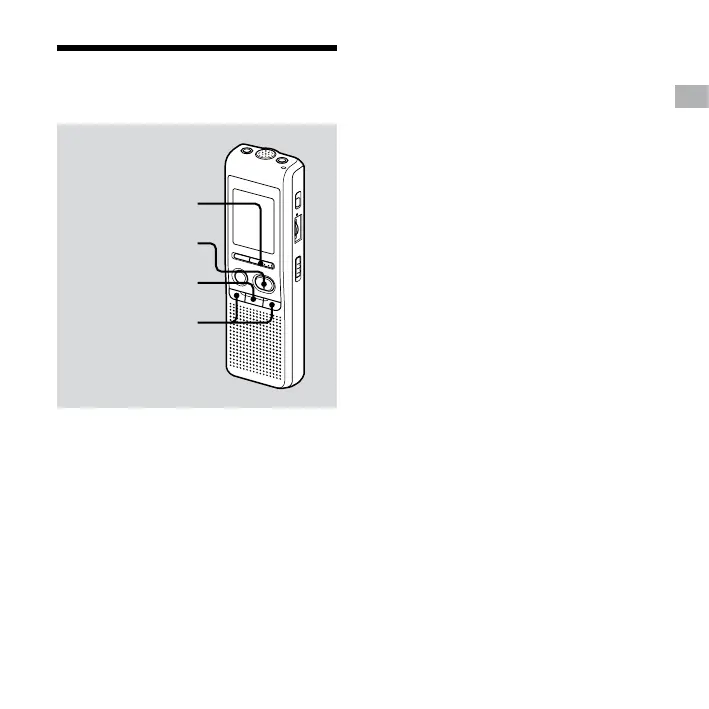
MENU/DISPLAY
PLAY/STOP
STOP
– /+
Clock setting display appears when you
insert batteries for the rst time, or when
you replace the batteries with new ones.
In this case, proceed from step 2.
1 Display the clock setting display.
Press MENU/DISPLAY for more than
1 second until “MODE” appears in the
display window.
The unit enters the menu mode.
Press – or + to display “SET
DATE”.
Press PLAY/STOP.
The year digits will ash.
2 Set the date.
Press – or + to select the
digits of the year.
Press PLAY/STOP.
The month digits will ash.
Set the month and day in sequence,
then press PLAY/STOP.
The hour digits will ash.
Tip
To set the date to Year 2007, display “07Y”.


 To Next Page