Help Guide
IC Recorder
ICD-PX370
Specifying a segment of a file to play repeatedly (A-B repeat)
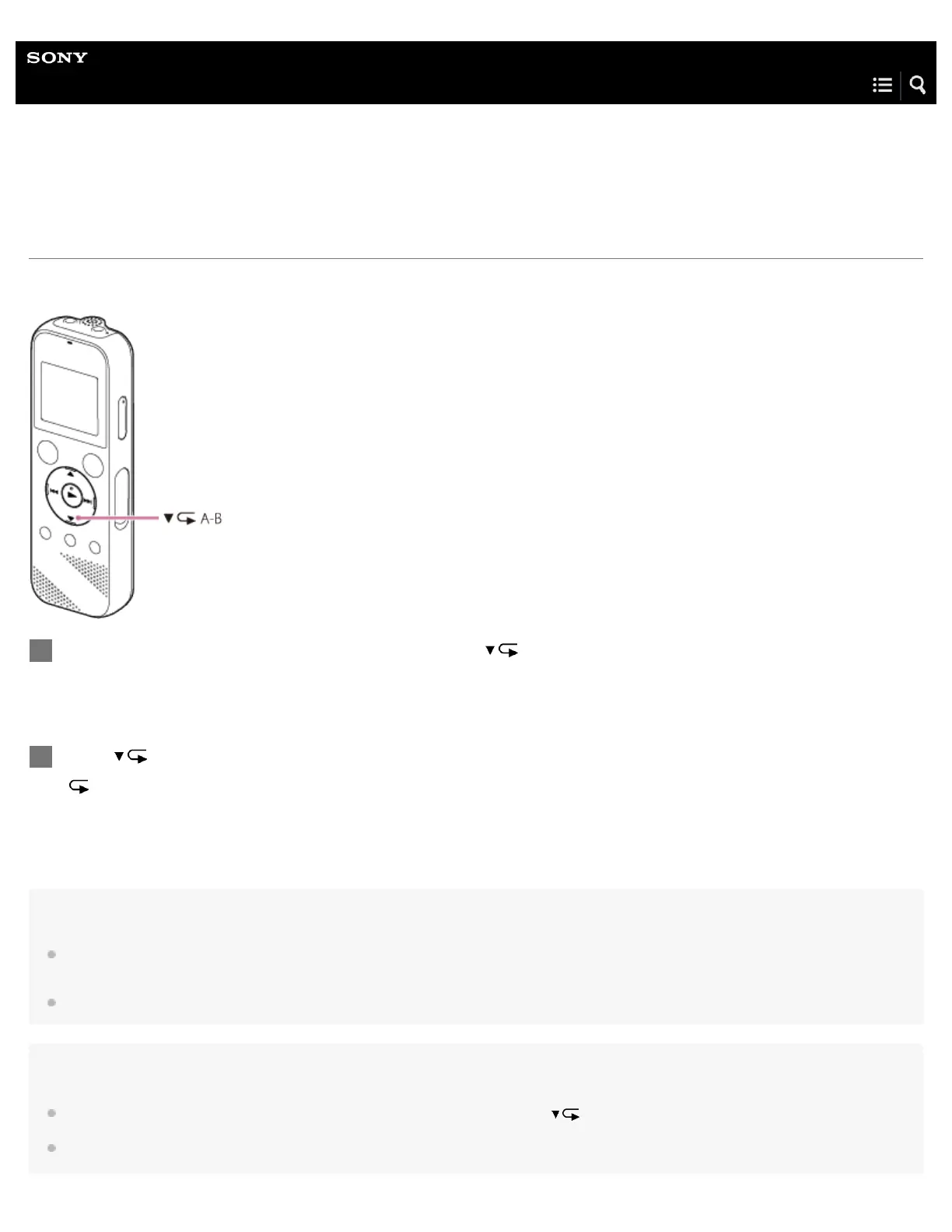
You can specify the starting point A and the finishing point B in a file to play the segment between the specified points repeatedly.
Note
If you specify the starting point A and then specify the same point as the finishing point B while playback is on standby, the specified starting point
A will be cancelled.
You cannot turn on the button-hold repeat playback function while the A-B repeat playback function is active.
Hint
To turn off the A-B repeat playback function and resume the normal playback, press A-B again.
To change the segment specified for the A-B repeat playback function, resume the normal playback and then repeat steps 1 and 2 once again.
While playback is on standby or in progress, press A-B to specify the starting point A.
“A-B B?” is displayed.
1
Press
A-B again to specify the finishing point B.
“ A-B” is displayed and the specified segment plays repeatedly.
2



 To Next Page