Help Guide
IC Recorder
ICD-PX370
Adding track marks automatically
You can add track marks automatically at specified intervals while you are recording.
Hint
To cancel the Auto Track Marks function setup process, select “OFF” in step 2.
While the Auto Track Marks function is turned on, you can still press T-MARK during recording to add a track mark at any point.
Related Topic
Adding a track mark
Deleting a track mark
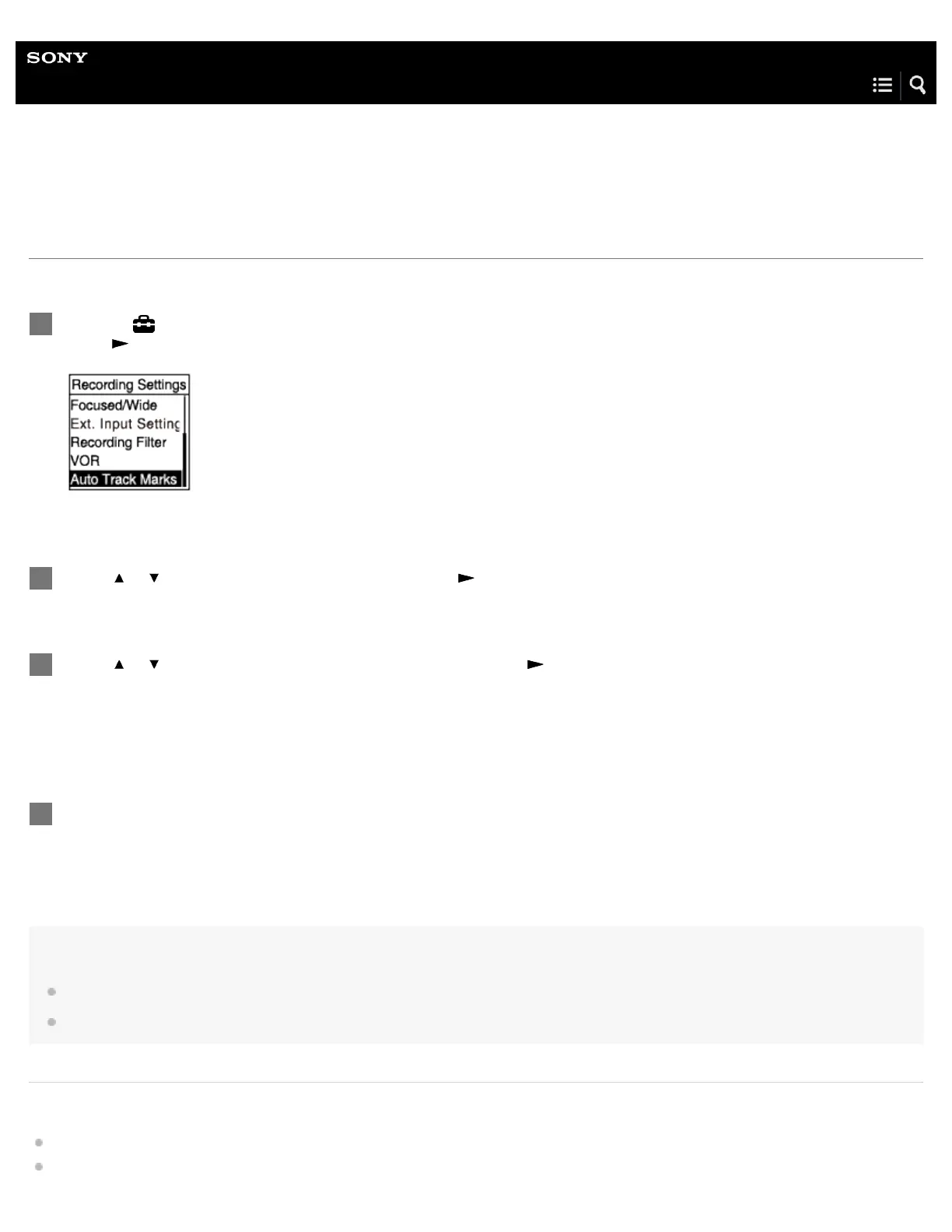
Select “ Settings” - “Recording Settings” - “Auto Track Marks” from the HOME menu, and then
press
.
1
Press
or to select “Interval,” and then press .
2
Press
or to select the interval length and then press .
You can select from “5min,” “10min,” “15min,” or “30min.”
The Auto Track Marks function is turned on.
3
Press and hold BACK/HOME to return to the HOME menu.
4



 To Next Page