EasyManua.ls Logo

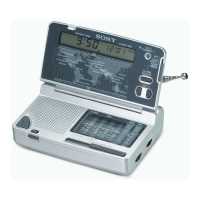
Sony ICF-SW12 - Before You Begin; Features; Power Sources; Operating the Radio

Sony ICF-SW12
4 pages
Print Icon
To Next Page IconTo Next Page
To Previous Page IconTo Previous Page
Loading...
PEN
|
Before
You
Begin
Thank
you
for
choosing
the
Sony
receiver!
{t
will
give
you
many
hours
of
reliable
service
and
listening
pleasure.
Before
operating
the
receiver,
please
read
these
instructions
thoroughly
and
retain
them
for
future
reference.
Features
FM/SW
/MW
World
band
receiver
for
travelers.
«
FM/SW
1-9/MW
11
band
receiver
with
high
sensitivity
and
selectivity
*
Band
spread
system
enables
you
to
easily
tune
in
SW
stations
*
Built-in
alarm
*
Summer
time
adjustment
*
Built-in
earphone
jack
*
Snooze
function
Power
Sources
Installing
Batteries
(see
Fig.
B-®)
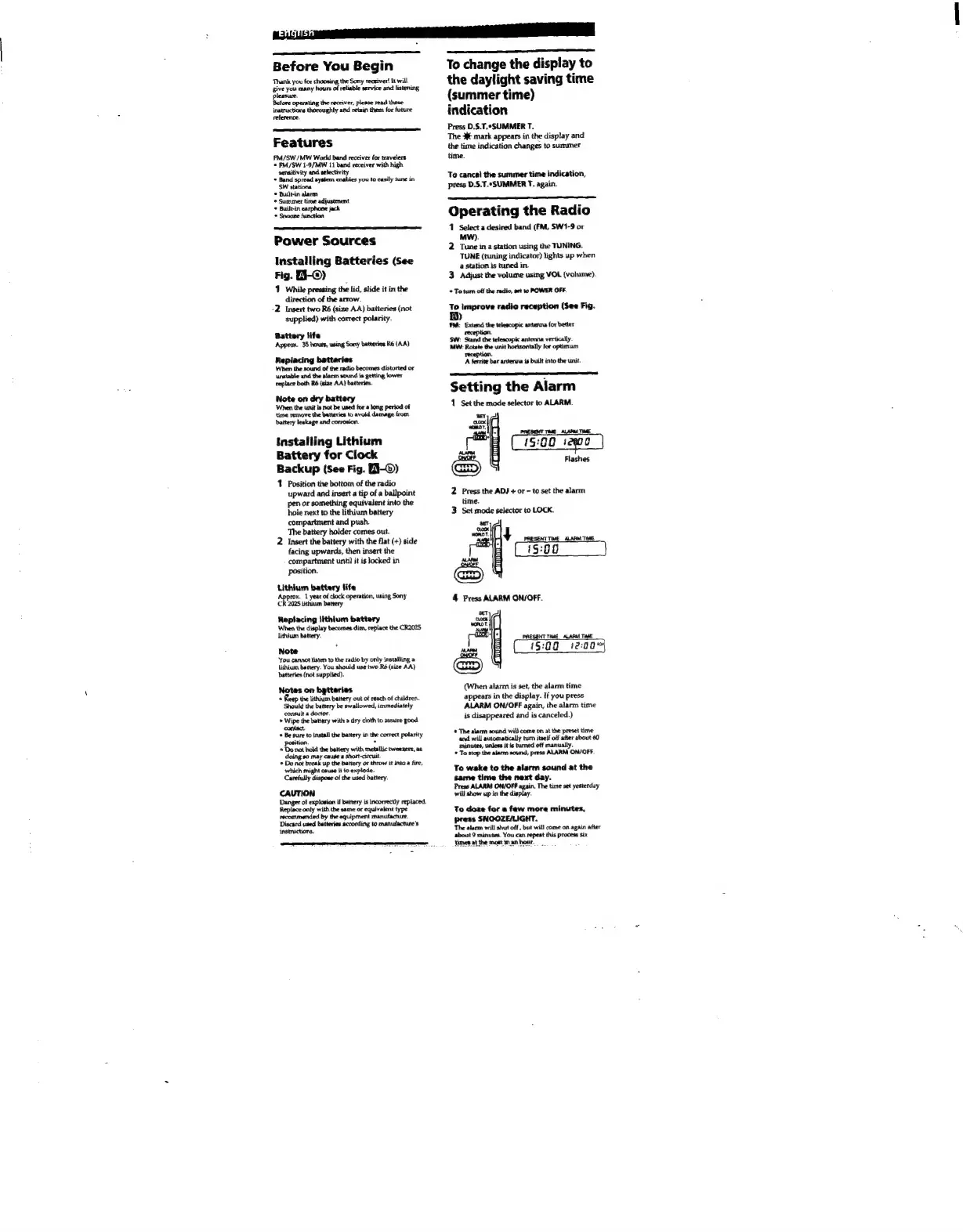
1
While
pressing
the
lid,
slide
it
in
the
direction
of
the
arrow.
-2.
Insert
two
Ré6
(size
AA)
batteries
(not
supplied)
with
correct
polarity.
Battery
life
Approx.
35
hours,
using
Sony
batteries
R6
(AA)
Replacing
batteries
When
the
sound
of
the
radio
becomes
distorted
or
unstable
and the
alarm
sound
is
getting
lower
replace
both
R6
(size
AA)
batteries.
Note
on
dry
battery
‘When
the
unit
is
not
be
used
for
a
long
period
of
time
remove
the
batteries
to
avoid
damage
from
battery
leakage
and
corrosion.
Installing
Lithium
Battery
for
Clock
Backup
(See
Fig.
EJ-©)
1
Position
the
bottom
of
the
radio
upward
and
insert
a
tip
of
a
ballpoint
pen
or
something
equivalent
into
the
hole
next
to
the
lithium
battery
compartment
and
push.
The
battery
holder
comes
out.
2
Insert
the
battery
with
the
flat
(+)
side
facing
upwards,
then
insert
the
compartment
until
it
is
locked
in
position.
Lithium
battery
life
prox.
1
year
of
clock
operation,
using
Sony
a
2025
lithium
battery
Replacing
lithium
battery
When
the
display
becomes
dim,
replace
the
CR2025,
lithium
battery
Note
‘You
cannot
listen
to
the
radio
by
only
installing
a
lithium
battery.
You
should
use
two
(size
AA)
batteries
(not
supplied).
Notes
on
batteries
+
Rep
the
lithium
battery
out
of
reach
of
children.
Should
the
battery
be
swallowed,
immediately
consult
a
doctor.
‘+
Wipe
the
battery
with
a
dry
cloth
to
assure
good.
contact
+
Be
sure
to
install
the
battery
in
the
correct
polarity
position.
7
=
Donat
hold
the
battery
with
metallic
tweezers,
as
doing
so
may
cause
a
short-circuit
*
Do
not
break
up
the
battery
or
throw
it
into
a
fire,
which
might
cause
it
to
explode.
Carefully
dispose
of
the
used
battery.
CAUTION
Danger
of
explosion
if
battery
is
incorrectly
replaced.
Replace
only
with
the
same
or
equivalent
type
recommended
by
the
equipment
manufacture.
Discard
used
batteries
according
to
manufacture’s
instructions,
To
change
the
display
to
the
daylight
saving
time
(summer
time)
indication
Press
D.S.T,-SUMMER
T.
The
3
mark
appears
in
the
display
and
the
time
indication
changes
to
summer
time.
To
cancel
the
summer
time
indication,
press
D.S.T.“SUMMER
T.
again.
Operating
the
Radio
1
Select
a
desired
band
(FM,
SW1-9
or
MW).
2
Tune
in
a
station
using
the
TUNING.
TUNE
(tuning
indicator)
lights
up
when
a
station
is
tuned
in.
3
Adjust
the
volume
using
VOL
(volume).
*
To
tum off
the
radio,
set
1
POWER
OFF.
B
improve
radio
reception
(See
Fig.
fy)
FA:
Extend
the
telescopic
antenna
for
better
reception.
SW:
Stand
the
antenna
vertically.
MW:
Rotate
the
unit
horizontally
for
optimum
reception.
A
ferrite
bar
antenna
is
built
into
the
unit.
Setting
the
Alarm
1.
Set
the
mode
selector
to
ALARM.
ter.
cL00K
wom’,
=
Cisco
200)
00
=D)
Flashes
2
Press
the
ADJ
+
or
-
to
set the
alarm
time.
3
Set
mode
selector
to
LOCK.
‘Say;
ex.
WORDT.
41
ha
RESENT
TIME
pM
Ti
ior
D)
4
Press
ALARM
ON/OFF.
PRESE
et
Weecrmrric
(When
alarm
is
set,
the
alarm
time
appears
in
the
display.
If
you
press
ALARM
ON/OFF
again,
the
alarm
time
is
disappeared
and
is
canceled.)
®
The
alarm
sound
wil} come
on
at
the
preset
time
and
will
automatically
hum
itself
off
after
about
60
minutes,
unless
it
is
turned
off
manually.
To
stop
the
alarm
sound,
press
ALARM
ON/OFF.
To
wake
to
the
alarm
sound
at
the
same
time
the
next
day.
Press
ALARM
ON/OFF
again.
The
time
set
yesterday
will
show
up
in
the
display.
To
doze
for
a
few
more
minutes,
press
SNOOZE/LIGHT.
The
alarm
will
shut
off
,
but
will
come
on
again
after
about
9
minutes.
You
can
repeat
this
process
six
Fumes
at
the
most
in
an
hour.

Other manuals for Sony ICF-SW12

Related product manuals