PT
24
x
Selecionar a imagem seguinte/anterior
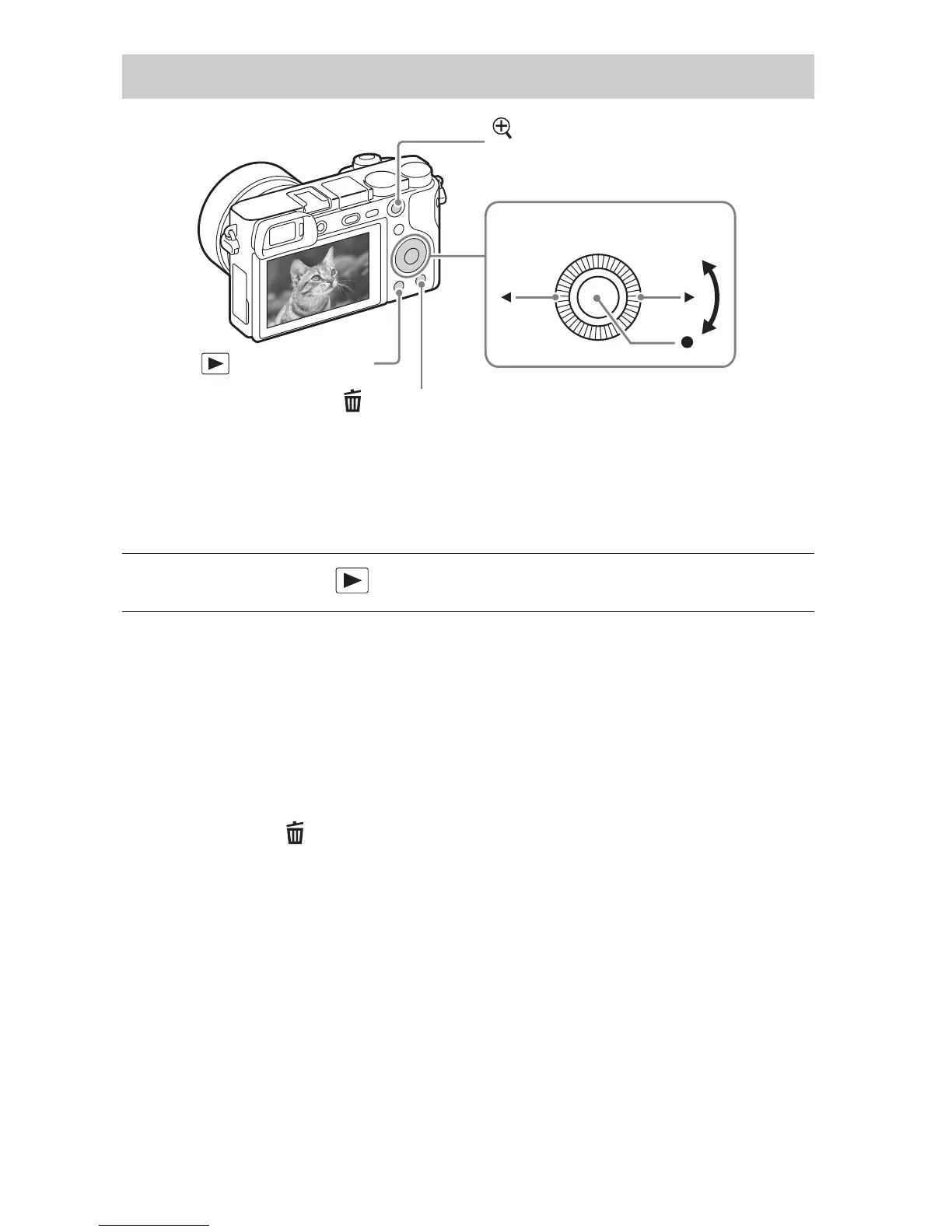
Selecione uma imagem premindo B (seguinte)/b (anterior) no seletor de
controlo ou rodando o seletor de controlo. Prima z no centro do seletor de
controlo para ver filmes.
x
Apagar uma imagem
1 Prima o botão (Apagar).
2 Selecione [Apagar] com v no seletor de controlo, depois prima z.
x
Voltar para fotografia de imagens
Prima o botão do obturador até meio.
Visualizar imagens
1
Prima o botão (Reprodução).
(Apagar)
Seletor de controlo
(Reprodução)
Selecionar imagens:
B (seguinte)/b (anterior) ou
rode o seletor de controlo
Definir: z
: Ampliar
Ajuste: rode o seletor de controlo



 To Next Page