Help Guide
Interchangeable Lens Digital Camera
ILCE-7C α7C
Switching the screen display (while shooting/during playback)
You can change the display contents on the screen.
Press the DISP (Display Setting) button.
To switch the information displayed on the viewfinder, press the DISP button while looking into the viewfinder.
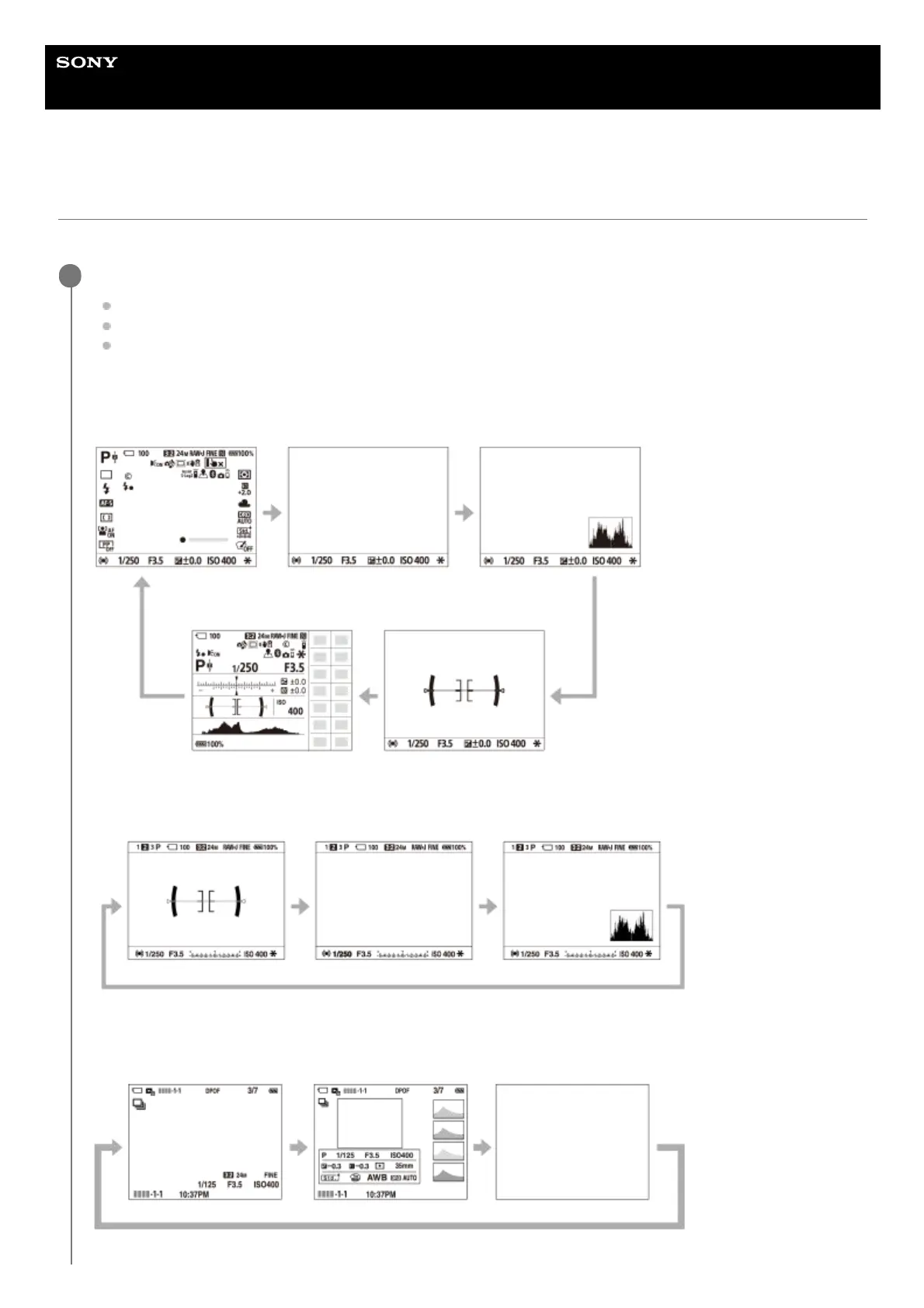
Each time you press the DISP button, the screen display changes.
The displayed contents and their position are just a guideline, and may differ from the actual display.
During shooting (Monitor)
Display All Info. → No Disp. Info. → Histogram → Level → For viewfinder → Display All Info.
During shooting (Viewfinder)
Level → No Disp. Info. → Histogram → Level
During playback (Monitor/Viewfinder)
Display Info. → Histogram → No Disp. Info. → Display Info.
1



 To Next Page