EasyManua.ls Logo

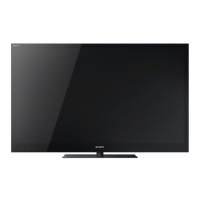
Sony KDL-46W905A - Service Manual

Sony KDL-46W905A
241 pages
Print Icon
To Next Page IconTo Next Page
Loading...
HISTORY INFORMATION FOR THE FOLLOWING MANUAL:
SERVICE MANUAL (COMMON)
RB1G CHASSIS
Segment: HG
Version Date Subject
1 4/2013 1
st
Issue.
LCD TV
9-888-137-01
For SM - Unique , please refer :
9
-
888
-
137
-
P1 ( Pan Asia )
9
888
137
P1
(
Pan
Asia
)
9-888-137-C1 ( China )
9-888-137-A1 ( America )
9-888-137-J1 ( Japan)
9-888-137-E1 ( Europe)

Table of Contents

Other manuals for Sony KDL-46W905A

Questions and Answers

  • S
    Stephanie ReyesAug 14, 2025
    What to do if the illumination LED is flashing red on my Sony LCD TV?
    • G
      Gabrielle KennedyAug 15, 2025
      If the illumination LED on your Sony LCD TV is flashing red, immediately turn off the TV by pressing the power button, disconnect the AC power cord, and then contact your dealer or a Sony service center, providing them with the number of times the indicator flashed.
  • A
    Ashley GarciaAug 18, 2025
    Why is there no picture and sound on my Sony KDL-46W905A LCD TV?
    • L
      linda99Aug 18, 2025
      If your Sony LCD TV screen is dark and there is no sound, first check the connection of the antenna or cable. If the connection is correct, ensure the TV is connected to AC power and then press the power button on the TV or remote.
  • B
    Brian WilliamsAug 21, 2025
    Why is my Sony LCD TV remote not working?
    • K
      Kevin JohnsonAug 22, 2025
      If your Sony LCD TV remote is not working, try replacing the batteries first. If that doesn't work, your TV might be in SYNC mode. Press the SYNC MENU button, select 'TV Control', and then choose 'Home (Menu)' or 'Options' to control the TV.
  • J
    Jeanette RomeroAug 25, 2025
    How to reset the parental lock password on Sony KDL-46W905A LCD TV?
    • A
      Ashley LewisAug 26, 2025
      If you've forgotten the Parental Lock password on your Sony LCD TV, you can enter '9999' as the PIN code. This PIN code is always accepted.
  • D
    Dr. Rhonda AndersonAug 28, 2025
    Why some programs cannot be tuned on my Sony KDL-46W905A LCD TV?
    • K
      keithfischerAug 28, 2025
      If you are unable to tune into some programs on your Sony LCD TV, it could be due to a short-circuited satellite cable or connection problems. Check the cable connection and then turn the TV off using the Mains power On/Off switch, and then turn it back on. If the frequency you entered is out of range, consult the satellite broadcasting company.
  • C
    Carol MayAug 31, 2025
    What to do if Sony KDL-46W905A screen is frozen?
    • M
      Monica BonillaAug 31, 2025
      If your Sony LCD TV freezes (audio or video), shows a blank screen, or doesn't respond to buttons, perform a simple reset. Unplug the AC power cord for two minutes, and then plug it back in.
  • A
    Anthony WatsonSep 3, 2025
    What to do if no cable TV services are found on Sony LCD TV?
    • J
      James KellySep 3, 2025
      If your Sony LCD TV can't find Cable TV services or programs, check the cable connection and tuning configuration. As another option, attempt the 'Digital Auto Tuning' by choosing 'Antenna' instead of 'Cable'.
  • R
    Robert HallSep 7, 2025
    Why does my Sony LCD TV get hot?
    • J
      Jason KirkSep 7, 2025
      When a Sony LCD TV is used for a long time, the TV surroundings become warm. This is normal, and you may feel the heat when touching the area.
  • K
    Kelly JacksonSep 12, 2025
    How to turn off the illumination LED on Sony LCD TV?
    • D
      David GordonSep 12, 2025
      If you don't want the illumination LED on your Sony LCD TV to light up, you can turn it off. Press the HOME button, then go to 'Settings' > 'System Settings' > 'General Set-up' > 'Illumination LED' > 'Off'.

Sony KDL-46W905A Specifications

General IconGeneral
Screen shapeFlat
Response time- ms
Display diagonal46 \
Display brightness- cd/m²
Native aspect ratio16:9
LED backlighting typeEdge-LED
Supported video modes1080i, 1080p, 480i, 480p, 576i, 576p, 720p
Contrast ratio (dynamic)1000000:1
Display diagonal (metric)117 cm
Supported graphics resolutions1920 x 1080 (HD 1080)
Motion interpolation technologyMotionflow 800 Hz
Product colorBlack
Panel mounting interface300 x 300 mm
Power consumption (max)144 W
Power consumption (standby)0.25 W
Power consumption (typical)64 W
3D typeActive
Volume controlDigital
3D glasses quantity4
Headphone connectivity3.5 mm
Annual energy consumption210.2 kWh
Teletext function-
Audio formats supported3GPP, LPCM, MP3, WMA
Image formats supportedJPG, MPO
Video formats supportedAVCHD, AVI, M-JPEG, MKV, MOV, MP4, MPEG1, MPEG2, WEBM, WMV, XVID
Tuner typeAnalog & digital
Digital signal format systemDVB-C, DVB-S, DVB-S2, DVB-T, DVB-T2
Audio systemNICAM/A2
RMS rated power10 W
Number of speakers2
DVI-D ports quantity0
USB 2.0 ports quantity3
Component video (YPbPr/YCbCr) in1
Smart modesCinema, Game, Photo, Sports, Standard, Vivid
Lifestyle appsSkype
Control typeButtons
Package depth147 mm
Package width1360 mm
Package height725 mm
Cables includedAC
Weight and Dimensions IconWeight and Dimensions
Depth (with stand)298 mm
Height (with stand)648 mm
Weight (with stand)17300 g
Depth (without stand)61 mm
Width (without stand)1049 mm
Height (without stand)616 mm
Weight (without stand)15200 g

Related product manuals