EasyManua.ls Logo

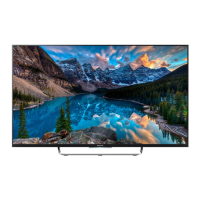
Sony KDL-50W70xB - User Manual

Sony KDL-50W70xB
376 pages
Print Icon
To Next Page IconTo Next Page
Loading...
KDL-50W82xB / 50W81xB / 50W80xB / 50W70xB / 42W82xB / 42W81xB /
KDL-42W80xB / 42W70xB / 32W70xB
Television
Reference Guide
GB
Guide de référence
FR
Guía de referencia
ES
Referentiehandleiding
NL
Referenzleitfaden
DE
Guia de referência
PT
Guida di riferimento
IT
Referensguide
SE
Referencevejledning
DK
Viiteopas
FI
Referanseveiledning
NO
Instrukcja
PL
Referenční příručka
CZ
Referenčná príručka
SK
Referencia útmutató
HU
Ghid de referinţă
RO
Справочно ръководство
BG
Οδηγό Aναφοράς
GR
Başvuru Kılavuzu
TR
Справочное руководство
RU
Довідник
UA

Table of Contents

Questions and Answers

  • C
    Christina DavisAug 15, 2025
    Why does my Sony KDL-50W70xB remote not function?
    • A
      April RangelAug 15, 2025
      If your Sony TV remote isn't working, try replacing the batteries first. Also, check if your TV is in SYNC mode. If it is, press the SYNC MENU button, select [TV Control], and then choose either [Home (Menu)] or [Options] to regain control of your TV.
  • M
    Melissa MaxwellAug 18, 2025
    What to do if Sony KDL-50W70xB is frozen or not responding?
    • C
      Connor WelchAug 18, 2025
      If your Sony TV freezes, shows a blank screen, or stops responding to the buttons on the TV or remote, perform a simple reset. Unplug the AC power cord for two minutes, and then plug it back in.
  • M
    Matthew LeeAug 21, 2025
    How to fix a Sony TV with no picture and no sound?
    • J
      Julie MaddoxAug 21, 2025
      If your Sony TV screen is dark and there's no sound, start by checking the antenna or cable connection. Then, ensure the TV is connected to AC power (mains) and press the power button on the TV or remote.
  • T
    Timothy SosaAug 25, 2025
    Why is my Sony KDL-50W70xB not finding cable TV services?
    • S
      Stacey CardenasAug 25, 2025
      If your Sony TV isn't finding Cable TV services, first, check the cable connection or tuning configuration. If that doesn't work, try the Digital Auto Tuning feature by selecting [Antenna] instead of [Cable].
  • J
    Jackie AndersonAug 28, 2025
    Why some programmes cannot be tuned on Sony KDL-50W70xB?
    • Z
      Zachary CrawfordAug 28, 2025
      If your Sony TV cannot tune to some programmes, check the antenna (aerial) or dish. If you are using satellite, the cable might be short-circuited or have connection problems, so check the cable connection and then turn the TV off with the Mains power On/Off switch, and turn it on again. If the frequency you entered is out of range, consult the received satellite broadcasting company.
  • B
    blackcheyenneAug 31, 2025
    Why can't my Sony TV connect to a wireless router by WPS?
    • S
      Shane McneilAug 31, 2025
      If your Sony TV cannot connect to a wireless router using WPS, and you are using WEP security, select [Easy] t [Wi-Fi] t [Connect by scan list]. Then, select the network name (SSID) you want to connect to.
  • L
    leslie52Sep 3, 2025
    What to do if I forgot the parental lock password on my Sony KDL-50W70xB TV?
    • A
      Amy WilsonSep 4, 2025
      If you've forgotten your Parental Lock password on your Sony TV, enter 9999 as the PIN code. This PIN code is always accepted.
  • T
    Tommy SparksSep 7, 2025
    How to turn off the illumination LED on a Sony KDL-50W70xB TV?
    • S
      Shelly WillisSep 7, 2025
      If you do not wish the illumination LED on your Sony TV to light up, you can turn it off by pressing HOME, then select [Settings] t [System Settings] t [General Set-up] t [Illumination LED] t [Off]. You can also press OPTIONS, then select [Illumination LED] t [Off].
  • T
    tylerwilsonSep 10, 2025
    What to do if I cannot find the required network name in network setup on Sony KDL-50W70xB?
    • O
      Omar JohnstonSep 10, 2025
      If you cannot find the required network name in the network setup on your Sony TV, select [[Manual Entry]] and press to enter the network name.

Summary

Identification Label Location

Critical Fire Safety Warning

Critical warning to prevent fire by keeping open flames away from the product.

IMPORTANT NOTICE

Safety Information

Provides warnings and precautions regarding battery handling and general safety.

Installation and Setup Guide

Mains Lead and Adaptor Safety

Mains Lead Handling

Guidelines for safe connection, usage, and precautions for the mains power cord.

Mains Adaptor Precautions

Safety warnings and usage instructions for the AC power adaptor.

Prohibited Usage and Environments

Details on locations, environments, and situations to avoid for safe TV operation.

Childrens Safety and Troubleshooting

Safety advice for children and immediate actions for product malfunctions.

Wall-Mount Bracket Installation

Product Disposal and Battery Handling

Installing the TV to the Wall

Installing the Brackets on the wall

Preparing for the installation of the TV

Installing the TV on the wall

Dimensions of the hole positions on the wall

Troubleshooting

LED Flashing Troubleshooting

Steps to take when the TV's illumination LED flashes red.

No Picture or Sound Issues

Guidance for resolving problems with no picture or sound, and tuning issues.

Remote Control and Lock Issues

Troubleshooting tips for a non-functional remote control and forgotten parental lock PIN.

Warm Surroundings and Freezing

Information on TV warmth during operation and steps to reset a frozen screen.

Sony KDL-50W70xB Specifications

General IconGeneral
Screen Size50 inches
Smart TVYes
HDMI Ports4
USB Ports3
Wi-FiYes
Refresh Rate50 Hz
3DNo
Ethernet PortYes
Resolution1920 x 1080 (Full HD)
Speakers2 x 10W

Related product manuals