EasyManua.ls Logo

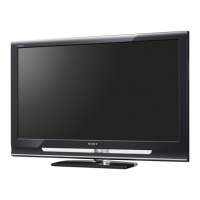
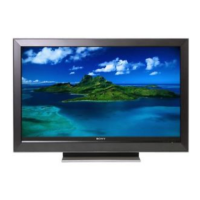
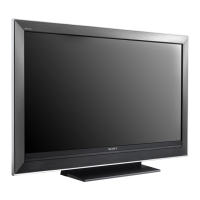
Sony KDL-52W4100 - User Manual

Sony KDL-52W4100
62 pages
Print Icon
To Next Page IconTo Next Page
Loading...
Operating Instructions
KDL-32XBR6 KDL-40V4100 KDL-40W4100
KDL-37XBR6 KDL-42V4100 KDL-46W4100
KDL-40V4150 KDL-46V4100 KDL-52W4100
KDL-52V4100 KDL-46W4150
BRAVIA
© 2008 Sony Corporation

Other manuals for Sony KDL-52W4100

Question and Answer IconNeed help?

Do you have a question about the Sony KDL-52W4100 and is the answer not in the manual?

Summary

Owners Record

Model and Serial Number Entry

Fields to record TV model and serial number for service.

Safety and Compliance

Electrical Safety CAUTION

Warning about using polarized plug with extension cords.

FCC and Canadian Compliance

Statements on device compliance with FCC rules and ICES-003.

General CAUTION

Precaution regarding compatible wall-mount brackets and TV stands.

Notes and Licensing

Technical Notes

Information on QAM demodulator and product features.

Licensing Information

Lists trademarks and patents used in the TV.

Welcome to BRAVIA

Full HD Experience Steps

Explains the four key components for a complete HD system.

Picture Quality Explained

Details the differences between HD and SD aspect ratios for optimal viewing.

TV Home Menu: XMBTM

Navigating the XMB Interface

Guide to accessing TV settings and features via the XMB interface.

Getting Started

Installing the TV

Instructions for setting up the TV, including carrying and stand attachment.

Carrying the TV Safely

Guidelines for safely carrying the television.

Table-Top Stand Preparation

Steps to attach the TV to its table-top stand.

Wall-Mount Bracket Preparation

Removing Table-Top Stand

Steps for detaching the TV from its table-top stand for wall mounting.

Wall-Mount Bracket Installation Notes

Recommendations and precautions for installing the wall-mount bracket.

TV Installation Environment

Wall Installation Space

Guidelines for ensuring adequate air circulation around the TV when wall-mounted.

Cable Management

Instructions on how to neatly organize and bundle connecting cables.

Securing the TV

Preventing Toppling Over

Recommendations and methods to prevent the TV from toppling over.

Using Sony TV Stands

Guidance on using Sony specified TV stands and securing the TV to them.

Locating Inputs and Outputs

Rear Panel Connections

Diagram of the TV's rear panel showing all input and output jacks.

Side Panel Connections

Diagram of the TV's side panel showing available connections.

Input;Output Jack Descriptions

Video and Audio Inputs

Explains S VIDEO, VIDEO IN, COMPONENT IN, and HDMI IN ports.

Digital and Audio Outputs

Details DIGITAL OUT (OPTICAL) and AUDIO OUT ports.

PC, DMeX, and Antenna Connections

Explains PC IN, DMeX/SERVICE, and CABLE/ANTENNA connections.

Connecting the TV

Cable;Antenna Connections

Instructions for connecting cable, VHF/UHF antenna systems.

HD Cable Box;Satellite Connection

Guidance for connecting HD cable boxes or satellite receivers via HDMI.

Advanced TV Connections

DVI Connection Example

Diagram showing how to connect equipment with DVI output via HDMI.

Component Connection Example

Diagram showing how to connect equipment via component video and audio.

PC Connection

Connecting a PC to the TV

Steps for connecting a PC using HD15-HD15 or DVI/HDMI cables.

PC Input Signal Reference Chart

Table of supported PC input signals, resolutions, and frequencies.

Connecting Other Equipment

Rear TV Connection Diagram

Diagram showing connections for personal computer, Blu-ray, DVD, satellite, etc.

Setting Up the Channel List

Initial Setup Process

Step-by-step guide for the initial TV setup, including language and channel scanning.

Using the Remote Control for Setup

Explanation of remote control buttons used during the initial setup.

Advanced Setup Options

Running Initial Setup or Auto Program Later

How to access Initial Setup or Auto Program features after the initial setup.

Adding Digital Channels

Guide for adding digital channels, useful for antenna installations.

Operating the TV

Inserting Remote Control Batteries

Instructions for inserting AA batteries into the remote control.

Using the Remote Control

Guidelines for effective use of the TV remote control.

Remote Control Button Descriptions

Buttons 1-6 Functions

Explains the function of buttons 1 through 6 on the remote control.

Remote Control Button Descriptions

Buttons 7-17 Functions

Explains the function of buttons 7 through 17 on the remote control.

Remote Control Button Descriptions

Buttons 18-19 Functions

Explains the function of buttons 18 (OPTIONS) and 19 (PICTURE).

Remote Control Button Descriptions

Buttons 20-22 Functions

Explains the function of buttons 20 (WIDE), 21 (CH +/-), and 22 (JUMP).

TV Indicators

Indicator LED Explanations

Explains the meaning of the TV's various indicator LEDs.

Exploring Fun Features

Favorites Management

How to manage and customize preferred channels and inputs.

Navigating and Adding Favorites

Steps to move, add, and remove items from the Favorites menu.

Background TV and BRAVIA Sync

Background TV Navigation

How to select and view background TV themes.

Using BRAVIA Sync with HDMI

Connecting and configuring Sony equipment for HDMI control.

TV Guide On Screen Usage

TV Guide System Components

Identifies the key elements of the TV Guide On Screen display.

Viewing and Navigating TV Guide

How to access and navigate the TV Guide system.

Advanced TV Guide Functions

Searching for Programs

Methods for searching programs by keyword, category, or subcategory.

Customizing TV Guide Settings

How to change channel display and default options for the TV Guide.

Picture-in-Picture (PIP) and P&P Features

PIP and P&P Overview

Explanation of Picture-and-Picture (P&P) and Picture-in-Picture (PIP) features.

Using PIP and P&P Modes

Steps to activate, change, and exit PIP or P&P viewing modes.

Using TV Settings

Adjusting TV Settings via XMB

Guide to customizing various TV settings via the XMB menu.

Watching TV and External Inputs

How to navigate channels and select connected external equipment.

Navigating the TV Home Menu

Selecting Media Categories

How to select main categories like Settings, TV, or External Inputs.

Accessing Menu Items

Steps to navigate and select specific settings or features within a category.

TV Settings Descriptions

Product Support and Diagnostics

Information on contacting Sony and checking signal diagnostics/software updates.

Clock and Timer Settings

How to set the current time and use timer functions for automatic operation.

Picture Settings

Picture Adjustments

Options for adjusting picture contrast, brightness, color, sharpness, and white balance.

Picture Modes

Selection of preset picture modes like Vivid, Standard, Cinema, etc.

Advanced Picture Settings

Motion Enhancer and CineMotion

Adjustments for motion smoothness and film content playback optimization.

Game Mode and Video;Photo Optimizer

Settings to optimize picture for video games and photo/video content.

Sound Settings

Sound Adjustments

Options for dynamic sound, clear voice, bass, treble, balance, and surround.

MTS and Speaker Settings

How to select audio programs and configure speaker output.

Screen Settings

Wide Mode Adjustments

Adjusts the picture aspect ratio for different screen sizes and sources.

Auto Wide and 4:3 Default Settings

Settings for automatic aspect ratio adjustment and default behavior for 4:3 sources.

Display Area and PC Settings

Display Area and Screen Position

Options to adjust picture size, position, and vertical size for various sources.

PC Screen Settings

Settings for PC input signals, including auto adjust and sharpness tuning.

Channel Settings

Signal Type and Auto Program

Setting signal type and scanning for receivable channels.

Managing Channels

Options to add digital channels, show/hide channels, and edit labels.

Closed Captions and Parental Lock

CC Settings Customization

Customizes display of closed captions, including text and color settings.

Parental Lock Setup

Setting up parental controls, viewing blocked programs, and managing passwords.

Rating Settings

Rating Categories and Digital Ratings

Sets parental lock levels and controls blocking of programs based on digital ratings.

Unrated Content and Channel Blocking

Options to allow or block programs without ratings and specific channels.

Custom Rating System Charts

U.S.A. Rating System Details

Details movie and TV ratings for the U.S.A. system.

Canada Rating System Details

Details rating systems for Canada (English and French).

External Inputs and HDMI Settings

Managing External Inputs

Customizes input menu labels for easy recognition of connected equipment.

HDMI Settings and Control

Settings for HDMI control, device power management, and device list.

General Setup Settings

Language, Info Banner, Scrolling, Power Saving

Configures display language, program info banner, menu speed, and power saving.

Light Sensor, PC Management, Logo Illumination

Controls brightness, PC standby, and SONY logo illumination.

Initial Setup

Performing Initial Setup

Guide for performing initial TV setup and channel scan.

Troubleshooting

No Picture and Channel Issues

Solutions for problems related to lack of picture or signal reception.

Poor Picture and Image Anomalies

Advice for improving picture quality and resolving image anomalies.

Troubleshooting

Picture and Sound Issues

Solutions for incorrect picture settings or sound problems.

BRAVIA Sync and PC Input Troubleshooting

Resolving problems with BRAVIA Sync connection and PC input signals.

Troubleshooting

Screen Display and Remote Control Issues

Solutions for black boxes, bands, remote control problems, and missing channels.

Resetting to Factory Settings

Procedure for resetting the TV to its original factory default settings.

Specifications

Model, System, and Jacks

Lists TV model details, system type, channel coverage, and input/output jacks.

Dimensions, Mass, and Accessories

Provides physical dimensions, weight, and included accessories.

For Your Convenience

Contacting Sony Support

Information on how to contact Sony for questions and support.

Quick Guide to BRAVIA TV

Initial Setup and Menu Navigation

Steps for initial TV setup and navigating the XMB menu.

Watching TV and Favorites

How to select content sources, adjust settings, and manage favorites.

TV Connection Diagrams

Required Cables and Basic Connections

Diagrams for connecting various devices using specified cables.

Advanced Connection Notes

Guidance on HDMI, DVI, and P&P/PIP connection requirements.

Attaching the Table-Top Stand

Stand Attachment Procedure

Illustrated steps for securely attaching the table-top stand to the TV.

Installing the Wall-Mount Bracket

Installation Recommendations

Advice for customers and contractors regarding safe wall-mounting.

Installation Steps

Steps for checking parts, deciding location, and preparing the TV for mounting.

TV Installation Dimensions and Hook Attachment

Dimensions Table and Hook Securing

Table of dimensions and guide for attaching mounting hooks to the TV.

Adjusting Mounting Hook Angle

Instructions on how to adjust the mounting hook angle using the provided wrench.

Wall-Mount Hook Locations and TV Removal

Hook Location Diagram and TV Lifting

Diagram of hook locations and steps for safely lifting the TV from its stand.

Product Registration

Registering Your Sony Product

Information and web links for registering the television with Sony.

Safety and Regulatory Booklet

Important Safety Instructions

Essential safety guidelines for operating the TV.

Moisture, Cleaning, Ventilation, Installation

Precautions regarding water, cleaning, ventilation, and installation environments.

Toppling Prevention and Other Warnings

Measures to secure the TV, and warnings about medical use, outdoor use, and magnetic influence.

Safety Instructions Details

General Safety, Electrical, and Battery Safety

Guidelines for safe operation, handling power cords, and battery disposal.

LCD Screen Care and Servicing

Precautions for LCD screen handling and instructions for qualified service personnel.

End User License Agreement (EULA)

Software License, Copyright, and Warranty

Terms governing software use, copyright, and warranty exclusions.

Liability Limitations and Updates

Specifies limitations on Sony's liability and information on automatic software updates.

Software Usage Restrictions

Data Collection and High Risk Activities

Information on data collection, and disclaimer for use in hazardous environments.

Export Restrictions and Government Rights

Regulations concerning software export and US government usage rights.

Limited Warranty (US ONLY)

Warranty Term, Coverage, and Service

Details the duration, scope, and service procedures for the product warranty.

Warranty Limitations

Explains limitations on damages, implied warranties, and legal rights.

Summary

Owners Record

Model and Serial Number Entry

Fields to record TV model and serial number for service.

Safety and Compliance

Electrical Safety CAUTION

Warning about using polarized plug with extension cords.

FCC and Canadian Compliance

Statements on device compliance with FCC rules and ICES-003.

General CAUTION

Precaution regarding compatible wall-mount brackets and TV stands.

Notes and Licensing

Technical Notes

Information on QAM demodulator and product features.

Licensing Information

Lists trademarks and patents used in the TV.

Welcome to BRAVIA

Full HD Experience Steps

Explains the four key components for a complete HD system.

Picture Quality Explained

Details the differences between HD and SD aspect ratios for optimal viewing.

TV Home Menu: XMBTM

Navigating the XMB Interface

Guide to accessing TV settings and features via the XMB interface.

Getting Started

Installing the TV

Instructions for setting up the TV, including carrying and stand attachment.

Carrying the TV Safely

Guidelines for safely carrying the television.

Table-Top Stand Preparation

Steps to attach the TV to its table-top stand.

Wall-Mount Bracket Preparation

Removing Table-Top Stand

Steps for detaching the TV from its table-top stand for wall mounting.

Wall-Mount Bracket Installation Notes

Recommendations and precautions for installing the wall-mount bracket.

TV Installation Environment

Wall Installation Space

Guidelines for ensuring adequate air circulation around the TV when wall-mounted.

Cable Management

Instructions on how to neatly organize and bundle connecting cables.

Securing the TV

Preventing Toppling Over

Recommendations and methods to prevent the TV from toppling over.

Using Sony TV Stands

Guidance on using Sony specified TV stands and securing the TV to them.

Locating Inputs and Outputs

Rear Panel Connections

Diagram of the TV's rear panel showing all input and output jacks.

Side Panel Connections

Diagram of the TV's side panel showing available connections.

Input;Output Jack Descriptions

Video and Audio Inputs

Explains S VIDEO, VIDEO IN, COMPONENT IN, and HDMI IN ports.

Digital and Audio Outputs

Details DIGITAL OUT (OPTICAL) and AUDIO OUT ports.

PC, DMeX, and Antenna Connections

Explains PC IN, DMeX/SERVICE, and CABLE/ANTENNA connections.

Connecting the TV

Cable;Antenna Connections

Instructions for connecting cable, VHF/UHF antenna systems.

HD Cable Box;Satellite Connection

Guidance for connecting HD cable boxes or satellite receivers via HDMI.

Advanced TV Connections

DVI Connection Example

Diagram showing how to connect equipment with DVI output via HDMI.

Component Connection Example

Diagram showing how to connect equipment via component video and audio.

PC Connection

Connecting a PC to the TV

Steps for connecting a PC using HD15-HD15 or DVI/HDMI cables.

PC Input Signal Reference Chart

Table of supported PC input signals, resolutions, and frequencies.

Connecting Other Equipment

Rear TV Connection Diagram

Diagram showing connections for personal computer, Blu-ray, DVD, satellite, etc.

Setting Up the Channel List

Initial Setup Process

Step-by-step guide for the initial TV setup, including language and channel scanning.

Using the Remote Control for Setup

Explanation of remote control buttons used during the initial setup.

Advanced Setup Options

Running Initial Setup or Auto Program Later

How to access Initial Setup or Auto Program features after the initial setup.

Adding Digital Channels

Guide for adding digital channels, useful for antenna installations.

Operating the TV

Inserting Remote Control Batteries

Instructions for inserting AA batteries into the remote control.

Using the Remote Control

Guidelines for effective use of the TV remote control.

Remote Control Button Descriptions

Buttons 1-6 Functions

Explains the function of buttons 1 through 6 on the remote control.

Remote Control Button Descriptions

Buttons 7-17 Functions

Explains the function of buttons 7 through 17 on the remote control.

Remote Control Button Descriptions

Buttons 18-19 Functions

Explains the function of buttons 18 (OPTIONS) and 19 (PICTURE).

Remote Control Button Descriptions

Buttons 20-22 Functions

Explains the function of buttons 20 (WIDE), 21 (CH +/-), and 22 (JUMP).

TV Indicators

Indicator LED Explanations

Explains the meaning of the TV's various indicator LEDs.

Exploring Fun Features

Favorites Management

How to manage and customize preferred channels and inputs.

Navigating and Adding Favorites

Steps to move, add, and remove items from the Favorites menu.

Background TV and BRAVIA Sync

Background TV Navigation

How to select and view background TV themes.

Using BRAVIA Sync with HDMI

Connecting and configuring Sony equipment for HDMI control.

TV Guide On Screen Usage

TV Guide System Components

Identifies the key elements of the TV Guide On Screen display.

Viewing and Navigating TV Guide

How to access and navigate the TV Guide system.

Advanced TV Guide Functions

Searching for Programs

Methods for searching programs by keyword, category, or subcategory.

Customizing TV Guide Settings

How to change channel display and default options for the TV Guide.

Picture-in-Picture (PIP) and P&P Features

PIP and P&P Overview

Explanation of Picture-and-Picture (P&P) and Picture-in-Picture (PIP) features.

Using PIP and P&P Modes

Steps to activate, change, and exit PIP or P&P viewing modes.

Using TV Settings

Adjusting TV Settings via XMB

Guide to customizing various TV settings via the XMB menu.

Watching TV and External Inputs

How to navigate channels and select connected external equipment.

Navigating the TV Home Menu

Selecting Media Categories

How to select main categories like Settings, TV, or External Inputs.

Accessing Menu Items

Steps to navigate and select specific settings or features within a category.

TV Settings Descriptions

Product Support and Diagnostics

Information on contacting Sony and checking signal diagnostics/software updates.

Clock and Timer Settings

How to set the current time and use timer functions for automatic operation.

Picture Settings

Picture Adjustments

Options for adjusting picture contrast, brightness, color, sharpness, and white balance.

Picture Modes

Selection of preset picture modes like Vivid, Standard, Cinema, etc.

Advanced Picture Settings

Motion Enhancer and CineMotion

Adjustments for motion smoothness and film content playback optimization.

Game Mode and Video;Photo Optimizer

Settings to optimize picture for video games and photo/video content.

Sound Settings

Sound Adjustments

Options for dynamic sound, clear voice, bass, treble, balance, and surround.

MTS and Speaker Settings

How to select audio programs and configure speaker output.

Screen Settings

Wide Mode Adjustments

Adjusts the picture aspect ratio for different screen sizes and sources.

Auto Wide and 4:3 Default Settings

Settings for automatic aspect ratio adjustment and default behavior for 4:3 sources.

Display Area and PC Settings

Display Area and Screen Position

Options to adjust picture size, position, and vertical size for various sources.

PC Screen Settings

Settings for PC input signals, including auto adjust and sharpness tuning.

Channel Settings

Signal Type and Auto Program

Setting signal type and scanning for receivable channels.

Managing Channels

Options to add digital channels, show/hide channels, and edit labels.

Closed Captions and Parental Lock

CC Settings Customization

Customizes display of closed captions, including text and color settings.

Parental Lock Setup

Setting up parental controls, viewing blocked programs, and managing passwords.

Rating Settings

Rating Categories and Digital Ratings

Sets parental lock levels and controls blocking of programs based on digital ratings.

Unrated Content and Channel Blocking

Options to allow or block programs without ratings and specific channels.

Custom Rating System Charts

U.S.A. Rating System Details

Details movie and TV ratings for the U.S.A. system.

Canada Rating System Details

Details rating systems for Canada (English and French).

External Inputs and HDMI Settings

Managing External Inputs

Customizes input menu labels for easy recognition of connected equipment.

HDMI Settings and Control

Settings for HDMI control, device power management, and device list.

General Setup Settings

Language, Info Banner, Scrolling, Power Saving

Configures display language, program info banner, menu speed, and power saving.

Light Sensor, PC Management, Logo Illumination

Controls brightness, PC standby, and SONY logo illumination.

Initial Setup

Performing Initial Setup

Guide for performing initial TV setup and channel scan.

Troubleshooting

No Picture and Channel Issues

Solutions for problems related to lack of picture or signal reception.

Poor Picture and Image Anomalies

Advice for improving picture quality and resolving image anomalies.

Troubleshooting

Picture and Sound Issues

Solutions for incorrect picture settings or sound problems.

BRAVIA Sync and PC Input Troubleshooting

Resolving problems with BRAVIA Sync connection and PC input signals.

Troubleshooting

Screen Display and Remote Control Issues

Solutions for black boxes, bands, remote control problems, and missing channels.

Resetting to Factory Settings

Procedure for resetting the TV to its original factory default settings.

Specifications

Model, System, and Jacks

Lists TV model details, system type, channel coverage, and input/output jacks.

Dimensions, Mass, and Accessories

Provides physical dimensions, weight, and included accessories.

For Your Convenience

Contacting Sony Support

Information on how to contact Sony for questions and support.

Quick Guide to BRAVIA TV

Initial Setup and Menu Navigation

Steps for initial TV setup and navigating the XMB menu.

Watching TV and Favorites

How to select content sources, adjust settings, and manage favorites.

TV Connection Diagrams

Required Cables and Basic Connections

Diagrams for connecting various devices using specified cables.

Advanced Connection Notes

Guidance on HDMI, DVI, and P&P/PIP connection requirements.

Attaching the Table-Top Stand

Stand Attachment Procedure

Illustrated steps for securely attaching the table-top stand to the TV.

Installing the Wall-Mount Bracket

Installation Recommendations

Advice for customers and contractors regarding safe wall-mounting.

Installation Steps

Steps for checking parts, deciding location, and preparing the TV for mounting.

TV Installation Dimensions and Hook Attachment

Dimensions Table and Hook Securing

Table of dimensions and guide for attaching mounting hooks to the TV.

Adjusting Mounting Hook Angle

Instructions on how to adjust the mounting hook angle using the provided wrench.

Wall-Mount Hook Locations and TV Removal

Hook Location Diagram and TV Lifting

Diagram of hook locations and steps for safely lifting the TV from its stand.

Product Registration

Registering Your Sony Product

Information and web links for registering the television with Sony.

Safety and Regulatory Booklet

Important Safety Instructions

Essential safety guidelines for operating the TV.

Moisture, Cleaning, Ventilation, Installation

Precautions regarding water, cleaning, ventilation, and installation environments.

Toppling Prevention and Other Warnings

Measures to secure the TV, and warnings about medical use, outdoor use, and magnetic influence.

Safety Instructions Details

General Safety, Electrical, and Battery Safety

Guidelines for safe operation, handling power cords, and battery disposal.

LCD Screen Care and Servicing

Precautions for LCD screen handling and instructions for qualified service personnel.

End User License Agreement (EULA)

Software License, Copyright, and Warranty

Terms governing software use, copyright, and warranty exclusions.

Liability Limitations and Updates

Specifies limitations on Sony's liability and information on automatic software updates.

Software Usage Restrictions

Data Collection and High Risk Activities

Information on data collection, and disclaimer for use in hazardous environments.

Export Restrictions and Government Rights

Regulations concerning software export and US government usage rights.

Limited Warranty (US ONLY)

Warranty Term, Coverage, and Service

Details the duration, scope, and service procedures for the product warranty.

Warranty Limitations

Explains limitations on damages, implied warranties, and legal rights.

Sony KDL-52W4100 Specifications

General IconGeneral
Screen Size52 inches
Resolution1920 x 1080
HDMI Ports3
Refresh Rate120 Hz
Contrast Ratio3000:1
Weight70.5 lbs
Display TechnologyLCD
Aspect Ratio16:9
Viewing Angle178 degrees
Speakers2 x 10W
InputsHDMI, Component, Composite, RF, PC input, USB
Dimensions (W x H x D)50.4 x 32.1 x 4.7 inches

Related product manuals