EasyManua.ls Logo

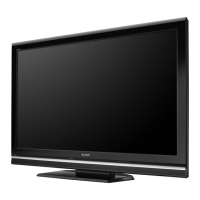
Sony KDL-52V5100 - User Manual

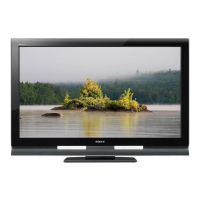
Sony KDL-52V5100
39 pages
Print Icon
To Next Page IconTo Next Page
Loading...
LCD Digital
Color
TV
Sony will work
to
resolve
your questions
more
quickly
than
your retailer.
Canada
1.877.899.S0NY
United States
1.800.222.S0NY
Please Do
Not
Return
the
Product
to
the
Store
Sony Customer Support
U.S.A.:
www.sony.com/tvsupport
Canada:
www.sony.ca/support
© 2009 Sony
Corporation
KDL-52V5100
KDL-46V5100
KDL-40V5100
KDL-40SL
150
KDL-32XBR9

Other manuals for Sony KDL-52V5100

Question and Answer IconNeed help?

Do you have a question about the Sony KDL-52V5100 and is the answer not in the manual?

Summary

Operating Instructions

Sony Customer Support

Contact information for Sony TV support in the US and Canada.

Owners Record and Safety Information

Safety, Compliance, and Licensing

Cautions, FCC, environmental, licensing, and installation safety advice.

ENERGY STAR Qualification

Details the TV's ENERGY STAR rating and power saving features.

Getting Started with Your BRAVIA TV

Key TV Feature Highlights

Describes features like BRAVIA Sync, Motionflow, Favorites, and USB playback.

Setting Up Your TV

TV Placement and Ventilation Guidelines

Guidelines for TV placement, ventilation, and avoiding direct sunlight.

Locating Inputs and Outputs

Connecting Other Equipment

Device Connection Diagrams

Illustrates connections for various devices like Blu-ray, DVD, PC, and VCR.

Cable Management and TV Safety

Securing the TV to Prevent Toppling

Recommends securing the TV to a stand or wall for safety.

Initial TV Setup Process

Performing Initial Setup Steps

Steps for language selection, mode setting, and auto program setup.

Remote Control Operations

Remote Control Button Descriptions

Explains functions of buttons like DISPLAY, CC, BRAVIA Sync, and FAVORITES.

TV Controls and Indicators

On-TV Control Panel Functions

Details the functions of physical buttons and indicator lights on the TV.

Using TV Features

BRAVIA Sync with Control for HDMI

Explains how BRAVIA Sync enables communication between Sony devices.

Navigating TV Menus

Using the USB Port

Other Information and Support

Important Considerations and Troubleshooting

Covers common issues, factory reset, and where to find help.

Product Specifications

Summary

Operating Instructions

Sony Customer Support

Contact information for Sony TV support in the US and Canada.

Owners Record and Safety Information

Safety, Compliance, and Licensing

Cautions, FCC, environmental, licensing, and installation safety advice.

ENERGY STAR Qualification

Details the TV's ENERGY STAR rating and power saving features.

Getting Started with Your BRAVIA TV

Key TV Feature Highlights

Describes features like BRAVIA Sync, Motionflow, Favorites, and USB playback.

Setting Up Your TV

TV Placement and Ventilation Guidelines

Guidelines for TV placement, ventilation, and avoiding direct sunlight.

Locating Inputs and Outputs

Connecting Other Equipment

Device Connection Diagrams

Illustrates connections for various devices like Blu-ray, DVD, PC, and VCR.

Cable Management and TV Safety

Securing the TV to Prevent Toppling

Recommends securing the TV to a stand or wall for safety.

Initial TV Setup Process

Performing Initial Setup Steps

Steps for language selection, mode setting, and auto program setup.

Remote Control Operations

Remote Control Button Descriptions

Explains functions of buttons like DISPLAY, CC, BRAVIA Sync, and FAVORITES.

TV Controls and Indicators

On-TV Control Panel Functions

Details the functions of physical buttons and indicator lights on the TV.

Using TV Features

BRAVIA Sync with Control for HDMI

Explains how BRAVIA Sync enables communication between Sony devices.

Navigating TV Menus

Using the USB Port

Other Information and Support

Important Considerations and Troubleshooting

Covers common issues, factory reset, and where to find help.

Product Specifications

Sony KDL-52V5100 Specifications

General IconGeneral
Screen Size52 inches
Resolution1920 x 1080
Refresh Rate120 Hz
HDMI Ports4
USB Ports1
Display TechnologyLCD
Aspect Ratio16:9
Component Video Inputs2
Composite Video Inputs2
Viewing Angle178 degrees
Speakers2 x 10W
Contrast Ratio100, 000:1 (Dynamic)
PC Input1 (VGA)

Related product manuals