4
GB
Setting Up
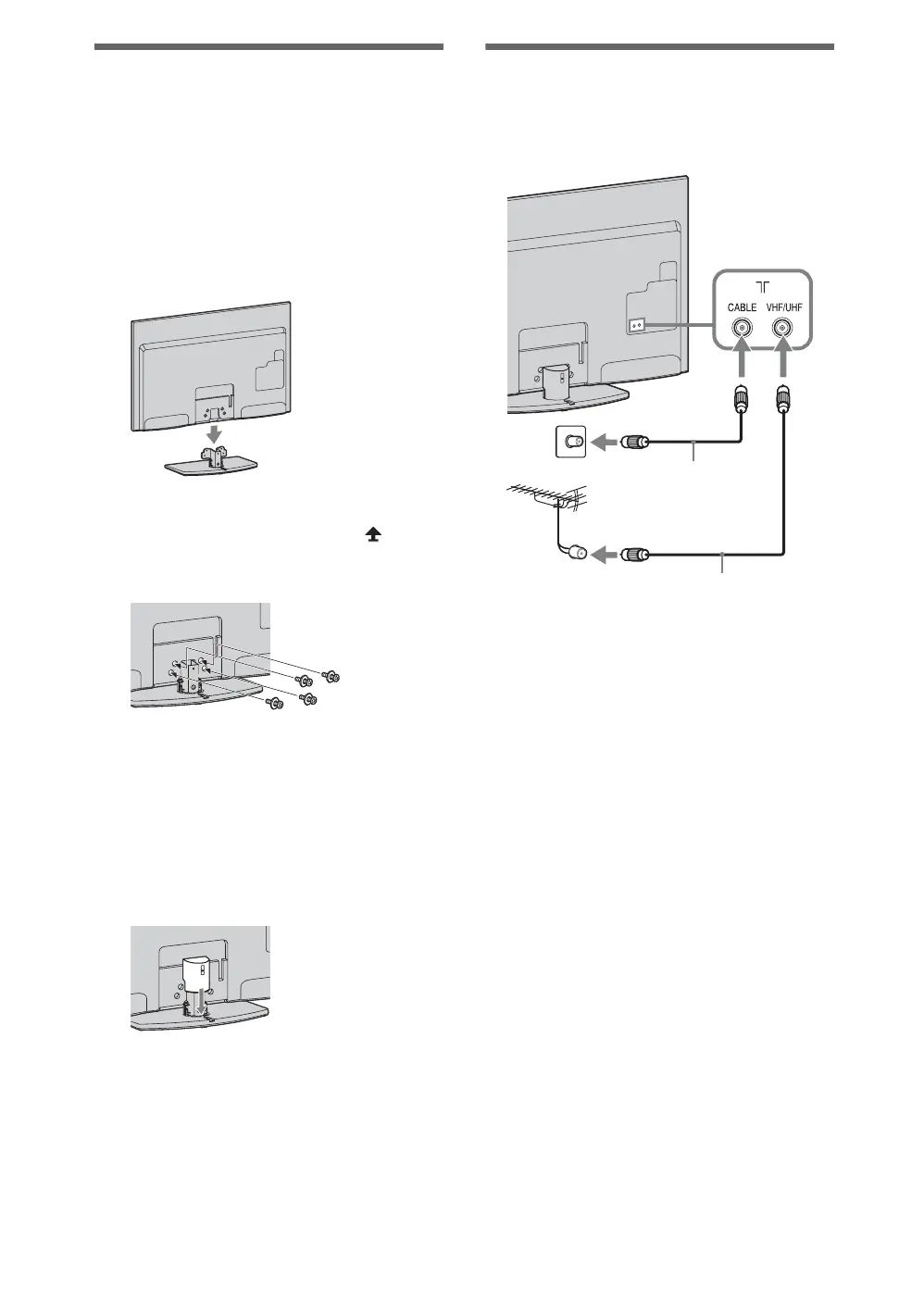
Attaching the Table-Top
Stand (except for KDL-
60EX700)
1 Refer to the supplied Table-Top Stand
leaflet for proper attachment for some
TV models.
2 Place the TV set on the Table-Top
Stand.
3 Fix the TV to the Table-Top Stand
according to the arrow marks that
guide the screw holes using the
supplied screws.
~
• If using an electric screwdriver, set the tightening
torque at approximately 1.5 N·m {15 kgf·cm}.
4 For KDL-40/32EX710, KDL-40/
32EX700 and KDL-40/32EX600, after
all the screws are tightened, attach the
supplied stand rear cover to the Table-
Top Stand.
Connecting an antenna
(aerial)/cable/VCR
Connecting an antenna (aerial)/cable
Antenna (aerial) cable
(not supplied)
Antenna (aerial) cable
(not supplied)














 To Next Page