6
GB
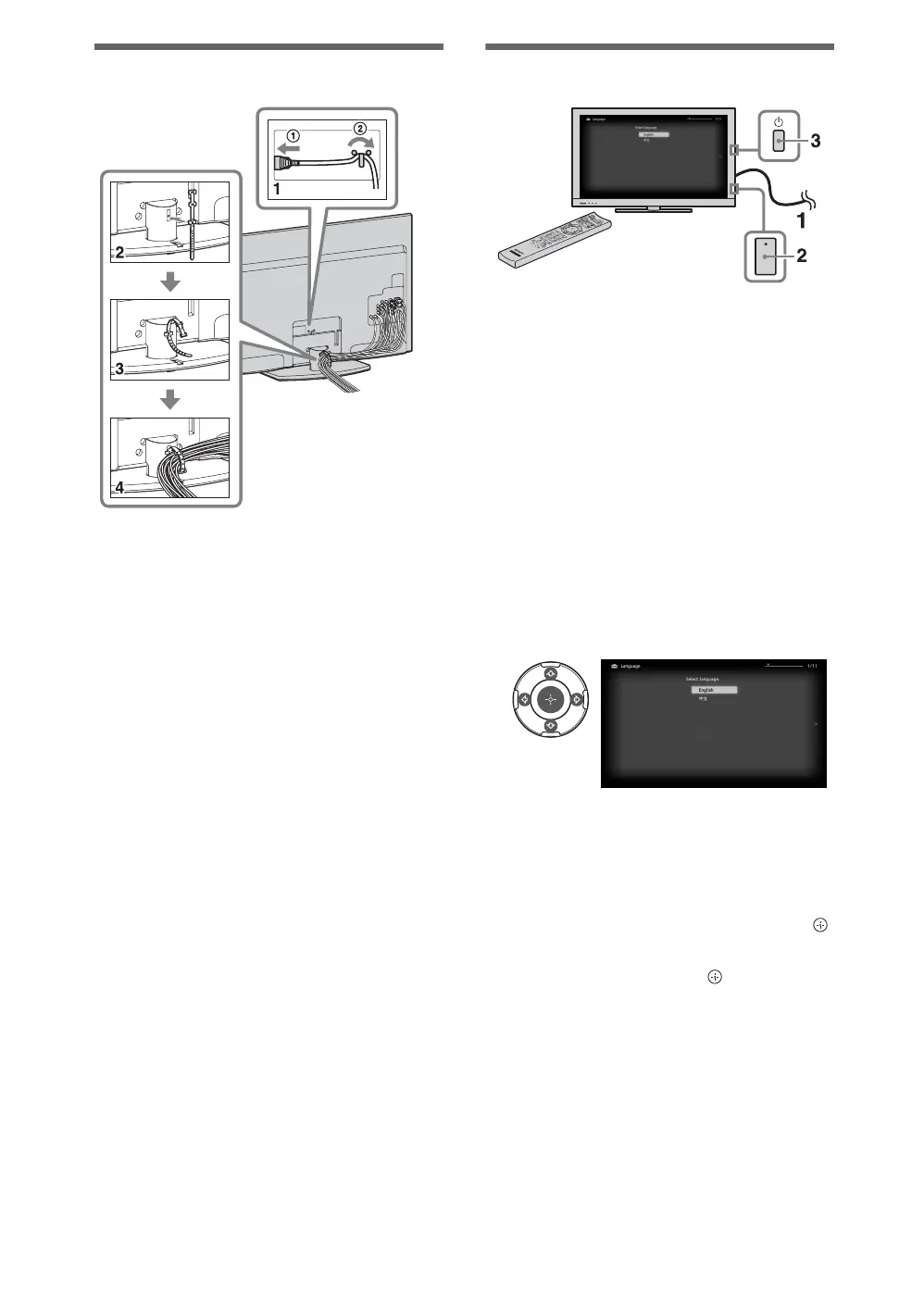
Bundling the cables
~
• Do not bundle the AC power cord (mains lead)
together with other cables.
Performing the initial set-up
1 Connect the TV to your AC power
outlet (mains socket).
2 For KDL-55/46/40/32EX710 and
KDL-60/52/46/40/32EX700, check the
ENERGY SAVING SWITCH setting
is on (
z).
3 Press 1 on the TV.
When you switch on the TV for the first
time, the Language menu appears on the
screen.
Follow the instructions on the screen.
Programme Sorting: Changes the order of
analogue channels stored in the TV.
1 Press F/f to select the channel you want
to move to a new position, then press .
2 Press F/f to select the new position for
the channel, then press .
~
• You can also tune channels manually.
4
KDL-55/46/40/
32EX710 and
KDL-60/52/46/40/
32EX700 only














 To Next Page