7
GB
Start-up Guide
KLV-46/40/32V400A
3-300-887-11(2)
6: Performing the initial
set-up
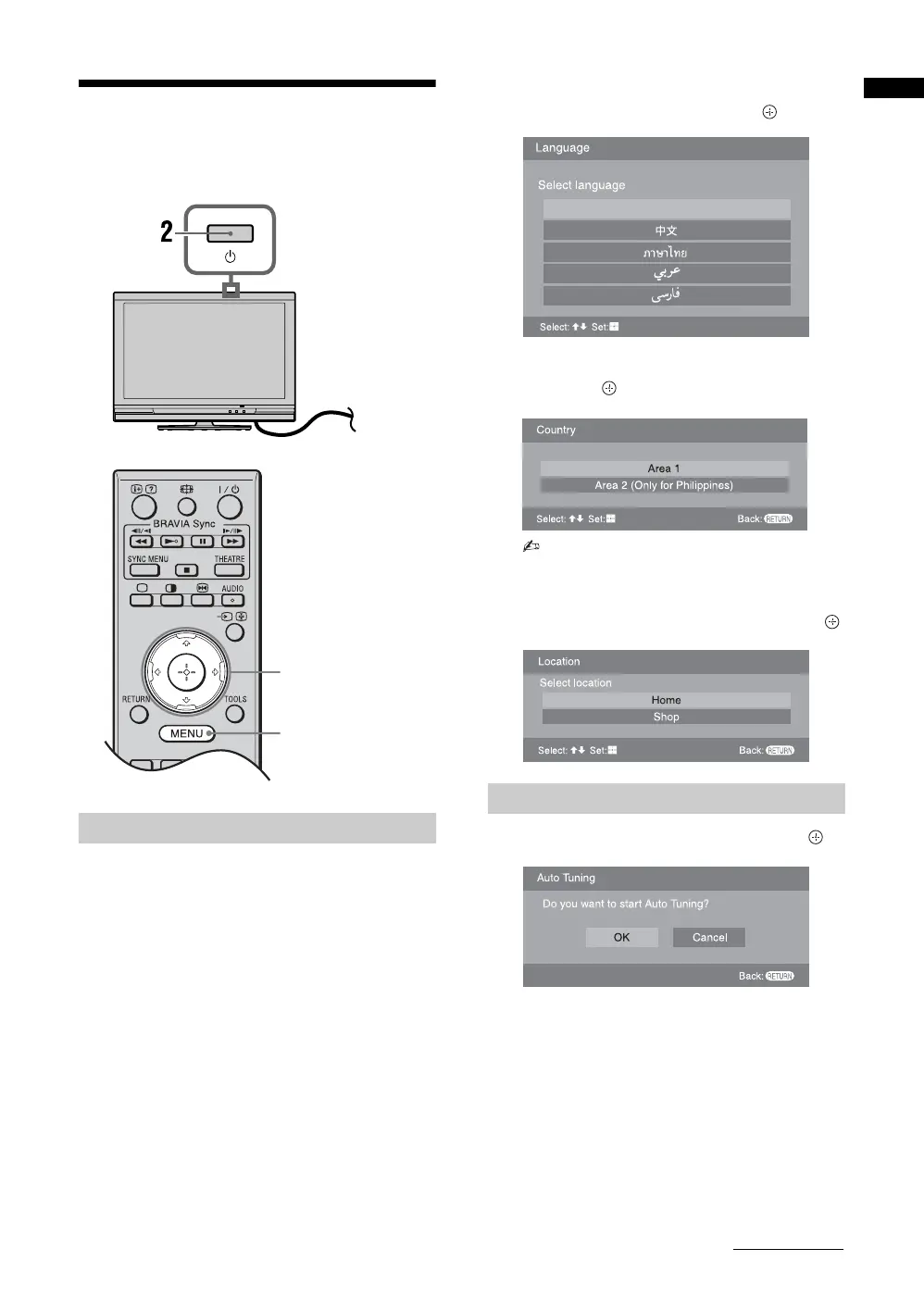
1 Connect the TV to your AC power outlet
(110-240 V AC, 50/60 Hz).
2 Press 1 on the top edge of the TV.
When the TV is in standby mode (the 1 (standby)
indicator on the TV front panel is red), press "/1
on the remote to turn on the TV.
When you turn on the TV for the first time, the
“Language” menu appears on the screen.
3
Press
F
/
f
to select the language displayed
on the menu screens, then press .
4 Press F/f to select the country/region,
then press .
• Area 1: Asia (except Philippines), Middle
East, Africa and Oceania.
• Area 2: Philippines.
5 Press F/f to select “Home”, then press .
6 Press G/g to select “OK”, then press .
The TV starts searching for all available channels.
This may take some time, please be patient and do
not press any buttons on the TV or remote.
If a message appears for you to confirm the
antenna connection
No programmes found. Please connect antenna
(aerial) and select “Confirm” to start auto-tuning
again. If 100 channels are found, auto-tuning is
stopped.
Selecting the language
,
1
3, 4, 5, 6, 9,
10, 11
8
Auto-tuning the TV
English
Select country
Continued





 To Next Page