EasyManua.ls Logo

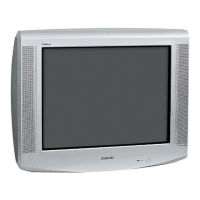
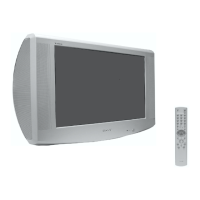
Sony KV-29CS60K - User Manual

Sony KV-29CS60K
124 pages
Print Icon
To Next Page IconTo Next Page
Loading...
R
2-048-442-51(3)
KV-29CS60K
©2004 by Sony Corporation
Operating Instructions
GB
Before operating the TV, please read the “Safety Information”
section of this manual. Retain this manual for future reference.
Инструкции за използване
BG
Преди да използвате телевизора, прочетете раздела
"Информация за безопасността" на това ръководство.
Запазете това ръководство за бъдещи справки.
Návod k použití
CZ
Před zapnutím televizoru si prosím pozorně přečtěte část
"Bezpečnostní upozornění" v tomto návodu. Návod si uschovejte
i pro budoucí potřebu.
Kezelési utasítás
HU
Mielőtt elkezdené használni a televíziót, kérjük, olvassa el a jelen
kézikönyv Biztonsági tudnivalók c. szakaszát. Őrizze meg a
kézikönyvet későbbi használatra.
Instrukcja obsługi
PL
Przed przystąpieniem do eksploatacji telewizora należy zapoznać się z
rozdziałem "Informacje dotyczące bezpieczeństwa" w niniejszej instrukcji.
Prosimy o zachowanie niniejszej instrukcji do wglądu w przyszłości.
Инструкция по эксплуатации
RU
Перед тем как включить телевизор, просим Вас ознакомиться с
разделом "Общие правила техники безопасности" настоящей
инструкции. Сохраняйте настоящую инструкцию на будущее.
Trinitron Colour
Television
204844251
Cover(K).fm Page 1 Wednesday, June 16, 2004 9:03 AM
Question and Answer IconNeed help?

Do you have a question about the Sony KV-29CS60K and is the answer not in the manual?

Summary

Operating Instructions

Introduction to the Manual

Important Safety Precautions

Product Overview

Remote Control Functions

Details the function of each button on the remote control for TV operation and Teletext.

Installation and Setup

Remote Control Battery Installation

Instructions on how to properly insert batteries into the remote control.

Connecting Aerial and VCR

Guide on connecting the TV to an aerial and a VCR.

First Time Operation

Initial TV Setup and Auto Tuning

Steps for initial TV setup, including language, country, and channel tuning.

Menu System Navigation

Understanding the Menu Interface

Explains how to navigate and use the TV's on-screen menu system.

Picture Adjustment Options

Allows adjustment of picture settings like contrast, brightness, colour, sharpness, and hue.

Sound Adjustment Menu

Timer and Language Settings

Auto Tuning Procedure

Programme Management

Programme Sorting and Labelling

Allows reordering of stored TV channels and naming them with up to five characters.

AV Input Presets

Assigns names to external equipment connected via AV inputs.

Manual Programme Preset

Advanced Detail Settings

Noise Reduction and AV Output

Reduces picture noise and selects the source for AV output from the Scart connector.

TV Speaker Control

Controls whether the TV speakers are active or muted.

Picture Refinement Settings

Teletext Service Guide

Using Teletext and Fastext

Covers switching on/off, page selection, freezing, revealing information, and using Fastext.

Connecting External Devices

Connecting Various AV Equipment

Guide to connecting various external devices like camcorders, Hi-Fi, DVD, and VCR.

External Audio and Optional Equipment

Technical Specifications

Troubleshooting Common Issues

Summary

Operating Instructions

Introduction to the Manual

Important Safety Precautions

Product Overview

Remote Control Functions

Details the function of each button on the remote control for TV operation and Teletext.

Installation and Setup

Remote Control Battery Installation

Instructions on how to properly insert batteries into the remote control.

Connecting Aerial and VCR

Guide on connecting the TV to an aerial and a VCR.

First Time Operation

Initial TV Setup and Auto Tuning

Steps for initial TV setup, including language, country, and channel tuning.

Menu System Navigation

Understanding the Menu Interface

Explains how to navigate and use the TV's on-screen menu system.

Picture Adjustment Options

Allows adjustment of picture settings like contrast, brightness, colour, sharpness, and hue.

Sound Adjustment Menu

Timer and Language Settings

Auto Tuning Procedure

Programme Management

Programme Sorting and Labelling

Allows reordering of stored TV channels and naming them with up to five characters.

AV Input Presets

Assigns names to external equipment connected via AV inputs.

Manual Programme Preset

Advanced Detail Settings

Noise Reduction and AV Output

Reduces picture noise and selects the source for AV output from the Scart connector.

TV Speaker Control

Controls whether the TV speakers are active or muted.

Picture Refinement Settings

Teletext Service Guide

Using Teletext and Fastext

Covers switching on/off, page selection, freezing, revealing information, and using Fastext.

Connecting External Devices

Connecting Various AV Equipment

Guide to connecting various external devices like camcorders, Hi-Fi, DVD, and VCR.

External Audio and Optional Equipment

Technical Specifications

Troubleshooting Common Issues

Sony KV-29CS60K Specifications

General IconGeneral
Screen Size29 inches
Display TypeCRT
Aspect Ratio4:3
Audio Output10W
Weight45 kg
TeletextYes
Sound Output2 x 5W
Resolution480i
Sound SystemStereo
InputsComposite, S-Video

Related product manuals