EasyManua.ls Logo

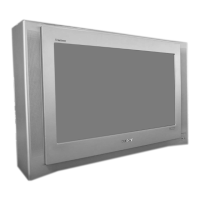
Sony FD Trinitron KV-28DX30U - User Manual

Sony FD Trinitron KV-28DX30U
40 pages
Print Icon
To Next Page IconTo Next Page
Loading...
Sony Manufacturing Company UK
Printed in UK

Other manuals for Sony FD Trinitron KV-28DX30U

Questions and Answers

Summary

Operating Instructions

Trinitron Colour Television Overview

Introduction to the Sony Trinitron Colour Television models KV-28DX30U and KV-32DX30U.

Safety and Setup Information

UK Customer Notice: Fuse Replacement

UK-specific safety advice on fuse replacement and plug compliance with BS1363.

How to Replace the Fuse

Step-by-step guide for safely replacing the fuse in the TV's power plug.

Safety Precautions

General Safety Guidelines

Essential safety rules for using the TV, covering moisture, access, and servicing.

Installation and Operation Safety

Ensuring safe installation and operation, including ventilation, stability, power, and environmental factors.

Maintenance Safety

Tips for safe TV maintenance, including cleaning and periodic servicing for longevity.

Getting Started Guide

Checking Supplied Accessories

Verification of all included accessories, such as the remote control and batteries.

Inserting Remote Control Batteries

Procedure for correctly inserting batteries into the TV's remote control.

Getting Started Guide

Connecting External Speakers

Instructions for connecting external speakers for enhanced Dolby Pro Logic Surround sound.

Getting Started Guide

Connecting the Aerial and VCR

Guide to connecting an aerial directly or via a VCR for optimal signal reception.

Initial TV Power-On

Steps for connecting the TV to the power outlet and turning it on for the first time.

Getting Started Guide

Automatic Channel Tuning

Process for the TV to automatically scan and store all available channels.

Finding Video Channels

Locating and displaying channels from connected video devices like VCRs after tuning.

TV and Remote Control Overview

TV Unit Button Functions

Description of the physical buttons located on the television set itself.

TV and Remote Control Overview

Remote Control Button Functions

Detailed explanation of each button on the remote control and its operation.

Advanced TV Features

Picture Adjustment Settings

How to modify picture quality settings like brightness, contrast, and colour via the menu.

Quick Picture and Sound Mode Changes

Method to rapidly switch between picture and sound modes without navigating menus.

Advanced TV Features

Sound Adjustment Settings

Guide to configuring sound modes, balance, bass, and surround sound effects.

Advanced TV Features

Virtual Dolby Surround Setup

Configuring simulated surround sound effects without external rear or centre speakers.

Advanced TV Features

Dolby Pro Logic Setup

Steps to set up Dolby Pro Logic for external speaker systems, including calibration and test tones.

Advanced TV Features

Screen Aspect Ratio Adjustment

Changing the screen display format (e.g., Smart, Wide, Zoom) for optimal viewing.

Advanced TV Features

Digital Setup Menu Configuration

Setting options for digital channels: signal type, subtitle language, and software updates.

Advanced TV Features

Further Programme Preset Feature

Manually tuning analogue channels or setting AV outputs for external devices like VCRs.

Advanced TV Features

Picture Rotation Adjustment

Correcting picture tilt caused by magnetic interference by adjusting the rotation setting.

Parental Lock Functionality

Blocking specific channels to prevent access to unwanted content.

Advanced TV Features

Sleep Timer Function

Setting the TV to automatically turn off after a programmed duration.

Info Menu Screen Usage

Accessing programme information (now/next) on digital channels via the info screen.

Advanced TV Features

Naming Analogue Channels

Assigning custom alphanumeric labels to analogue channels for easier identification.

Advanced TV Features

Menu Language Selection

Choosing the preferred language for all on-screen TV menus and settings.

Teletext Features

Viewing Standard Teletext

Accessing and navigating standard teletext information services on analogue channels.

Teletext Features

Viewing Digital Teletext

Accessing digital teletext services, including dedicated channels and advanced features.

Electronic Programme Guide (EPG)

Displaying the EPG

How to access and view the Electronic Programme Guide, including temporary unavailability messages.

EPG Information Filtering

Customizing EPG display by date, time, and programme type for specific information.

Electronic Programme Guide (EPG)

Recording Programmes via EPG

Setting up programme recordings directly from the EPG interface.

Electronic Programme Guide (EPG)

Manual Timer Setup for Recording

Manually scheduling recordings by entering date, time, and programme details.

Connecting Optional Equipment

Connecting External Devices

Guide to connecting VCRs, audio equipment, and headphones to the TV.

Connecting Optional Equipment

Scart Output Source Selection

Configuring the TV's output signal routing for scart sockets to external devices.

Smartlink Feature

Using Smartlink for direct TV recording and data transfer between TV and VCR.

Connecting Optional Equipment

AV Label Preset Customization

Assigning custom names to input sources for on-screen identification when selected.

Technical Specifications

Product Specifications

Detailed technical data including TV system, picture tube, dimensions, weight, and supplied accessories.

Technical Specifications

Troubleshooting Common Issues

Solutions for frequent problems with picture, sound, and remote control operation.

Summary

Operating Instructions

Trinitron Colour Television Overview

Introduction to the Sony Trinitron Colour Television models KV-28DX30U and KV-32DX30U.

Safety and Setup Information

UK Customer Notice: Fuse Replacement

UK-specific safety advice on fuse replacement and plug compliance with BS1363.

How to Replace the Fuse

Step-by-step guide for safely replacing the fuse in the TV's power plug.

Safety Precautions

General Safety Guidelines

Essential safety rules for using the TV, covering moisture, access, and servicing.

Installation and Operation Safety

Ensuring safe installation and operation, including ventilation, stability, power, and environmental factors.

Maintenance Safety

Tips for safe TV maintenance, including cleaning and periodic servicing for longevity.

Getting Started Guide

Checking Supplied Accessories

Verification of all included accessories, such as the remote control and batteries.

Inserting Remote Control Batteries

Procedure for correctly inserting batteries into the TV's remote control.

Getting Started Guide

Connecting External Speakers

Instructions for connecting external speakers for enhanced Dolby Pro Logic Surround sound.

Getting Started Guide

Connecting the Aerial and VCR

Guide to connecting an aerial directly or via a VCR for optimal signal reception.

Initial TV Power-On

Steps for connecting the TV to the power outlet and turning it on for the first time.

Getting Started Guide

Automatic Channel Tuning

Process for the TV to automatically scan and store all available channels.

Finding Video Channels

Locating and displaying channels from connected video devices like VCRs after tuning.

TV and Remote Control Overview

TV Unit Button Functions

Description of the physical buttons located on the television set itself.

TV and Remote Control Overview

Remote Control Button Functions

Detailed explanation of each button on the remote control and its operation.

Advanced TV Features

Picture Adjustment Settings

How to modify picture quality settings like brightness, contrast, and colour via the menu.

Quick Picture and Sound Mode Changes

Method to rapidly switch between picture and sound modes without navigating menus.

Advanced TV Features

Sound Adjustment Settings

Guide to configuring sound modes, balance, bass, and surround sound effects.

Advanced TV Features

Virtual Dolby Surround Setup

Configuring simulated surround sound effects without external rear or centre speakers.

Advanced TV Features

Dolby Pro Logic Setup

Steps to set up Dolby Pro Logic for external speaker systems, including calibration and test tones.

Advanced TV Features

Screen Aspect Ratio Adjustment

Changing the screen display format (e.g., Smart, Wide, Zoom) for optimal viewing.

Advanced TV Features

Digital Setup Menu Configuration

Setting options for digital channels: signal type, subtitle language, and software updates.

Advanced TV Features

Further Programme Preset Feature

Manually tuning analogue channels or setting AV outputs for external devices like VCRs.

Advanced TV Features

Picture Rotation Adjustment

Correcting picture tilt caused by magnetic interference by adjusting the rotation setting.

Parental Lock Functionality

Blocking specific channels to prevent access to unwanted content.

Advanced TV Features

Sleep Timer Function

Setting the TV to automatically turn off after a programmed duration.

Info Menu Screen Usage

Accessing programme information (now/next) on digital channels via the info screen.

Advanced TV Features

Naming Analogue Channels

Assigning custom alphanumeric labels to analogue channels for easier identification.

Advanced TV Features

Menu Language Selection

Choosing the preferred language for all on-screen TV menus and settings.

Teletext Features

Viewing Standard Teletext

Accessing and navigating standard teletext information services on analogue channels.

Teletext Features

Viewing Digital Teletext

Accessing digital teletext services, including dedicated channels and advanced features.

Electronic Programme Guide (EPG)

Displaying the EPG

How to access and view the Electronic Programme Guide, including temporary unavailability messages.

EPG Information Filtering

Customizing EPG display by date, time, and programme type for specific information.

Electronic Programme Guide (EPG)

Recording Programmes via EPG

Setting up programme recordings directly from the EPG interface.

Electronic Programme Guide (EPG)

Manual Timer Setup for Recording

Manually scheduling recordings by entering date, time, and programme details.

Connecting Optional Equipment

Connecting External Devices

Guide to connecting VCRs, audio equipment, and headphones to the TV.

Connecting Optional Equipment

Scart Output Source Selection

Configuring the TV's output signal routing for scart sockets to external devices.

Smartlink Feature

Using Smartlink for direct TV recording and data transfer between TV and VCR.

Connecting Optional Equipment

AV Label Preset Customization

Assigning custom names to input sources for on-screen identification when selected.

Technical Specifications

Product Specifications

Detailed technical data including TV system, picture tube, dimensions, weight, and supplied accessories.

Technical Specifications

Troubleshooting Common Issues

Solutions for frequent problems with picture, sound, and remote control operation.

Sony FD Trinitron KV-28DX30U Specifications

General IconGeneral
BrandSony
ModelFD Trinitron KV-28DX30U
CategoryCRT TV
LanguageEnglish

Related product manuals