
 Need help?
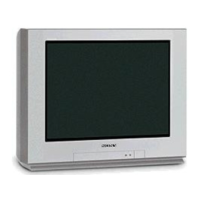
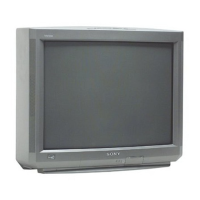
Do you have a question about the Sony FD Trinitron KV-21FX20K and is the answer not in the manual?
Safety instructions for general use, avoiding hazards, and proper handling.
Instructions for safely installing the TV, considering ventilation and stability.
Guidelines for operating the TV safely, including power and environmental factors.
Advice on cleaning and servicing the TV for safety and longevity.
Identifies supplied accessories and describes buttons on the TV set.
Details the functions and layout of the TV's remote control buttons.
Guide for initial physical setup, including connecting the aerial and power.
Procedure for selecting the preferred menu language for the TV interface.
How to automatically scan and store all available TV channels for viewing.
Instructions for rearranging the sequence of stored TV channels.
Performing automatic channel tuning using controls on the TV set itself.
Step-by-step guide to manually preset individual TV channels.
Adjusting reception for specific channels to improve picture quality.
Correcting picture slant caused by magnetic interference.
How to set the TV to skip unwanted programme numbers.
Modifying picture settings like contrast, brightness, colour, sharpness, and hue.
Easily switching between preset picture modes (Personal, Live, Movie).
Customizing sound settings such as treble, bass, balance, and DSP.
Rapidly changing between preset sound modes (Personal, Jazz, Pop, Rock).
Setting a timer for the TV to automatically switch to standby mode.
Setting a timer for the TV to automatically switch on from standby.
Introduction to teletext and how to access this information service.
Steps to tune channels and display/move between teletext pages.
Using functions like superimposing, freezing pages, and revealing answers.
Fast access to teletext pages via colour-coded buttons.
Guide for connecting VCRs, camcorders, and other video devices.
How to choose and view signals from connected audio/video sources.
Instructions for connecting headphones, Hi-Fi systems, and mono equipment.
Direct link for TV-VCR interaction, enabling tuning and recording features.
Overview of TV menus, setup procedures, and on-screen display navigation.
Solutions for typical problems affecting picture, sound, and remote control.
Technical details including TV system, dimensions, power consumption, and features.
 General
| Screen Size | 21 inches |
|---|---|
| Display Type | CRT |
| Screen Type | Flat |
| Aspect Ratio | 4:3 |
| Remote Control | Yes |
| TV System | PAL |
| Inputs | Composite |



 To Next Page