EasyManua.ls Logo

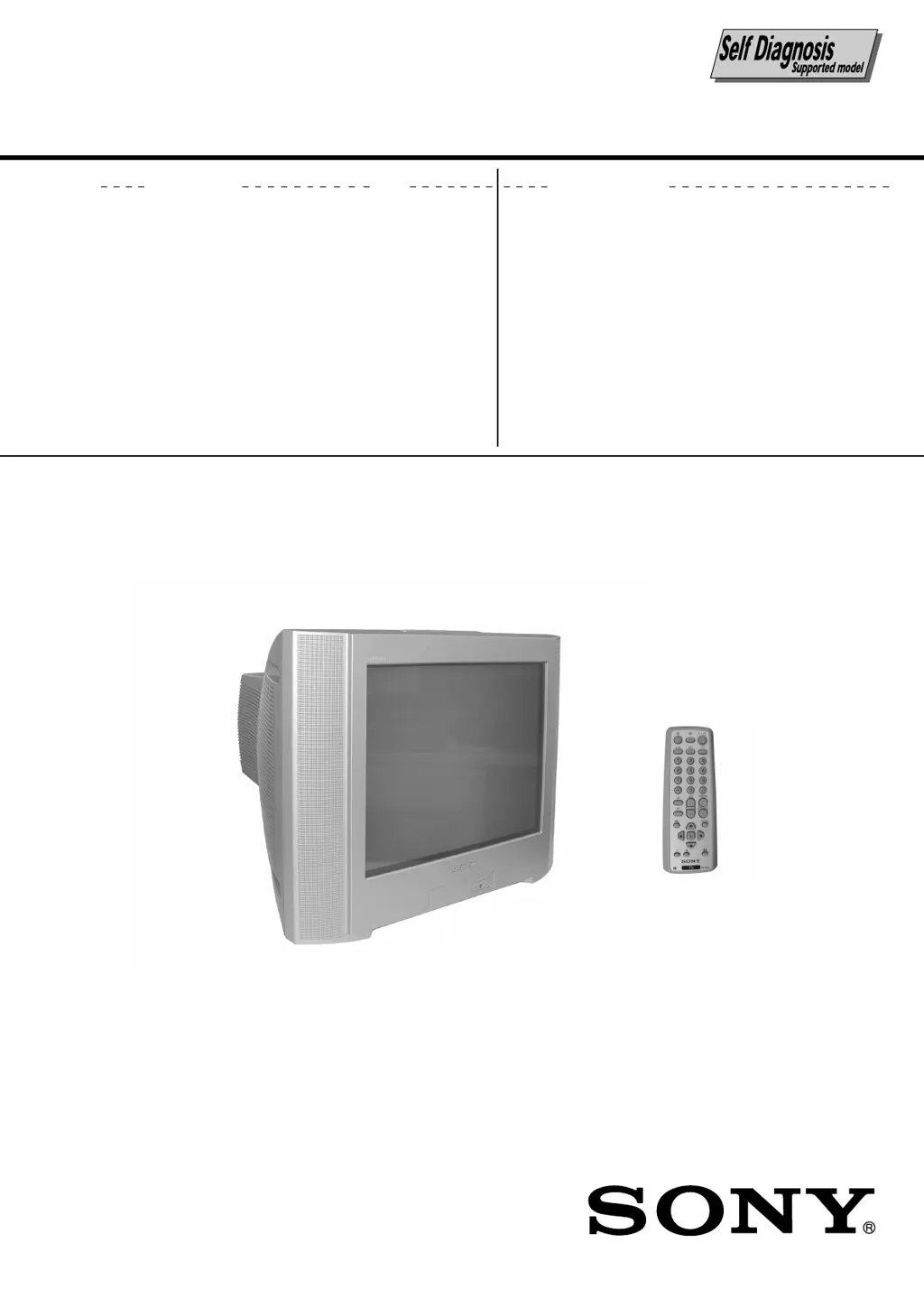
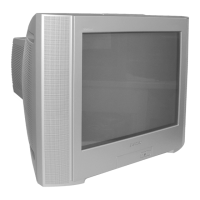
Sony KV-HW21P50 - User Manual

Sony KV-HW21P50
81 pages
Print Icon
To Next Page IconTo Next Page
Loading...
MODEL COMMANDER DEST. CHASSIS NO.
CHASSIS
TRINITRON
®
COLOR TV
SERVICE MANUAL
BX1
MODEL COMMANDER DEST. CHASSIS NO.
KV-HW21P50
RM-W101 Nigeria SCC-V08A-A
RM-W101

Table of Contents

Questions and Answers

  • J
    John CobbJul 31, 2025
    What to do if my Sony KV-HW21P50 has no picture and no sound?
    • S
      Sabrina LesterJul 31, 2025
      If your Sony Monitor displays no picture and produces no sound, verify that the power cord, antenna, and VCR are properly connected. Also, ensure that the TV is turned on by pressing the power button. If it still doesn't work, turn off the TV for about five seconds using the main power button on the TV, and then turn it on again.
  • J
    Jesus GarciaAug 4, 2025
    How to fix snowy picture and noisy sound on Sony Monitor?
    • D
      Danielle BerryAug 4, 2025
      To resolve a snowy picture and noisy sound on your Sony Monitor, start by checking the antenna cable and its connections at the TV, VCR, and wall. If the issue persists, the antenna setup may be inappropriate, or channel presetting may be incomplete. Check the antenna setup. Contact a Sony dealer for advice. You can also try using the “Channel Setup” menu and selecting “Manual Program” to preset the channel again. If the signal transmission is low, consider using a booster.
  • T
    Terry BushAug 8, 2025
    Why is there no sound on my Sony Monitor but the picture is good?
    • R
      Ryan KingAug 8, 2025
      If you have a good picture but no sound on your Sony Monitor, first, ensure that the volume level is not too low by pressing the volume up button. Also, check if the sound is muted and, if so, press the mute button to cancel it. If you have a KV-HW21M53/ HW21M50 model, the TV system setting may be inappropriate. In this case, display the “Channel Setup” menu and select the appropriate “TV System”.
  • T
    Tiffany Walker MDAug 13, 2025
    What to do if my Sony KV-HW21P50 has distorted picture and noisy sound?
    • M
      Marcus DonaldsonAug 13, 2025
      If your Sony Monitor shows a distorted picture and produces noisy sound, the broadcast signals might be too strong. If you are using a booster, try turning it off or disconnecting it.
  • L
    Laura SavageAug 17, 2025
    How do I fix no color on my Sony KV-HW21P50?
    • K
      Kyle ShafferAug 17, 2025
      If your Sony Monitor displays no color, the color level setting might be too low. Go to the “Picture” menu, select “Personal” of “Mode”, and adjust the “Color” level in “Picture Adjustment”. Also, the color system setting may be inappropriate, so check the “Color System” setting in the “Setup” menu and ensure it is set to “Auto”. Check the antenna setup. Contact a Sony dealer for advice.
  • B
    Bradley ChenAug 22, 2025
    How to get rid of double images or ghosts on Sony KV-HW21P50 Monitor?
    • R
      riverajoshuaAug 22, 2025
      Double images or “ghosts” on your Sony Monitor can be due to broadcast signals being reflected by nearby mountains or buildings. Try using a highly directional antenna or use the fine tuning (“Fine”) function. Also, the antenna setup may be inappropriate, so check the antenna setup. Contact a Sony dealer for advice. If you are using a booster, turn it off or disconnect it as it may be causing the issue.
  • R
    Ricardo MyersAug 26, 2025
    Why does my Sony Monitor have dotted lines or stripes?
    • F
      frostdonaldAug 26, 2025
      Dotted lines or stripes on your Sony Monitor can be caused by local interference from sources like cars, neon signs, hair dryers, or power generators. Avoid using such equipment near the TV. Check the antenna setup. Contact a Sony dealer for advice.

Summary

Self Diagnostic Function

Diagnostic Test Indicators

Explains error codes indicated by standby light flashes.

Standby Indicator Flash Count

Details the flash counts for various diagnostic items.

Self-Diagnostic Screen Display

How to display error counts on the TV screen.

Section 1 Disassembly

Picture Tube Removal

Detailed steps for removing the picture tube.

Section 2 Set-up Adjustments

Section 3 Circuit Adjustments

Adjustments With Commander

How to enter and use service mode with remote.

Picture Quality Adjustments

Adjustments for picture quality like contrast and color.

Section 4 Diagrams

Schematic Diagram

Detailed circuit schematics for various boards.

Voltage Measurement and Waveforms

Lists voltage values and waveforms for troubleshooting.

Printed Wiring Boards and Parts Location

Layouts of printed wiring boards and component placement.

Section 6 Electrical Parts List

Sony KV-HW21P50 Specifications

General IconGeneral
Display TypeTrinitron
Aspect Ratio4:3
Screen Size21 inches
TypeCRT
InputsComposite, S-Video

Related product manuals