Adjustment Using the Menus
33
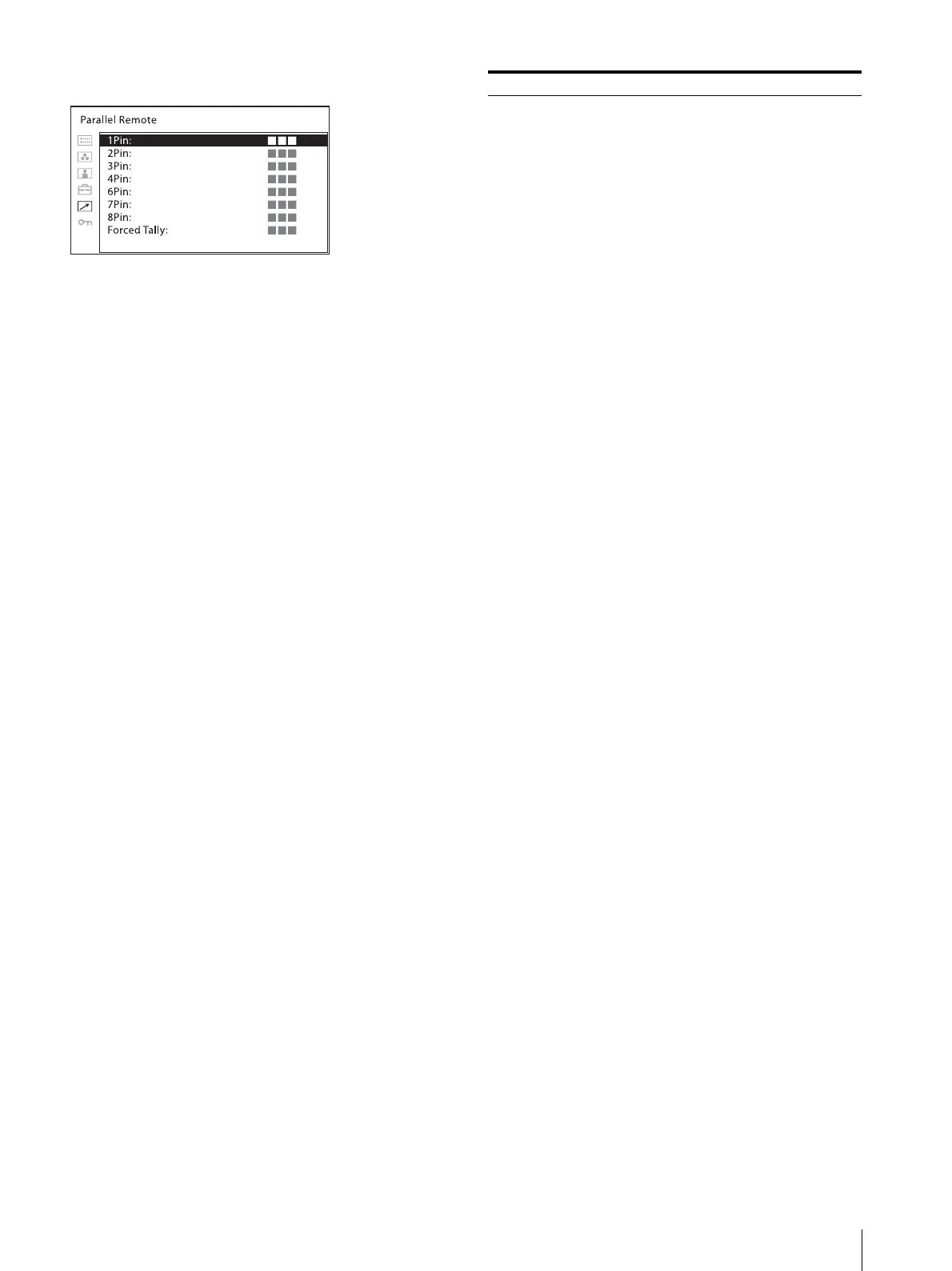
[Parallel Remote]
Submenu Setting
[Parallel Remote] Selects the PARALLEL REMOTE
connector pins for which you want to
change the function.
You can assign various functions to pins
1 to 4 and pins 6 to 8. The following lists
the functions you can assign to the pins.
[SDI1]
[SDI2]
[HDMI]
[Composite]
[80% Area Maker]
[85% Area Maker]
[88% Area Maker]
[90% Area Maker]
[93% Area Maker]
[95% Area Maker]
[Center Marker]
[16:9 Marker]
[15:9 Marker]
[14:9 Marker]
[13:9 Marker]
[1.85:1 Marker]
[2.39:1 Marker]
[2.35:1 Marker]
[4:3 Marker]
[Blanking]
[Grid Full Screen]
[Grid Window]
[Camera Metadata]
[Chroma Up]
[Auto SDI Switch]
[Blending]
[Difference]
[Side by Side]
[Wipe]
[Tally Red]
[Tally Green]
[Normal Scan]
[Native Scan]
[4:3]
[16:9]
[Flip H]
[Flip V]
[Flip H/V]
[WFM/ALM/Vector]
[Focus Assist]
[Mono]
[Blue Only]
[Sync-free Side by Side]
[Audio Muting]
[False Color]
[False Color Scale]
[User Preset1]
[User Preset2]
[User Preset3]
[User Preset4]
[User Preset5]
[– – –] ([– – –]: No function is
assigned.)


 To Next Page