Adjustment Using the Menus
32
[Remote] menu
Submenu Setting
[IMD] Selects [On] to activate IMD and [Off]
to turn it off.
Setting [IMD] to [On] turns off the
following function:
[Camera Metadata]
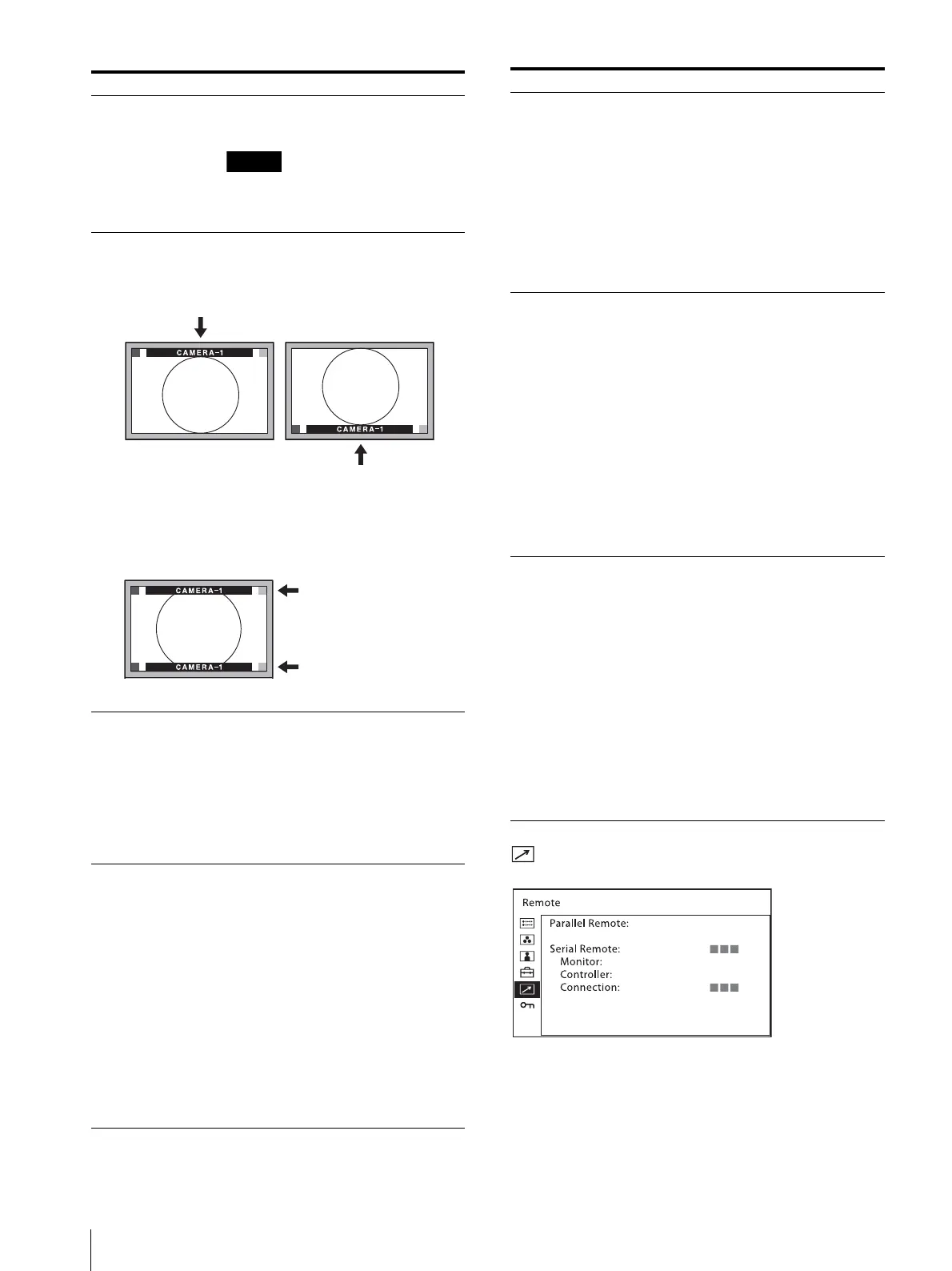
[Position] Sets the position of IMD. Select [Top]
or [Bottom].
When the IMD position is set to [Top], the video image is
shifted downward. When the IMD position is set to [Bottom],
the video image is shifted upward.
The IMD is displayed inside of the effective screen area.
[Transparency] Selects [Black] or [Half] for the
background of IMD.
[Black]: The background is black.
Displayed image is hidden
behind the background.
[Half]: The background is
transparent. Displayed image
can be seen indistinctly behind
the IMD display.
[Text Color] Selects the color of text displayed in
IMD.
Selecting [Remote Specified] sets the
same color as set in TSL command.
Selecting from other than [Remote
Specified] sets the following colors,
regardless of the command setting.
[Remote Specified]
[White]
[Red]
[Green]
[Blue]
[Yellow]
[Cyan]
[Magenta]
[Amber]
LMD-A220/A180
[Top]
[Bottom]
[Text Intensity] Selects brightness of text displayed in
IMD.
Selecting [Remote Specified] sets the
brightness same as set in TSL
command. Selecting from other than
[Remote Specified] sets the following
brightness, regardless of the command
setting.
[Remote Specified]
[High]
[Middle]
[Low]
[Left Tally Color] Selects the color of left tally lamp
displayed in IMD.
Selecting [Remote Specified] sets the
same color as set in TSL command.
Selecting from other than [Remote
Specified] sets the following colors,
regardless of the command setting.
[Remote Specified]
[White]
[Red]
[Green]
[Blue]
[Yellow]
[Cyan]
[Magenta]
[Amber]
[Right Tally Color] Selects the color of right tally lamp
displayed in IMD.
Selecting [Remote Specified] sets the
same color as set in TSL command.
Selecting from other than [Remote
Specified] sets the following colors,
regardless of the command setting.
[Remote Specified]
[White]
[Red]
[Green]
[Blue]
[Yellow]
[Cyan]
[Magenta]
[Amber]
Submenu Setting


 To Next Page