24-GB
Transferring songs from the computer to the “MG
Memory Stick” (Check-out) (continued)
2 Transfer the song to the
“MG Memory Stick”(Check-out)
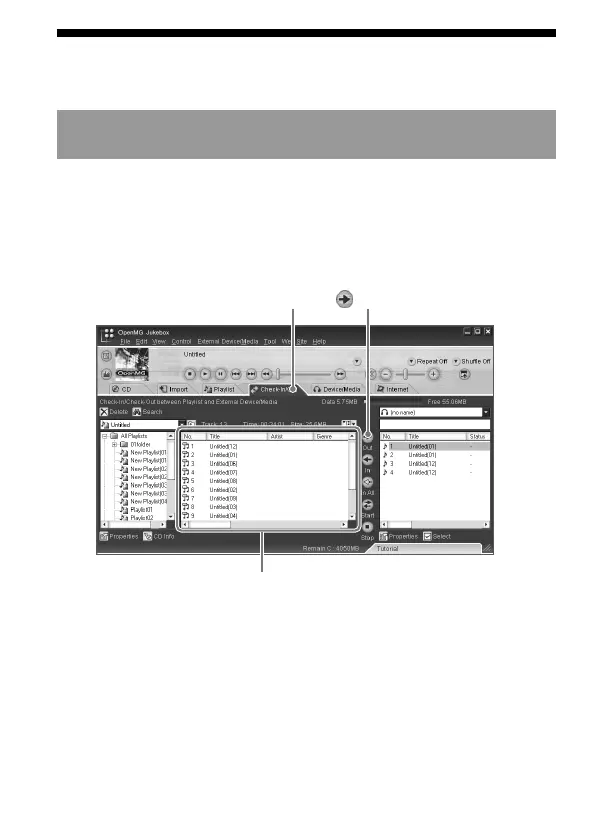
1 Run OpenMG Jukebox, then click [Check-In/Out] tab to display
the Check-in/Check-out window.
Your computer recognizes the connected “MG Memory Stick” and
the list of songs are displayed on the right side of the window.
2 Select the Playlist containing the songs you want to check-
out.
The songs in the Playlist are listed in the Playlist view in the
center of the window.
3 In the Playlist view, select the song to be checked out.
To Check-out more than one song at a time, hold down the Ctrl
key and click the songs to be selected.
[Check-In/Out] tab
(Out) button
Playlist view


 To Next Page