000
Chapter 1: Introduction: Parts Identification
13
Input image
Displays inputs 1 to 4 and the TITLE
material input signal.
Remote camera setting
When using a Remote Commander to
control cameras, this displays a camera's
assignment setting.
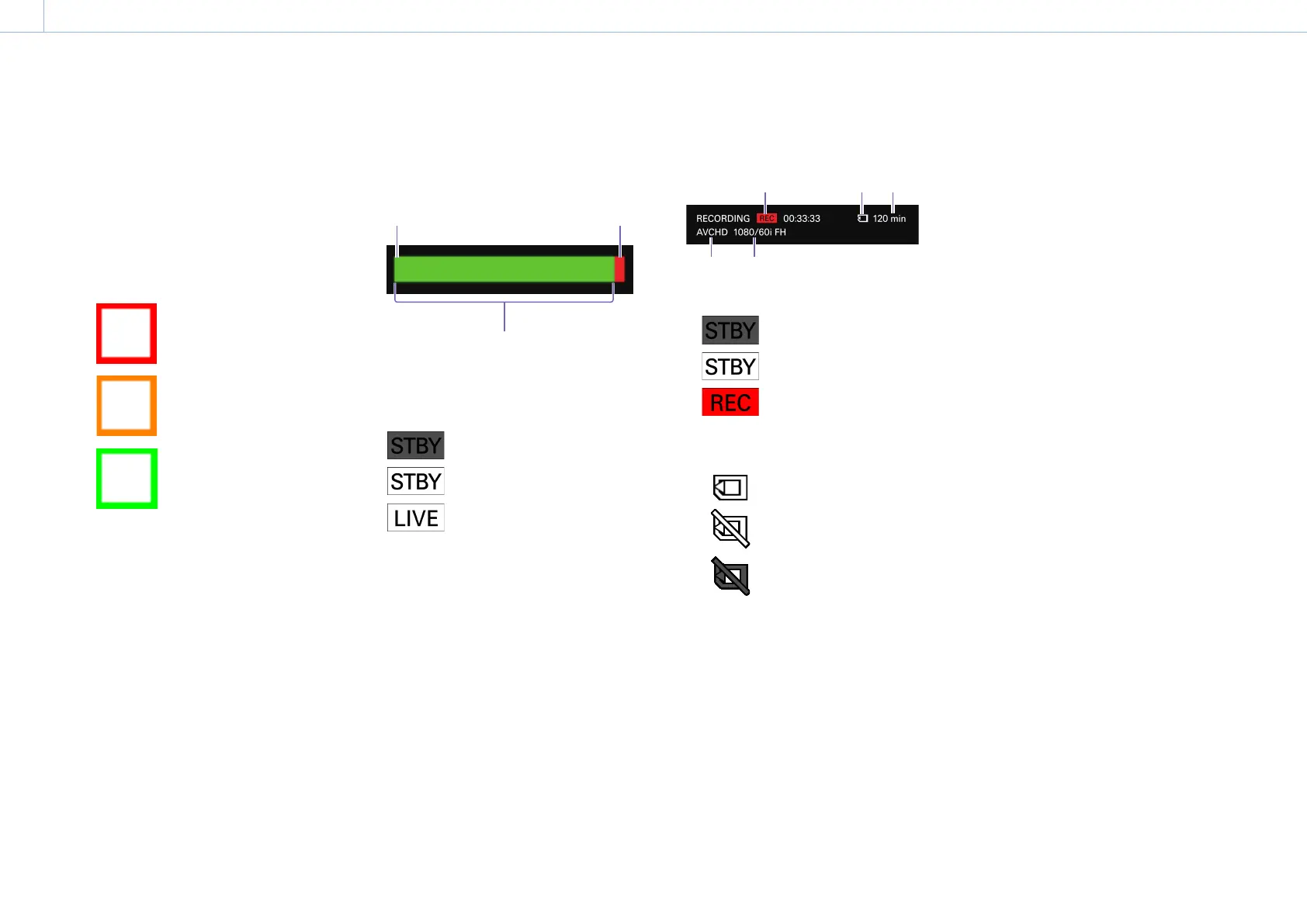
Tally indicator
Displays a tally for the input material based
on its status.
(PGM tally): A red frame
appears around the material
being output as the PGM
output.
(NEXT tally in BKGD mode): An
amber frame appears around
the input that will be output
next as the PGM output.
(NEXT tally in EFFECT mode): A
green frame appears around
the input that will be output
next as the PGM output.
Input status
Displays the following statuses if an error
occurs with the input signal.
[No Signal]: There is no signal input.
[Format Mismatch]: A signal that is not
supported by the unit is being input.
[HDCP]: A copyright protected (HDCP)
signal is being input. This is not
supported on the unit.
4. Audio level meters
Display the audio levels of the PGM output
within a range of 0 to -60 dB in 16 levels.
The left end
represents -∞ and is
always lit green.
Over-level indicator
Lights red at 0 dB.
Lights green up to the current level.
5. [STREAMING] status
Displays the streaming status using an icon.
: Streaming is not possible.
: Streaming is ready to start.
: Streaming is in progress.
6. [RECORDING] information
Displays the following information concerning
recording.
Recording status
:
Recording is not possible.
:
Recording is ready to start.
:
Recording is in progress. The
recording duration is displayed
in hours, minutes, and seconds.
Memory card status
: A memory card is inserted, and
recording is possible.
: A memory card is inserted, but
recording is not possible.
: A memory card is not inserted.
Remaining time for the memory card
When a memory card is inserted, this
displays the remaining recording time for
the memory card in minutes.
When the remaining time is less than 1
minute, a “0 min” display will blink.
File format
Displays the currently configured file
format.
The file format is fixed at AVCHD.
Recording format
Displays the currently configured
recording format.
For details on settings, see “Conguring the
Recording Settings” (page 56).
7. Clock display
Displays the current time.
For details on settings, see “[System] Screen” (page 61)
in the “Conguring the System Settings” section.


 To Next Page