000
Chapter 3: Basic Operations: Live Adjustments
38
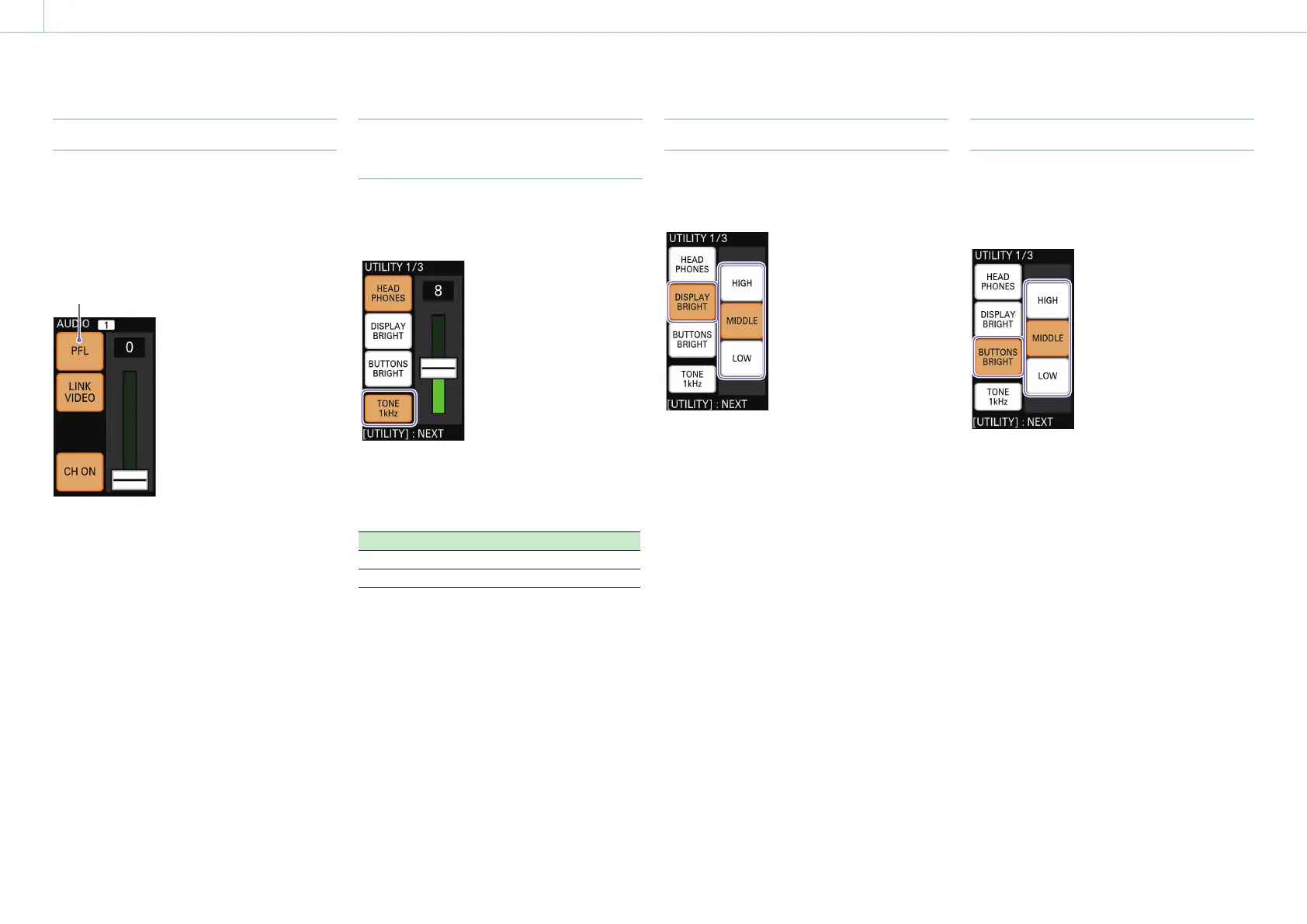
Listening to the Current Audio Input
By tapping and holding [PFL], you can listen to
and monitor only the currently selected audio via
headphones or a device connected to the audio
output connectors on the rear of the unit.
The button remains lit while it is held, and
the current audio can be monitored by
itself, regardless of slider adjustments.
[Tips]
When [CH ON] is deselected, slider adjustments can be
performed, but audio cannot be monitored.
For details on headphone volume, see “Adjusting the Headphone
Volume” (page 37).
Outputting the Audio Tone Signal
with the PGM Output
Display the [UTILITY 1/3] menu, and output the 1
kHz tone signal with the PGM output using [TONE
1kHz].
Select (lit): Outputs the 1 kHz tone signal (fixed
level
1)
) with the PGM output.
Deselect (unlit): Does not output the tone signal.
1)
System format Level
50i -18 dB
60i -20 dB
Adjusting the Menu Panel Brightness
Display the [UTILITY 1/3] menu, tap and select
(light) [DISPLAY BRIGHT], and select the menu
panel (touch panel) brightness.
[HIGH]: Brightest level.
[MIDDLE]: Medium brightness level.
[LOW]: Darkest level.
Adjusting the Button Brightness
Display the [UTILITY 1/3] menu, tap and select
(light) [BUTTONS BRIGHT], and select the button
brightness.
The brightness level will be applied to all buttons.
[HIGH]: Brightest level.
[MIDDLE]: Medium brightness level.
[LOW]: Darkest level.


 To Next Page