000
Chapter 4: Advanced Operations: Customizing the Pattern Icons
41
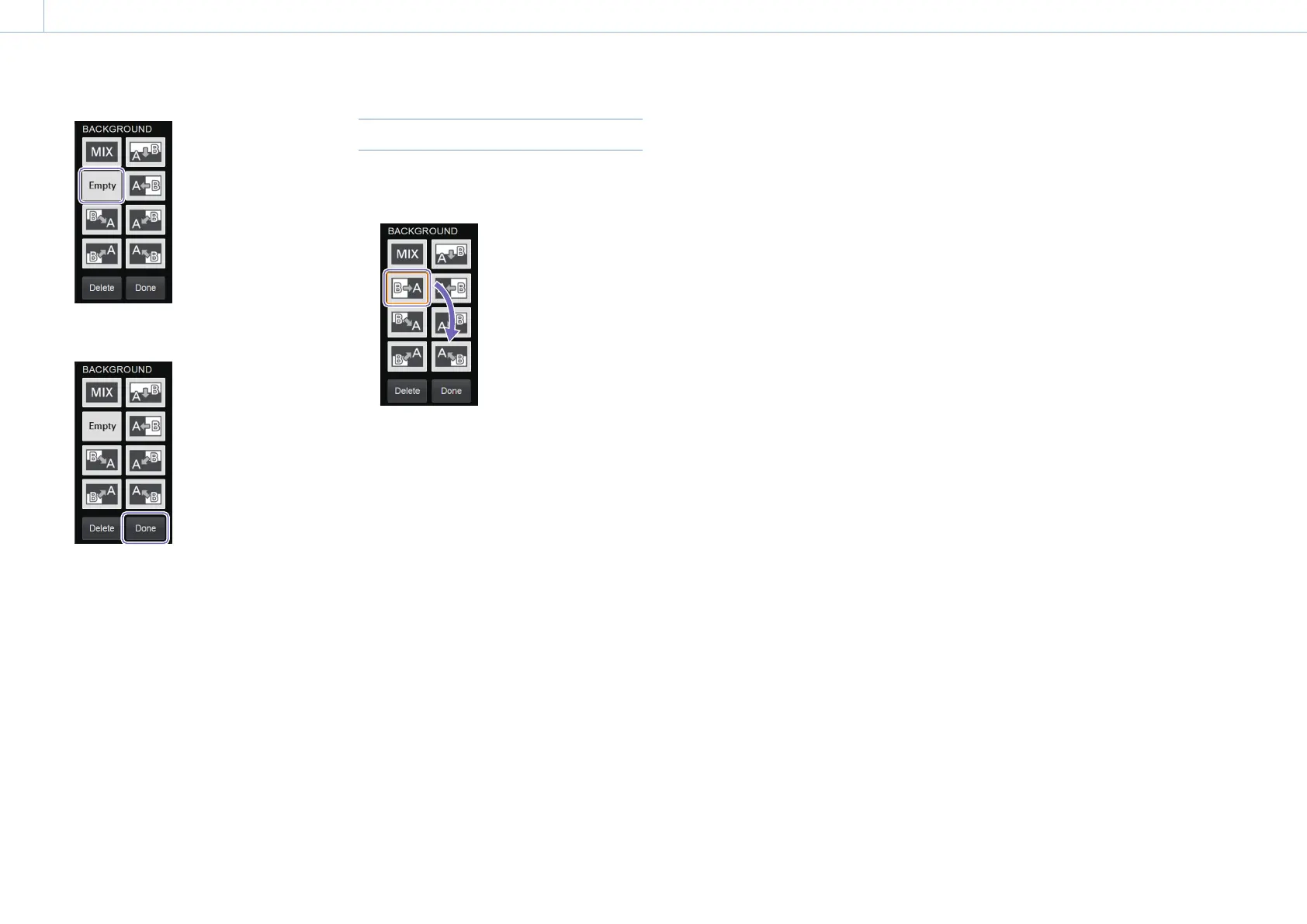
3 After finishing configurations, select [Done].
The pattern icons displayed in the menu are
changed.
[Tips]
The [Empty] icon will not appear on menu panel of
the unit and the PC UI's [Live] screen.
Performing controls on the unit exits [Move] mode.
Rearranging Pattern Icons
1 Enable [Move] mode, and then drag and drop
the pattern icon to the desired position.
2 After finishing configurations, select [Done].
The arrangement of the pattern icons
displayed in the menu is changed.


 To Next Page