000
Chapter 4: Advanced Operations: Selecting Picture-in-Picture (PinP) Patterns
43
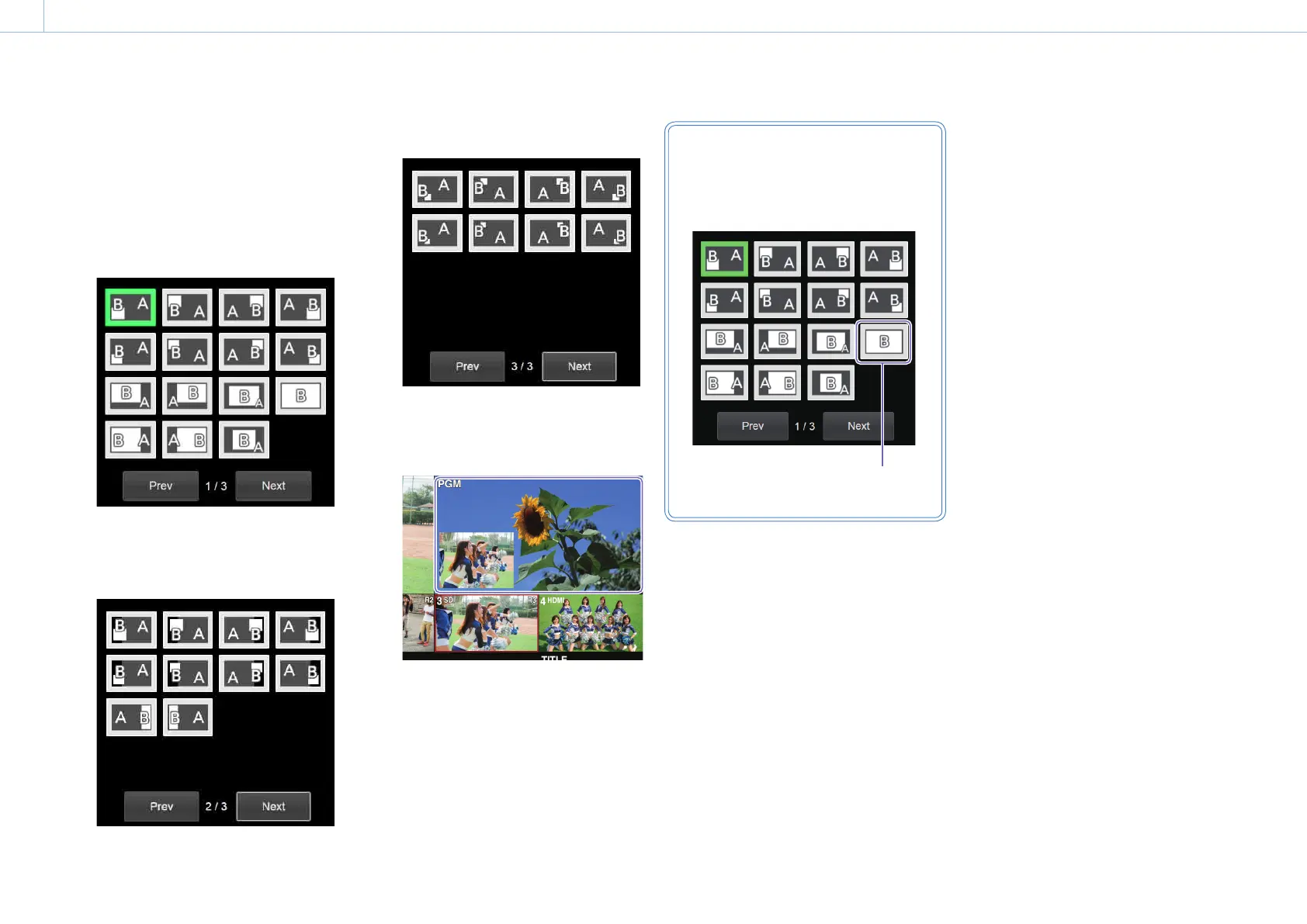
Select the PinP pattern icon.
There are three pages of PinP pattern
icons.
Selecting [Next] displays the next page,
while selecting [Prev] returns to the
previous page.
Page 1 (1/3)
Pattern icons for an HD angle of view.
Page 2 (2/3)
Pattern icons for an HD angle of view.
Select these when you want to shift the
row A material to the right or left.
Page 3 (3/3)
Pattern icons for an SD angle of view.
Press the CUT or AUTO TRANS button, and
check the composition.
You can view the composition in the
multi-viewer.
Useful tip
If you want to display the PinP insert image
(video B) in full screen, select the following
pattern icon (P12).
Video B appears in full
screen in this pattern.


 To Next Page