
 Need help?
Do you have a question about the Sony MDP-600 and is the answer not in the manual?
Crucial safety warnings regarding fire, shock, and laser beam hazards. Servicing advice included.
Guides users on checking and setting the correct voltage for MDP-600 and MDP-A1 models.
Explains the basic functions of the player, categorized into Primary, Variable Speed, Repeatable, and Auxiliary.
Details the types of optical discs supported, including Laser Discs, Compact Discs, and CDVs.
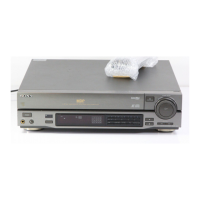
Identifies and describes the functions of buttons and jacks on the player's front panel.
Details the various output connectors, voltage selector, and input jacks on the rear panel.
Illustrates and explains all the buttons and functions available on the remote control.
Shows how to connect the player to a TV using audio/video cables for playback.
Explains the use of an RFU adaptor for TVs lacking A/V inputs, noting sound limitations.
Guides on connecting to a stereo system for optimal stereo audio playback.
Details connecting via fiber optic cable for high-quality digital audio reproduction.
Step-by-step guide on inserting, playing, and navigating basic functions for Laser Discs.
Details how to pause, stop, and remove the disc during playback.
How to use the ANALOG button to choose between digital and analog audio outputs.
How to use the DISPLAY button to view player status and disc information on the TV.
How to use MULTI SPEED and SPEED SET buttons for adjusting playback speed and direction.
Using the Shuttle Ring for smooth, gradual changes in playback speed and direction.
How to search for and play a specific chapter using number keys.
How to search for specific frame numbers (CAV) or time points (CLV) on a disc.
How to set start and end points to repeat a specific segment of the disc.
How to return to a previously marked point on the disc using memory search.
How to create a custom play list of chapters from LD sides A and B.
How to advance or reverse the playback one frame at a time.
How to freeze the video image into a still picture.
Step-by-step guide for inserting and playing standard audio CDs.
How to program a sequence of tracks to play in a specific order.
Basic steps for inserting and playing CDV and VSD discs.
Checks for power connection, disc insertion, and seating when playback fails.
Solutions for poor quality, no sound, or unresponsive remote commander.
Guidelines on electrical safety, optimal player location, and moisture precautions.









 To Next Page
 General