Hint
The above procedure is an example. For details, refer to the operating instructions supplied with your computer.
If the computer was connected with the headset the last time, an HFP/HSP connection is made when you turn on the headset. While the headset
is on, you can make an A2DP connection (music playback) by pressing the
button.
Note
If the headset tries to make a connection with a previously connected BLUETOOTH device, you may not be able to connect to the device you
want to. If connection fails, terminate the BLUETOOTH connection from the device that was previously connected.
Related Topic
How to make a wireless connection to BLUETOOTH devices
Pairing and connecting with a computer (Windows 8/Windows 8.1)
Listening to music from a device connected via BLUETOOTH
Disconnecting BLUETOOTH connection (after use)
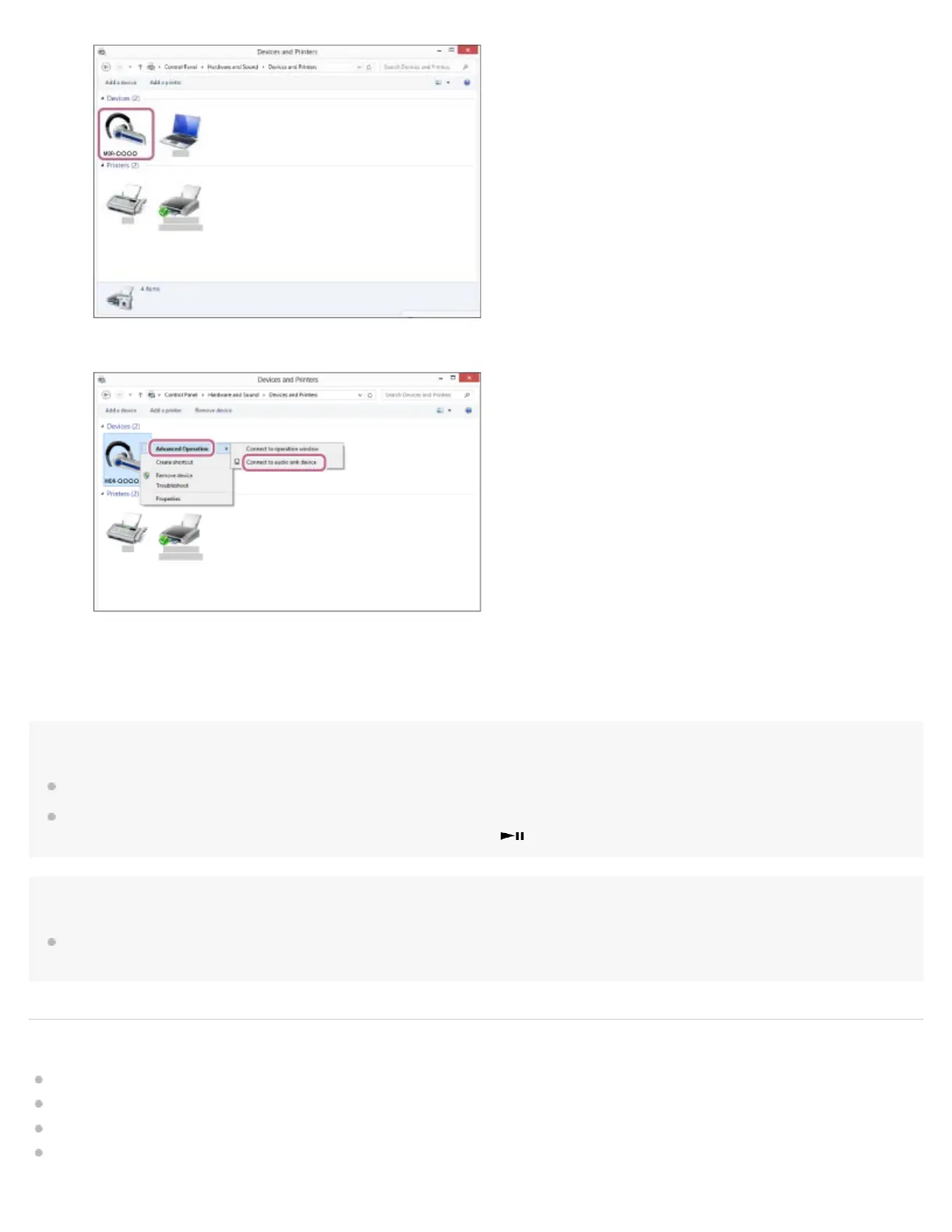
Select [Advanced Operation] — [Connect to audio sink device].
6.


 To Next Page