Back Back to Top Print
Stereo Headphones
MDR-1ADAC
Connecting to a Mac
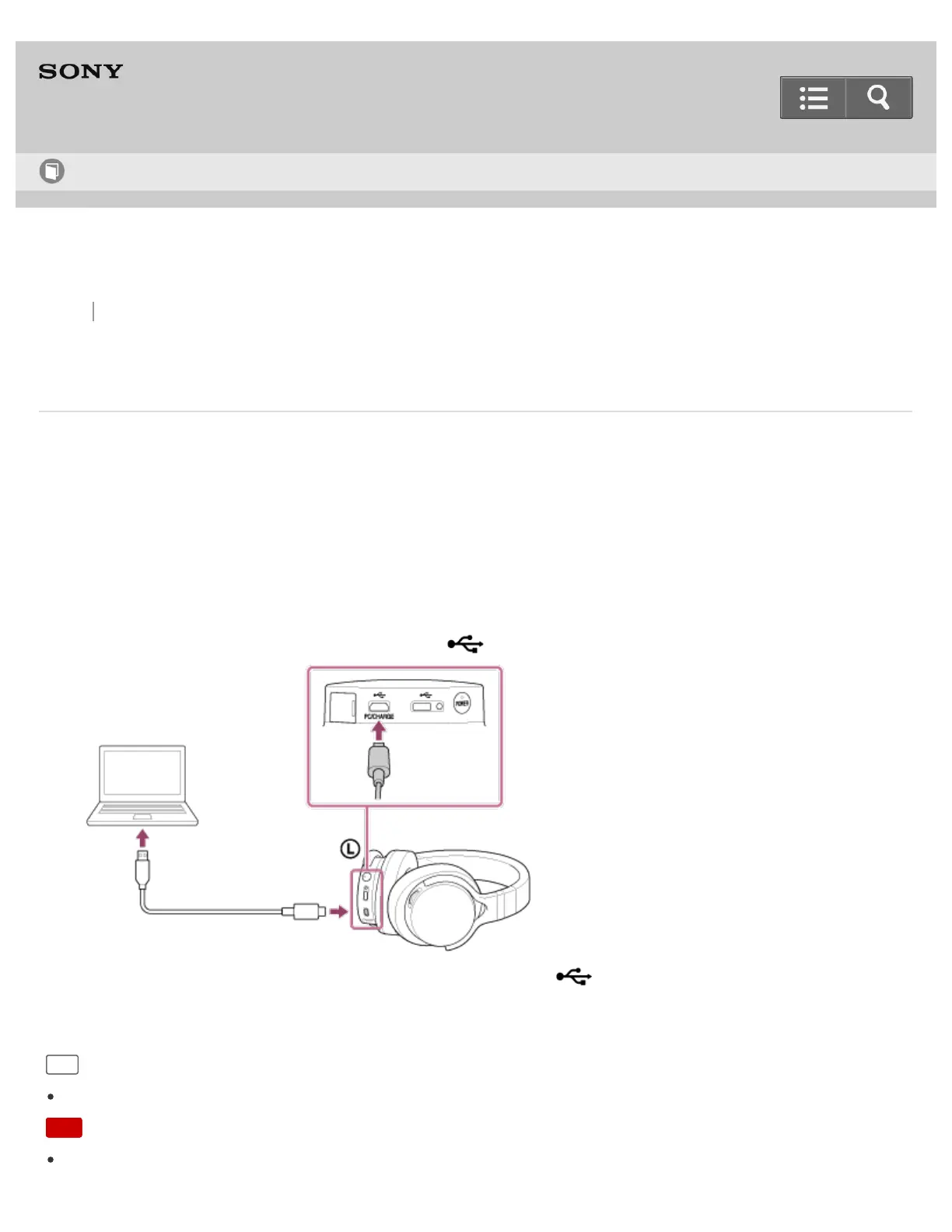
You can connect the headphones to a Mac using the micro-USB cable (supplied). The headphones are compatible
with High-Resolution Audio format files, up to 192 kHz/24 bit PCM, DSD 2.8 MHz or DSD 5.6 MHz
*
.
*
The DSD format is converted to the linear PCM format when playing back.
1. Start your Mac.
You need to download and install “Hi-Res Audio Player” on your Mac to listen to High-Resolution Audio format
files on the Mac with the headphones.
2. Connect the Mac to the micro USB port (Type B) ( PC/CHARGE) using the micro-USB cable (supplied).
Do not connect another device to the micro USB port (Type AB) ( ) when you listen to music that is played
on a Mac with the headphones.
Hint
The headphones support USB 2.0 (USB 2.0 High Speed) as an audio device.
Note
If you are listening to music loudly with the headphones connected to a Mac, the POWER indicator may flash in
Help Guide
How to Use


 To Next Page
 Loading...