Preparation
10
GB
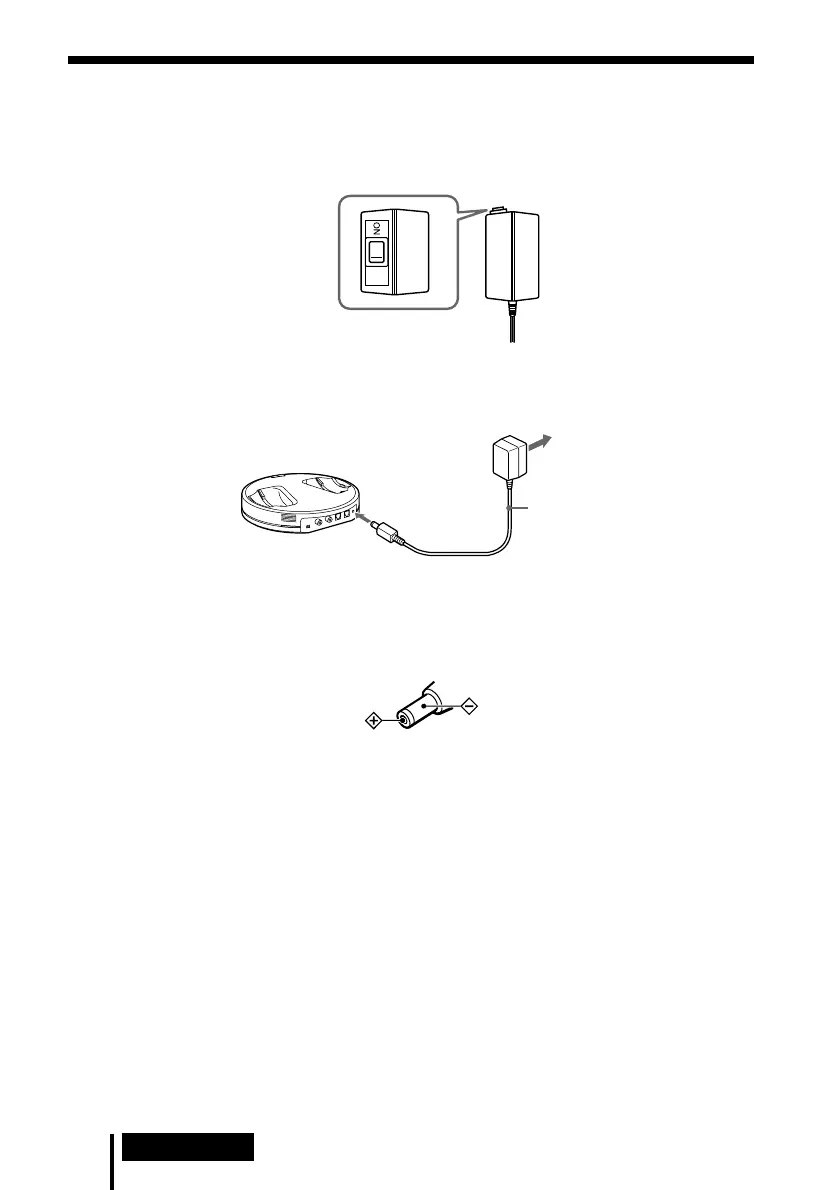
Charging
1 If your AC power adaptor is equipped with an on/off switch, set it to ON.
The power is supplied to the transmitter.
2 Connect the supplied AC power adaptor to the transmitter.
Notes
• Be sure to use the supplied AC power adaptor. Using AC adaptors with different plug
polarity or other characteristics can cause product failure.
• Be sure to always use the supplied AC power adaptor. Even AC power adaptors having
the same voltage and plug polarity can damage this product due to the current capacity
or other factors.
• Connect the AC power adaptor to an easily accessible AC outlet. Should you notice an
abnormality in the AC power adaptor, disconnect it from the AC outlet immediately.
Unified polarity plug
On/off switch
To an AC outlet
AC power adaptor
(supplied)
To DC IN
9V jack
Transmitter



 To Next Page