Operation
18
GB
L
A
T
I
G
I
D
G
O
L
A
N
A
T
C
E
L
E
S
T
U
P
N
I
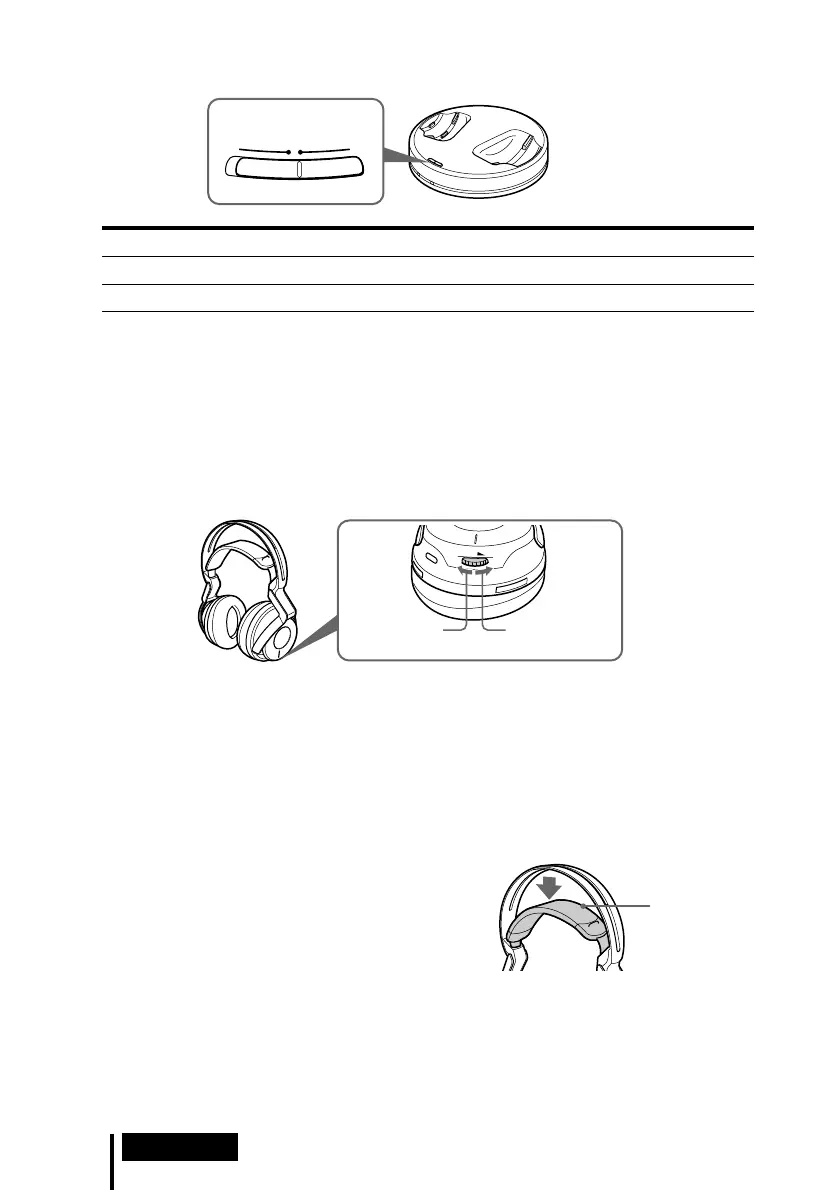
4 Slide the INPUT SELECT switch to select the component you want to listen to.
Position of switch Selected sound source
DIGITAL Sound of the component connected to DIGITAL IN jack.
ANALOG Sound of the component connected to LINE IN jacks.
Note
To listen to dual audio (MAIN/SUB) sound sources, connect to the LINE IN jacks, and then
select the sound source you want to listen to on the player, TV, or other component.
5 Start playback of the component selected in step 4.
6 Adjust the volume.
Notes
• When watching films, be careful not to raise the volume too high in quiet scenes. You
may hurt your ears when a loud scene is played.
• You may hear some noise when you disconnect the AC power adaptor from the
transmitter before removing the headphones.
The headphones automatically turn off when they are removed
— Auto Power On/Off function
Do not pull up the self-adjusting band when not
in use, as this will consume the battery power.
V
O
L
Raise the
volume
Lower the
volume
Self-adjusting
band



 To Next Page