I
~C_D
______________
~I
~~U_S_B_d_e_v_i_ce_s
______
__
This unit can play CD-DA (also containing
CD TEXT) and CD-R/CD-RW (MP3/
WMA/AAC files (page 38)).
1
Insert
the
disc (label side up).
Playback starts automatically.
To
eject the disc,
press~.
I~Mfl
When
ejecting/inserting a disc, keep any
USB
devices disconnected to avoid damage to the disc.
Changing display items
Press (
DSPL).
Displayed items may differ depending
on
the disc type, recording format
and
settings.
• MSC (Mass Storage Class)-type
USB
devices compliant with the
USB
standard
can be used.
• Corresponding codec is
MP3
(.mp3),
WMA (.wma), AAC (.m4a)
and
AAC
(.mp4).
•
Backup
of
data to a
USB
device is
recommended.
For details
on
the compatibility
of
your
USB
device, visit the support site
on
the back
cover.
I~Mfl
Connect the
USB
device after starting the engine.
Depending
on
the
USB
device, malfunction or
damage may occur
if
it is connected before
starting the engine.
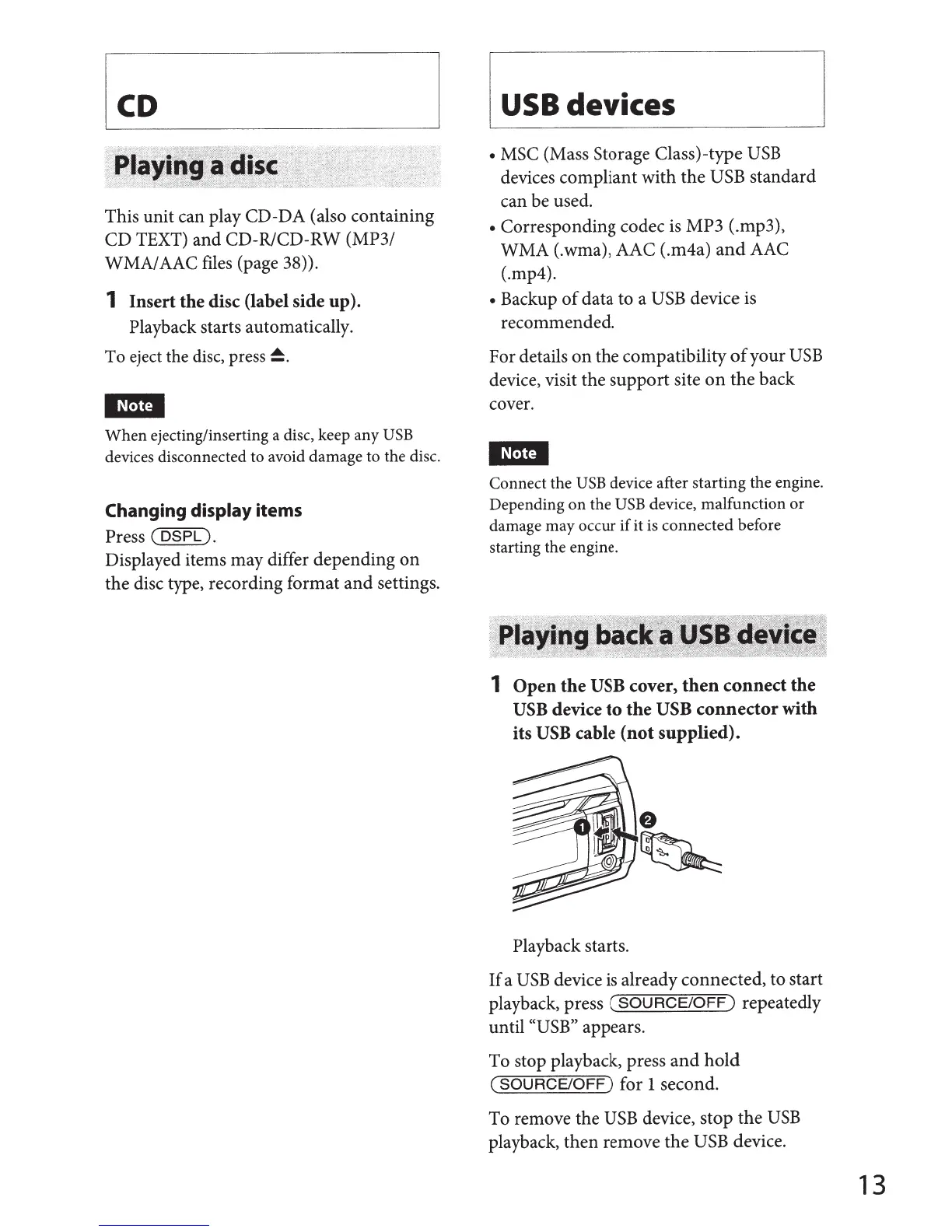
1
Open
the
USB
cover,
then
connect
the
USB
device
to
the
USB
connector
with
its USB
cable
(not
supplied).
Playback starts.
If
a
USB
device
is
already connected, to start
playback, press
(SOURCE/OFF)
repeatedly
until
((USB"
appears.
To stop playback, press
and
hold
(SOURCE/OFF)
for
1
second.
To remove the
USB
device, stop
the
USB
playback, then remove the
USB
device.
13



 To Next Page