II
4
Welcome!
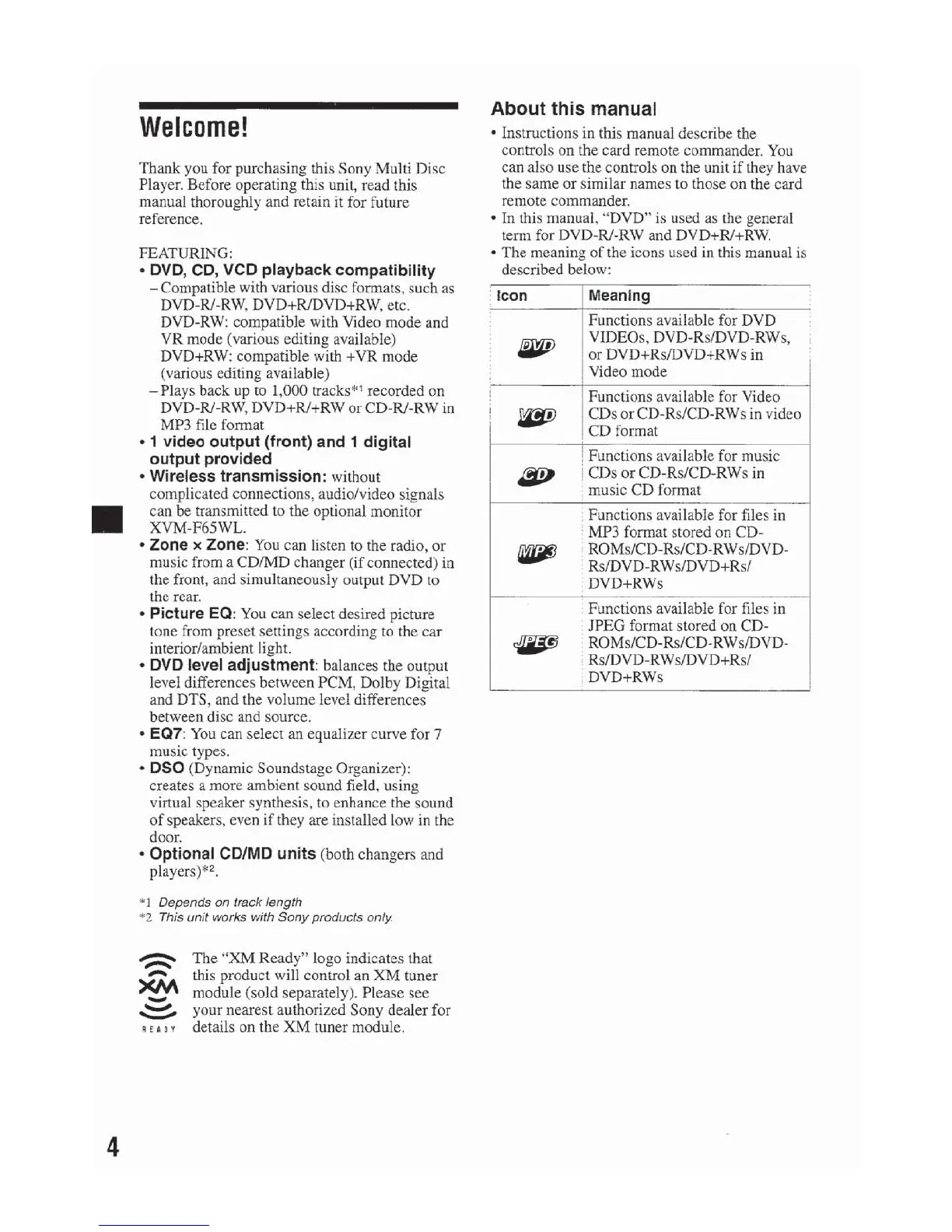
Thank you for purchasing this Sony Multi Disc
Player. Before operating this unit, read this
manual thoroughly and retain
it for future
reference.
FEATURING:
• DVD, CD,
VCD
playback compatibility
- Compatible with various disc formats, such as
DVD-
RJ
-RW, DVD+RIDVD+RW, etc.
DVD-RW: compatible with Video
mode
and
VR
mode (various editing available)
DVD+RW: compatible with +
VR
mode
(various editing available)
-Plays
back up to 1,000 tracks*
1
recorded on
DVD-RJ-
RW
, DVD+Ri+RW
or
CD
-R/-RW in
MP3 file format
• 1 video output (front) and 1 digital
output provided
• Wireless transmission:
without
complicated connections, audio/video signals
can
be
transmitted to the optional monitor
XVM-F65WL.
• Zone x Zone:
You
can Jjsten to the radio,
or
music from a CD/MD changer (if connected)
in
the front, and simultaneously output DVD to
the rear.
• Picture
EO
:
You
can select desired picture
tone from preset settings according
to
the
car
interior/ambient light.
• DVD level adjustment: balances the output
level differences between
PCM
, Dolby Digital
and DTS, and the volume level differences
between disc and source.
•
EQ7
: You can select
an
equalizer curve for 7
music types.
• DSO (Dynamic Soundstage Organizer):
creates a more ambient sound field, using
virtual speaker synthesis,
to
enhance the sound
of
speakers, even if they are installed low in the
door.
• Optional
CD/MD
un
i
ts
(both changers and
players)*
2
•
"'
1 Depends on track length
*2 This
unit
works with Sony products
only.
~
-
XM
-
-:::::-
!£AD
Y
The
"XM
Ready
" logo indicates that
this product will control an
XM
tuner
module (sold separately). Please see
your nearest authorized
Sony
dealer for
details on the
XM
tuner module.
About this manual
• Instructions
in
this manual describe the
controls on the card remote commander. You
can also use the controls on the unit
if
they have
the same
or
similar names to those
on
the card
remote commander.
• In this manual, "DVD" is used as the general
term for DVD-RJ-RW and DVD+RI+RW.
•
The
meaning
of
the icons used in this manual is
described below:
· Icon
Meaning
Functions available for DVD
4fl'PJ
VIDEOs, DVD-Rs/DVD-RWs,
or
DVD+Rs/DVD+RWs in
Video mode
l Functions available for Video
I
~
CDs
or
CD-Rs/CD-RWs in video
l
CD
format
j Functions available for music
~
j CDs
or
CD-Rs/CD-RWs in
: music CD format
Functions available for files in
· MP3 format stored on CD-
fili6J
' ROMs/CD-Rs/CD-RWs/DVD-
Rs/DVD-RWs/DVD+Rs/
DVD+RWs
Functions available for files in
JPEG format stored
on
CD-
~
ROMs/CD-Rs/CD-RWs/DVD-
, Rs/DVD-RWs/DVD+Rs/
. DVD+RWs
!
i
'



 To Next Page