Table
of
Contents
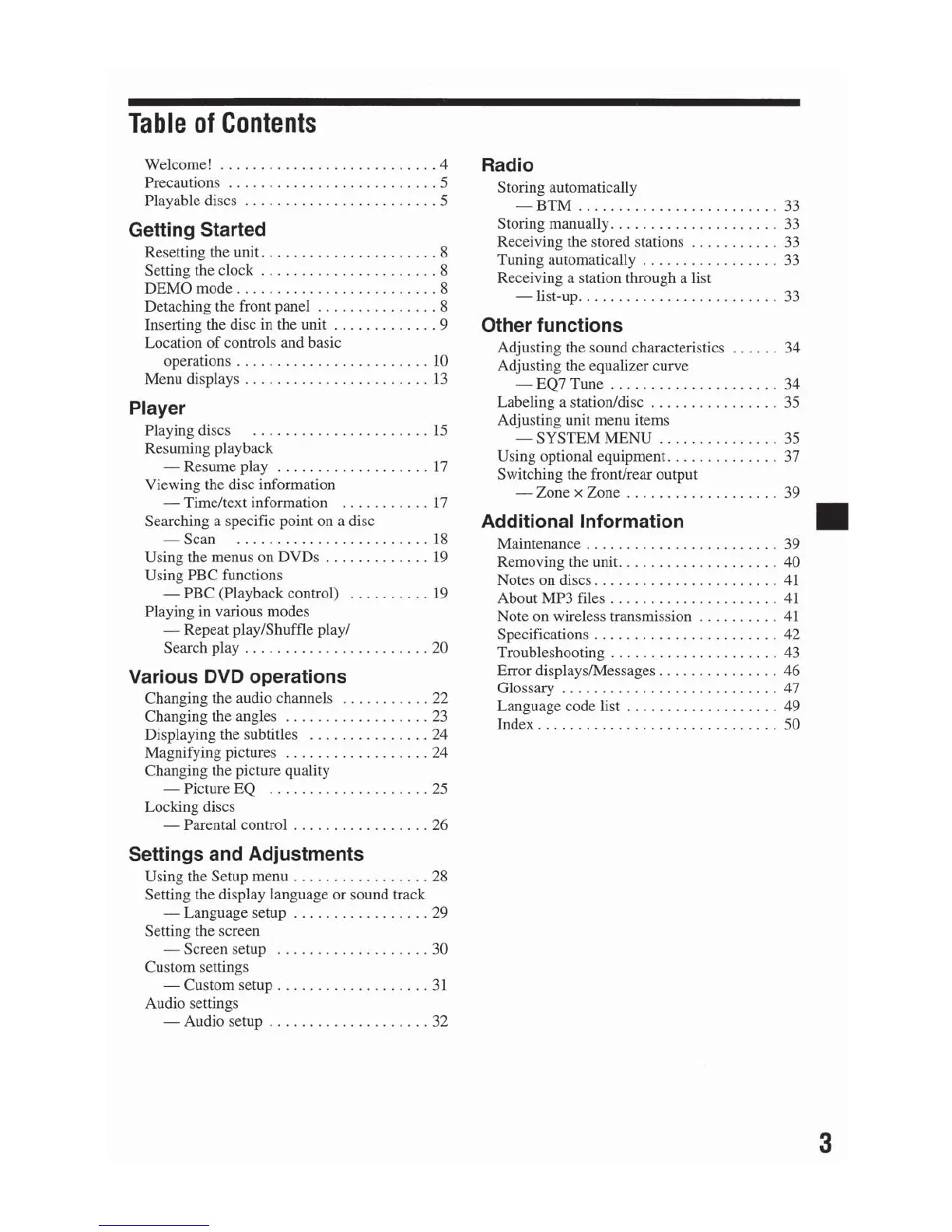
Welcome!
.......................
....
4
Precautions
........
...
...
....
. .
......
5
Pla
ya
ble discs
........
.
.......
.
.......
5
Getting Started
Resetting the unit
..............
. .
......
8
Setting the clock
......
.
.......
.
.......
8
DEMO mode
...
.......
......
.
........
8
Detaching the front panel
...............
8
Inserti
ng
the disc in the unit
.....
.
.......
9
Location
of
controls and basic
operations
...
........
......
.
......
10
Menu displays
...
..
.......
..
. .
....
...
13
Player
Playing discs
...............
.
......
15
Resuming playback
- Resume play . . .
.. ..
............
17
Viewing the disc information
-
Tim
e/text
in
fo
rmation
...........
17
Searching a specific point on a disc
-S
can
...
..............
.
......
18
Using the menus on DVDs
....
....
.....
19
Using PBC functions
- PBC (Playback control)
...
. .
.....
19
Playing in various modes
-R
epeat play/Shuffle play/
Search play
........
..
....
..
.
......
20
Various DVD operations
Changing the audio channels . .
.........
22
Changing the angles
..................
23
Displaying the subtitles
........
.......
24
Magnifying pictures
...........
.
......
24
Changing the picture quality
- Picture EQ
.....
...............
25
Locking discs
- Parental control
.................
26
Settings and Adjustments
Using the Setup menu
.................
28
Setting
the
display
language
or
sou
nd
track
-Language
setup
..
.
...
.. ..
.
....
..
29
Setting the screen
- Screen setup
...................
30
Custom settings
- Custom setup
....
. .
......
.
......
31
Audio settings
- Audio setup
....................
32
Radio
Storing automatically
-BTM
.........................
33
Storing manually
....
..
.....
..........
33
Receiving
th
e stored stations
.......
.
...
33
Tuning automatically
...........
..
....
33
Receiving a station through a list
-list-
up
..........
.
....
..........
33
Other functions
Adjusting the sound characteristics
......
34
Adjusting the equalizer curve
- EQ7 Tune
.....................
34
Labeling a station/disc
................
35
Adjusting unit menu items
-SYS
TEM
ME
NU
......
...
....
..
35
Using optional equipment.
.............
37
Switching the front/rear output
-Zone
x Zone
...................
39
Additionallnformation II
Maintenance
..........
.....
..
.....
..
39
Removing the unit
..
...
..............
.
40
Notes on discs
.......................
41
About MP3 files . . . . . . . . . . . . . . . . . . . . . 41
Note
on
wireless transmission . . . . . . . . . . 41
Specifications
.......................
42
Troubleshooting .
..
.....
...
.
......
..
. 43
Error displays/Messages
...............
46
Glossary
....................
...
.. ..
47
Language code list .
....
.
.............
49
Index .
...................
.
.....
....
50
3



 To Next Page