Attaching
the
front panel
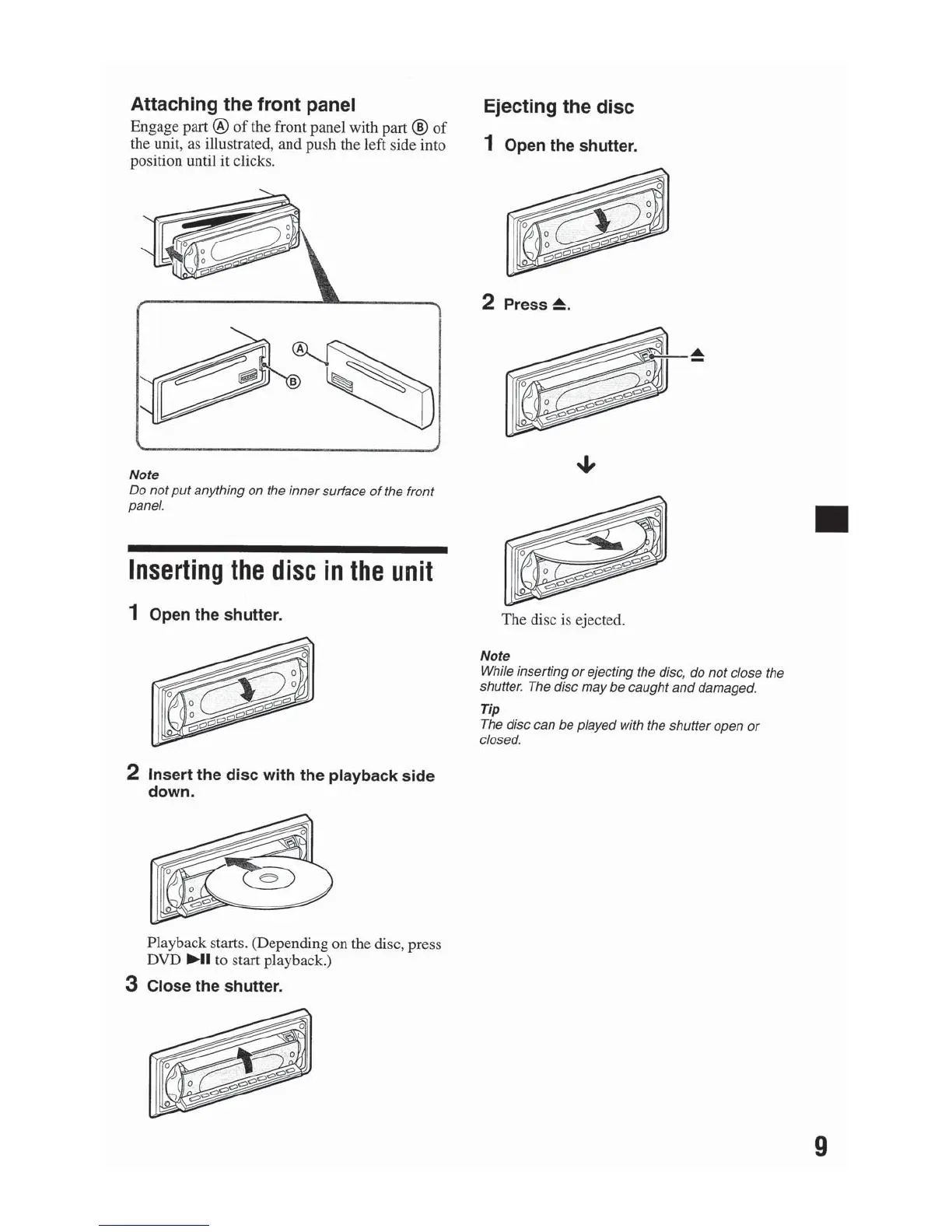
Engage part
@
of
the front panel with part
®
of
the unit, as illustrated, and push the left side into
position until it clicks.
Note
Do
not
put
anything on the
inner
sutface
of
the front
panel.
Inserting
the
disc
in
the
unit
1
Open
the
shutter.
2
Insert
the disc with the playback side
down.
Playback starts. (Depending on the disc, press
DVD
~II
to start playback.)
3
Close the shutter.
Ejecting the disc
1
Open
the
shutter.
2
Press~.
The
disc is ejected.
Note
While inserting
or
ejecting the
disc,
do
not
close the
shutter. The disc
may
be
caught
and
damaged.
T
ip
The disc can
be
played with the shutter open
or
closed.
II
9



 To Next Page