EasyManua.ls Logo

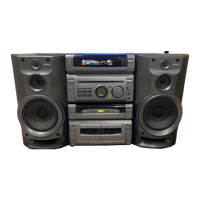
Sony MHC-BX6AV - User Manual

Sony MHC-BX6AV
52 pages
Print Icon
To Next Page IconTo Next Page
Loading...
1
Mini Hi-Fi
Component
System
©2000 Sony Corporation
Operating Instructions
4-227-084-12(1)
MHC-BX6AV/DX6AV
Owner’s Record
The model and serial numbers are located on the rear panel. Record the serial
number in the space provided below. Refer to them whenever you call upon your
Sony dealer regarding this product.
Model No. _______________ Serial No. _______________
Question and Answer IconNeed help?

Do you have a question about the Sony MHC-BX6AV and is the answer not in the manual?

Summary

Safety and Regulatory Information

Warning and Caution Statements

Important warnings and cautions regarding fire, shock, and safe operation.

Getting Started

Hooking Up the System

Step-by-step guide to connect speakers, antennas, and power.

Setting Up Your Speakers

Speaker Positioning

Recommendations for placing front, center, and rear surround speakers.

Adjusting Speaker Volume

Procedure for balancing speaker volumes using a test tone.

Setting the Time

Setting the Clock

Instructions to set the system's current time for timer functions.

Presetting Radio Stations

Manual Station Presets

How to store favorite radio stations into memory for quick access.

CD Player Operations

Playing a CD (Normal Play)

Instructions for playing audio CDs, including disc loading and playback.

CD Recording Operations

CD Synchro Recording

Recording from a CD to a tape automatically with synchronization.

Radio Operations

Listening to Preset Radio Stations

Tuning in and playing radio stations stored in memory.

Radio Recording Operations

Recording from the Radio

How to record radio broadcasts onto a tape.

Tape Recording Operations

Recording Manually on Tape

Steps for manually recording audio onto a cassette tape.

CD Player Functions

CD Player - Program Play

Tape Deck - Manual Recording

Tape Deck - Program Edit

Recording CD by Specifying Track Order

Creating a custom recording sequence from CDs onto tape.

Sound Adjustment

Enjoying Dolby Pro Logic Surround Sound

Activating and experiencing Dolby Pro Logic Surround audio.

Other Features - Timers

Timer-Recording Radio Programs

Scheduling radio programs to be recorded automatically.

Additional Information

Troubleshooting - System & General

Common System Issues

Resolving issues with demo mode, clock settings, and no sound.

Troubleshooting - Component Specific

Specifications

Summary

Safety and Regulatory Information

Warning and Caution Statements

Important warnings and cautions regarding fire, shock, and safe operation.

Getting Started

Hooking Up the System

Step-by-step guide to connect speakers, antennas, and power.

Setting Up Your Speakers

Speaker Positioning

Recommendations for placing front, center, and rear surround speakers.

Adjusting Speaker Volume

Procedure for balancing speaker volumes using a test tone.

Setting the Time

Setting the Clock

Instructions to set the system's current time for timer functions.

Presetting Radio Stations

Manual Station Presets

How to store favorite radio stations into memory for quick access.

CD Player Operations

Playing a CD (Normal Play)

Instructions for playing audio CDs, including disc loading and playback.

CD Recording Operations

CD Synchro Recording

Recording from a CD to a tape automatically with synchronization.

Radio Operations

Listening to Preset Radio Stations

Tuning in and playing radio stations stored in memory.

Radio Recording Operations

Recording from the Radio

How to record radio broadcasts onto a tape.

Tape Recording Operations

Recording Manually on Tape

Steps for manually recording audio onto a cassette tape.

CD Player Functions

CD Player - Program Play

Tape Deck - Manual Recording

Tape Deck - Program Edit

Recording CD by Specifying Track Order

Creating a custom recording sequence from CDs onto tape.

Sound Adjustment

Enjoying Dolby Pro Logic Surround Sound

Activating and experiencing Dolby Pro Logic Surround audio.

Other Features - Timers

Timer-Recording Radio Programs

Scheduling radio programs to be recorded automatically.

Additional Information

Troubleshooting - System & General

Common System Issues

Resolving issues with demo mode, clock settings, and no sound.

Troubleshooting - Component Specific

Specifications

Sony MHC-BX6AV Specifications

General IconGeneral
BrandSony
ModelMHC-BX6AV
CategoryStereo System
LanguageEnglish

Related product manuals