Need help?
Do you have a question about the Sony MHC-EC55 and is the answer not in the manual?
Record serial number and review critical safety warnings for fire, shock, ventilation, laser, and disposal.
Read UK/USA specific notices, understand DualDisc/copyrighted disc limitations, and proper disposal of electronics.
Connect antennas, speakers, subwoofer, and power cord correctly for system operation.
Adjust volume, EQ, DSGX, and play CD/MP3 discs, tune radio stations, and operate the tape deck.
Understand display modes, connect headphones, and link optional audio components.
Create custom CD programs, record from sources to tape, and protect tapes from accidental erasure.
Set Sleep and Play Timers for automatic operation and preset favorite radio stations for quick access.
Diagnose and fix common problems like no power, no sound, remote issues, STANDBY flashing, and component-specific faults.
Check disc compatibility, understand error messages, and reset the system to factory defaults.
Learn proper disc handling, cabinet cleaning, tape head maintenance, and optimal system placement for performance.
Review detailed safety guidelines, tape handling advice, and comprehensive technical specifications for the unit.
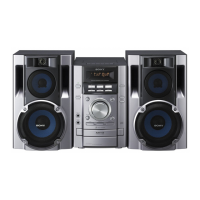
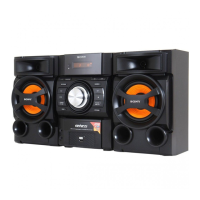
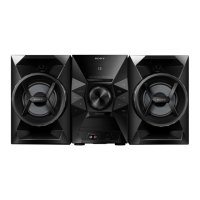
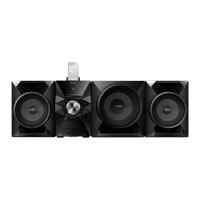
The Sony Mini Hi-Fi Component System is a versatile audio system designed for home entertainment, offering CD/MP3 playback, radio tuning, and tape recording/playback capabilities. It comes in several models, including the MHC-GX99, MHC-EC77, and MHC-EC55, with some variations in features and power output.
The core function of this system is to provide high-quality audio playback from various sources. It features a multi-disc CD/MP3 player, allowing users to load and play multiple discs, including standard audio CDs and MP3-encoded CD-R/CD-RWs. The system supports different play modes such as normal play, shuffle play, and program play, enabling users to customize their listening experience. For MP3 discs, it can navigate through folders and display ID3 tag information.
The integrated tuner supports both FM stereo and AM radio bands, allowing users to listen to their favorite stations. It offers automatic and manual tuning modes, as well as the ability to preset up to 20 FM and 10 AM stations for quick access. A unique feature allows users to change the AM tuning interval (9 kHz or 10 kHz) in certain regions.
For models outside North America, a tape deck is included, supporting TYPE I (normal) tapes for both playback and recording. Users can record from various sound sources, including CDs, radio, and external audio components, making it easy to create custom mixtapes or archive audio.
The amplifier section provides robust sound output, with specific power ratings varying by model. The MHC-GX99 model includes a dedicated subwoofer output and a subwoofer unit for enhanced bass reproduction. All models feature a PHONES jack for private listening with headphones and an AUDIO IN jack for connecting external audio components like portable music players or TVs.
The system incorporates sound adjustment features, including a VOLUME control and a "Dynamic Sound Generator X-tra" (DSGX) function to enhance the sound. An equalizer (EQ) is also available for further sound customization.
Timer functions add convenience to the system. The "Sleep Timer" allows users to fall asleep to music, automatically turning off the system after a set period or when the current disc/tape stops. The "Play Timer" enables users to wake up to music from a CD or tuner at a preset time, making it a versatile alarm clock.
Operating the system is intuitive, with controls available on both the main unit and a supplied remote commander. The remote provides comprehensive control over all functions, including volume adjustment, source selection, CD/MP3 playback controls (play, pause, stop, skip, fast forward/rewind, repeat, play mode, disc skip), tuner controls (tuning mode, band, preset selection), and tape deck controls (play, pause, stop/eject, rewind/fast forward, record).
The display provides essential information, such as track/file numbers, playing time, folder names, and tuner frequencies. Users can change the display mode to view different information or to activate the "Power Saving Mode," which turns off the display to conserve power while the clock and timers continue to operate.
Setting up the system involves connecting the speakers, antennas (FM lead and AM loop), and the power cord. For models with a voltage selector, it's crucial to set it to the correct local power line voltage. The subwoofer (MHC-GX99 only) should be placed vertically on a solid surface, a few centimeters from the wall, and away from the room's center to optimize bass reproduction. Speaker pads are supplied to prevent slipping.
When carrying the system, it's recommended to remove all discs to protect the CD mechanism and to put the unit in "LOCK" mode by holding down the CDII button and pressing the power button until "STANDBY" and then "LOCK" appear, before unplugging the power cord.
Regular maintenance helps ensure the longevity and optimal performance of the system.
For discs, it's important to wipe them clean with a soft cloth from the center outwards before playing. Solvents, thinners, or commercial cleaners intended for vinyl LPs should not be used. Discs should also be protected from direct sunlight, heat sources, and excessive humidity.
The cabinet can be cleaned with a soft cloth slightly moistened with a mild detergent solution. Abrasive pads, scouring powder, thinner, benzine, or alcohol should be avoided.
For the tape deck (where applicable), regular cleaning of the capstans and pinch rollers is recommended after every 10 hours of use, before important recordings, or after playing old tapes. This prevents degraded sound quality. Demagnetizing the tape heads with a demagnetizing cassette every 20 to 30 hours of use is also crucial to prevent increased noise, loss of high-frequency sound, and incomplete erasure of tapes.
To prevent accidental recording over a tape, users can break off the overwrite protection tab on the cassette. If recording is desired later, the tab can be covered with adhesive tape.
Troubleshooting tips are provided in the manual for common issues, such as no power, no sound, unbalanced volume, remote control malfunction, CD skipping, tuner reception problems, and tape playback issues. These tips guide users through basic checks, such as verifying connections, cleaning discs, repositioning antennas, and moving the system away from noise sources. In case of persistent problems, users are advised to contact their nearest Sony dealer.
The system also includes a "reset to factory settings" function, which can resolve operational issues by restoring all user-configured settings to their default state. This involves disconnecting and reconnecting the power cord, then pressing a specific combination of buttons.
 Power
Power| power requirements | AC 120V, 60Hz |
|---|---|
| output power | 130 Watts Total: 65 Watts per Channel x 2 |
| power consumption | 205W |
 Audio Specifications
| frequency response CD | 20-20000Hz (±0.5dB) |
|---|---|
| frequency response Cassette | 50-13000Hz (±0.3db) |
| frequency range AM | 530-1710kHz |
 Weight and Dimensions
| main unit weight | 22 lbs 1 oz (10 Kg) |
|---|---|
| speaker weight | 8 lbs 6 oz (3.8 Kg) each |
| main unit dimensions | W 11" x H 12 4/5" x D 16 13/14" (280 x 325 x 430mm) |


 To Next Page